How to Reverse a String in Python: 5 Easy Methods Every Beginner Must Know (2026)
If you have spent any time learning Python, you already know that strings show up everywhere — in user input, file content, web data, database records, and everything in between. The ability to manipulate strings confidently is one of the most practical skills you can develop as a Python programmer.
Knowing how to reverse a string in Python is a perfect starting point. It is simple enough for absolute beginners, yet deep enough to teach you important programming concepts like indexing, iteration, recursion, and Pythonic thinking. It is also one of the most commonly asked questions in Python coding interviews — so mastering it gives you a real edge.
Before we get started, there is one important thing to understand: Python strings are immutable. That means you cannot change a string’s characters in place. Instead, every reversal technique you will learn here creates a brand new reversed copy of the original string. That is normal and expected Python behaviour.
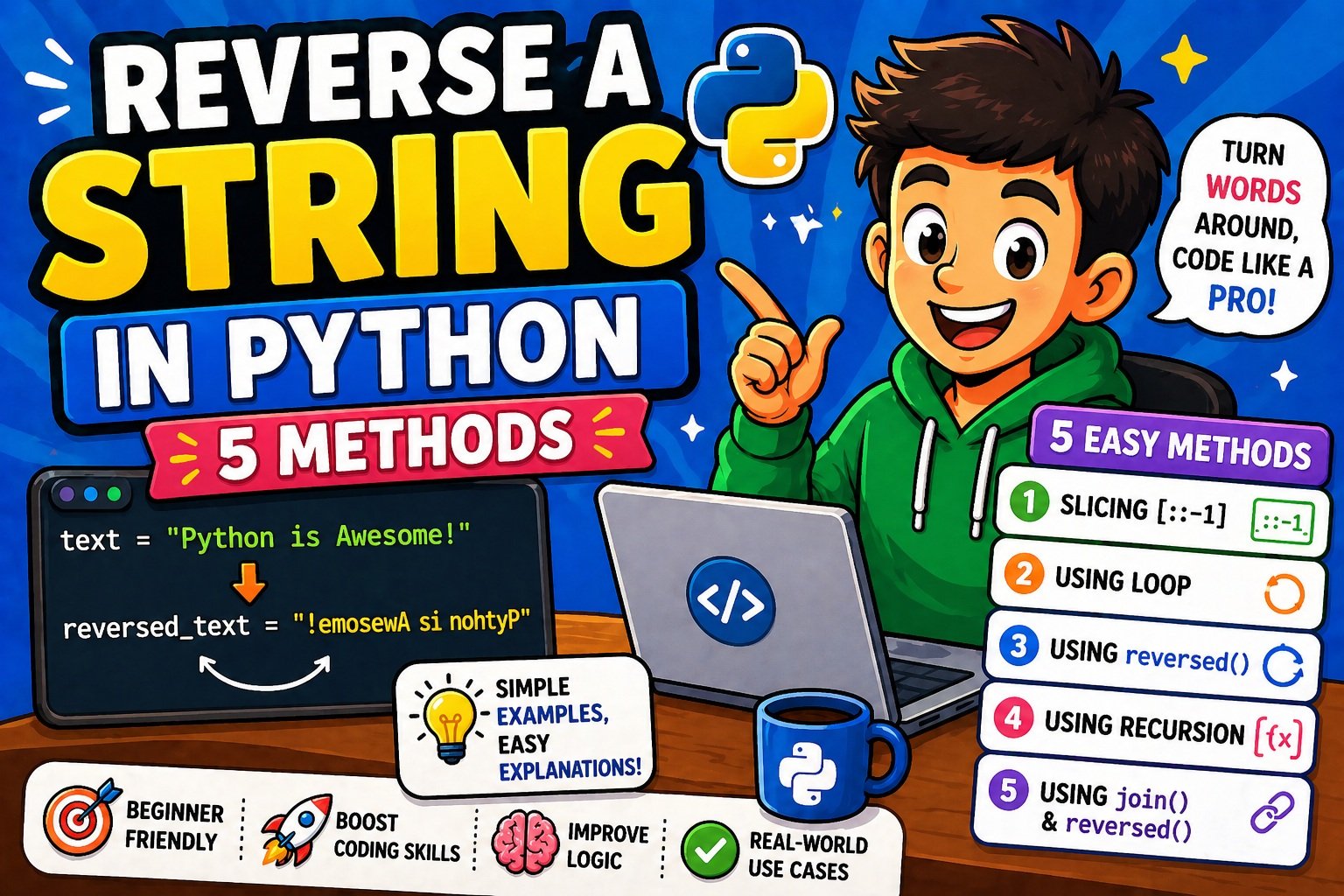
By the end of this post, you will know 5 reliable methods to reverse a string in Python, understand the performance differences between them, avoid the most common beginner mistakes, and be ready to apply these techniques in real projects.
Before we dive in, if you are new to working with Python strings, check out our guide on how to take user input in Python — because most real-world string problems begin with data that comes from users.
What Is String Reversal in Python?
String reversal means rearranging the characters of a string so that the first character becomes the last, the second character becomes the second-to-last, and so on — all the way through to the final character, which moves to the front.
For example:
Original:  "Python"
Reversed:  "nohtyP"
Original:  "Hello, World!"
Reversed:  "!dlroW ,olleH"
In Python, a string is an ordered, immutable sequence of characters. Each character has an index position starting at 0 from the left, and -1 from the right. Understanding this is the foundation of every reversal method you are about to learn.
Here is a quick visual to make this clear:
String:   P  y  t  h  o  n
Index:    0  1  2  3  4  5
Reverse: -6 -5 -4 -3 -2 -1
String reversal has practical uses beyond just flipping text — palindrome detection, data validation, DNA sequence analysis, and interview problems all rely on this concept. Let us now look at each method in detail.
Method 1: Reverse a String in Python Using Slicing ([::-1])
⚡ Fastest & Most Pythonic — Recommended for everyday use
Slicing is Python’s built-in way of extracting a portion of a sequence. The syntax looks like this:
string[start:stop:step]
start— where the slice beginsstop— where the slice endsstep— how many characters to jump at each step
When you leave start and stop empty and set step to -1, Python walks through the entire string backwards, from the last character to the first. The result is a complete reversed copy of the original string.
Code Example
def reverse_string(s):
    return s[::-1]

text = "Hello, World!"
print(reverse_string(text))
# Output: !dlroW ,olleH
You can also use it directly without a function:
name = "Python"
reversed_name = name[::-1]
print(reversed_name)  # Output: nohtyP
Why Slicing Is the Best Method
- It is clean, readable, and requires no imports
- Works correctly with Unicode characters, spaces, numbers, and special symbols
- It is the most commonly used approach in professional Python code
- Recognised and understood by virtually every Python developer
Performance
| Metric | Value |
|---|---|
| Time Complexity | O(n) |
| Space Complexity | O(n) — creates a new string |
| Relative Speed | ⚡ Fastest |
For the vast majority of real-world Python programs, slicing is the method you should reach for first.
Method 2: Reverse a String in Python Using a Loop
🔁 Best for Learning — Helps You Understand How Reversal Works Step by Step
Using a loop to reverse a string is less efficient than slicing, but it is excellent for understanding the underlying logic. There are two loop variants: the for loop and the while loop.
H3: Using a for Loop
In this approach, you iterate over each character of the string and prepend it to a result string — placing each new character at the front rather than the back.
def reverse_for_loop(s):
    result = ""
    for char in s:
        result = char + result  # prepend each character
    return result

print(reverse_for_loop("Python"))
# Output: nohtyP
How it works step by step:
Step 1: char = "P" → result = "P"
Step 2: char = "y" → result = "yP"
Step 3: char = "t" → result = "tyP"
Step 4: char = "h" → result = "htyP"
Step 5: char = "o" → result = "ohtyP"
Step 6: char = "n" → result = "nohtyP"
H3: Using a while Loop
The while loop approach uses index-based access. You start from the last character (index -1) and move backwards to the first.
def reverse_while_loop(s):
    result = ""
    index = len(s) - 1
    while index >= 0:
        result += s[index]
        index -= 1
    return result

print(reverse_while_loop("Python"))
# Output: nohtyP
⚠️ Important Beginner Note
String concatenation inside a loop (result = char + result) creates a brand new string object at every iteration because Python strings are immutable. For short strings this is fine, but for very long strings this is inefficient. The better pattern is to collect characters in a list and join them at the end:
def reverse_for_loop_optimised(s):
    chars = []
    for char in s:
        chars.insert(0, char)  # insert at front of list
    return ''.join(chars)
Performance
| Metric | Value |
|---|---|
| Time Complexity | O(n²) with naive concatenation / O(n) with list |
| Space Complexity | O(n) |
| Relative Speed | 🐢 Slower than slicing |
Loops are great for learning — they show you exactly how reversal works character by character. But once you understand the concept, switch to slicing for real projects.
If you enjoy building logic-based programs like this, you will love our project on building a Guess the Number game in Python — it uses the same loop and condition thinking you just practised here.
Method 3: Reverse a String in Python Using the reversed() Function
🔄 Best for Memory-Efficient Iteration Over Large Strings
Python has a built-in function called reversed() that accepts a sequence and returns a reverse iterator — an object that yields characters one at a time in reverse order, without creating an intermediate copy of the entire string upfront.
Since reversed() returns an iterator (not a string), you need to combine it with ''.join() to get your reversed string back.
Code Example
def reverse_with_reversed(s):
    return ''.join(reversed(s))

print(reverse_with_reversed("Python"))
# Output: nohtyP
You can also use it in a loop for character-by-character processing:
text = "Python"
for char in reversed(text):
    print(char, end="")
# Output: nohtyP
Iterator vs Immediate Copy
This is the key difference between reversed() and slicing:
Slicing [::-1] | reversed() | |
|---|---|---|
| Returns | A new string immediately | A lazy iterator |
| Memory use | Creates full reversed copy | Processes one char at a time |
| Speed | Slightly faster | Slightly slower but memory-efficient |
| Best for | Short to medium strings | Large strings or streaming data |
Performance
| Metric | Value |
|---|---|
| Time Complexity | O(n) |
| Space Complexity | O(n) for the joined output |
| Relative Speed | ⚡ Fast |
The reversed() function is particularly powerful when working with large files or text streams. For example, if you are processing lines of text from a file, you can reverse each line efficiently without loading the entire file into memory at once.
Working with large text data? Our guide on how to read and write text files in Python pairs perfectly with this technique — you can use
reversed()to process and reverse file content line by line.
Method 4: Reverse a String in Python Using Recursion
🧠 Best for Understanding Algorithmic Thinking and Interview Preparation
Recursion is when a function calls itself with a smaller version of the same problem, until it reaches a simple enough case it can solve directly. That simple case is called the base case.
For string reversal, the logic is elegant:
- Base case: If the string is empty, return it as-is.
- Recursive case: Take the first character and place it after the reversed version of everything that follows.
Code Example
def reverse_recursion(s):
    if len(s) == 0:       # base case: empty string
        return s
    return reverse_recursion(s[1:]) + s[0]

print(reverse_recursion("Python"))
# Output: nohtyP
Visual Breakdown of the Call Stack
Here is how Python unwinds the recursive calls for "Hi":
reverse_recursion("Hi")
  → reverse_recursion("i") + "H"
      → reverse_recursion("") + "i"
          → ""
      → "" + "i" = "i"
  → "i" + "H" = "iH"
Each call peels off the first character and solves the smaller sub-problem first. This is a beautiful demonstration of divide-and-conquer thinking.
⚠️ Critical Warning for Beginners
Python has a default recursion depth limit of approximately 1,000 calls. This means if your string is longer than ~1,000 characters, this function will raise a RecursionError. Never use recursion for string reversal in production code unless you have a very specific reason.
# This will crash for long strings:
long_string = "a" * 2000
print(reverse_recursion(long_string))  # RecursionError!
You can increase the limit with sys.setrecursionlimit(), but this is not recommended practice.
Performance
| Metric | Value |
|---|---|
| Time Complexity | O(n) |
| Space Complexity | O(n) — each call adds a frame to the call stack |
| Relative Speed | 🐢 Slowest — significant overhead from function calls |
Use recursion to learn and to impress interviewers with your understanding of algorithmic thinking. Do not use it in production string processing.
Method 5: Reverse a String in Python Using Built-in List Methods
🛠️ Most Readable Intermediate Approach — Leverages Python List Mutability
Since Python strings are immutable but lists are mutable, you can take advantage of the list’s built-in .reverse() method. The process has three steps:
- Convert the string to a list of characters using
list() - Call
.reverse()on the list — this modifies the list in place - Join the reversed list back into a string using
''.join()
Code Example
def reverse_with_list(s):
    char_list = list(s)     # Step 1: string → list
    char_list.reverse()     # Step 2: reverse in place
    return ''.join(char_list)  # Step 3: list → string

print(reverse_with_list("Python"))
# Output: nohtyP
Bonus: List Comprehension Approach
For a more compact version, you can also use a list comprehension with a negative step index:
text = "Python"
reversed_text = ''.join([text[i] for i in range(len(text)-1, -1, -1)])
print(reversed_text)
# Output: nohtyP
This gives you fine-grained control over the reversal logic if you ever need it.
Performance
| Metric | Value |
|---|---|
| Time Complexity | O(n) |
| Space Complexity | O(n) — list and joined string both use extra memory |
| Relative Speed | ⚡ Fast (close to slicing) |
This method is clear and expressive. It is also a great way to practise thinking about type conversion — converting between strings and lists is a pattern that appears regularly in real Python projects.
Comparison of All 5 Methods
Now that you have seen every method, here is a complete comparison to help you decide which one to use.
Performance Benchmark Summary
Based on benchmarks using Python’s timeit module (testing with a string of 60 characters, 100,000 iterations):
| Method | Avg Speed | Time Complexity | Space Complexity | Readability |
|---|---|---|---|---|
Slicing [::-1] | ⚡ ~0.45 μs | O(n) | O(n) | ⭐⭐⭐⭐⭐ |
reversed() + join | ⚡ ~2.49 μs | O(n) | O(n) | ⭐⭐⭐⭐ |
List + .reverse() | ⚡ ~2.46 μs | O(n) | O(n) | ⭐⭐⭐⭐ |
| For/While Loop | 🐢 ~5–9 μs | O(n²)* | O(n) | ⭐⭐⭐ |
| Recursion | 🐢 ~24 μs | O(n) | O(n) stack | ⭐⭐⭐ |
*With naive + concatenation. Improves to O(n) with list collection.
When Should You Use Each Method?
| Situation | Best Method |
|---|---|
| Everyday Python code | ✅ Slicing [::-1] |
| Large strings or file data | ✅ reversed() + join |
| Learning how reversal works | ✅ For/While loop |
| Interview preparation | ✅ Recursion |
| Readable intermediate code | ✅ List + .reverse() |
The verdict: For almost every real-world use case, slicing is your best friend. It is the fastest, most readable, and most Pythonic choice. Use the other methods to understand the concepts and demonstrate knowledge in interviews.
Time and Space Complexity
If you are new to the concept of Big O notation, here is what you need to know:
- Time Complexity describes how the time to run a function grows as the input size grows
- Space Complexity describes how much extra memory a function needs
When we say a string reversal method is O(n) in time, it means the work grows proportionally with the length of the string. A string twice as long takes roughly twice as long to reverse — which is as efficient as any reversal can possibly be, since you must visit every character at least once.
The Hidden Danger: Loop + String Concatenation
This is the most important complexity trap for beginners. When you write:
result = char + result # inside a loop
Python creates a completely new string object every iteration (because strings are immutable). As the result string grows, each copy operation copies more and more characters. The total work becomes:
1 + 2 + 3 + ... + n ≈ n(n+1)/2 → O(n²)
That is quadratic growth — and it becomes painfully slow for long strings. The fix is always to use a list and join at the end:
chars = []
for char in s:
    chars.insert(0, char)
return ''.join(chars)  # O(n) join at the very end
Quick Reference
Method              Time        Space       Notes
──────────────────────────────────────────────────────────
Slicing [::-1]      O(n)        O(n)        ✅ Ideal
reversed() + join   O(n)        O(n)        ✅ Lazy iterator
List + .reverse()   O(n)        O(n)        ✅ In-place list
For/While loop      O(n²)*      O(n)        ⚠️ Naive concat
Recursion           O(n)        O(n) stack  ⚠️ Stack limit
Common Mistakes Beginners Make When Reversing Strings in Python
Even experienced programmers make these mistakes when they are starting out. Learning them now will save you hours of debugging later.
Mistake 1: Trying to Reverse a String In Place
Python strings are immutable — you cannot modify them character by character like you might in other languages.
text = "Python"
text[0] = "J"  # ❌ TypeError: 'str' object does not support item assignment
You must always create a new reversed string. None of the 5 methods modify the original.
Mistake 2: Using + Concatenation Inside a Loop
# ❌ Slow for long strings — O(n²)
result = ""
for char in s:
    result = char + result

# ✅ Efficient — collect in list, join once
chars = []
for char in s:
    chars.insert(0, char)
result = ''.join(chars)
Mistake 3: Forgetting join() with reversed()
reversed("Python") does not return a string. It returns an iterator object. If you try to print it directly, you will see something like <reversed object at 0x...>.
# ❌ Wrong
result = reversed("Python")
print(result)  # <reversed object at 0x7f...>

# ✅ Correct
result = ''.join(reversed("Python"))
print(result)  # nohtyP
Mistake 4: Using Recursion on Long Strings
Python’s default recursion limit is approximately 1,000. Feed a 2,000-character string into the recursive method and you will get a RecursionError. Always use slicing or reversed() for production string handling.
Mistake 5: Not Testing Edge Cases
Always test your reversal function with:
print(reverse_string(""))       # Empty string → ""
print(reverse_string("a"))      # Single char  → "a"
print(reverse_string("  "))     # Spaces       → "  "
print(reverse_string("12345"))  # Numbers      → "54321"
print(reverse_string("café"))   # Unicode      → "éfac"
Unicode characters (accents, emojis, non-Latin scripts) can sometimes behave unexpectedly with naive character-level approaches — slicing handles them correctly for standard Unicode characters.
Avoiding bugs in Python comes down to good debugging habits. Learn how to catch and fix these issues early in our step-by-step guide on how to debug Python code.
Best Practices for Writing Clean Python Code
Learning to reverse a string is one thing. Writing clean, professional Python code that does it is another. Here are the best practices to follow.
1. Prefer Pythonic Idioms
Python has a culture of clean, readable code summarised by The Zen of Python. When in doubt, ask: “Is this the clearest way to write this?” Slicing [::-1] is the Pythonic answer for string reversal.
2. Use Descriptive Function Names
# ❌ Unclear
def rs(s):
    return s[::-1]

# ✅ Clear and self-documenting
def reverse_string(text):
    return text[::-1]
3. Add Type Hints and Docstrings
Writing functions with type hints and docstrings makes your code readable for others (and for your future self):
def reverse_string(text: str) -> str:
    """
    Returns the reverse of the given string using slicing.

    Args:
        text (str): The input string to reverse.

    Returns:
        str: A new string with characters in reverse order.

    Raises:
        TypeError: If the input is not a string.

    Example:
        >>> reverse_string("Python")
        'nohtyP'
    """
    if not isinstance(text, str):
        raise TypeError(f"Expected str, got {type(text).__name__}")
    return text[::-1]
4. Validate Your Inputs
Defensive coding catches errors early and makes your functions reliable:
def reverse_string(text: str) -> str:
    if not isinstance(text, str):
        raise TypeError("Input must be a string")
    return text[::-1]
5. Use ''.join() Instead of + in Loops
As covered in the complexity section — collect characters in a list and join once. This is the standard Pythonic pattern for building strings iteratively.
6. Write Tests for Edge Cases
def test_reverse_string():
    assert reverse_string("Python") == "nohtyP"
    assert reverse_string("") == ""
    assert reverse_string("a") == "a"
    assert reverse_string("racecar") == "racecar"
    assert reverse_string("Hello World") == "dlroW olleH"
    print("All tests passed!")

test_reverse_string()
These clean code practices become even more important when you are building real-world applications. See them in action in our complete guide to building a simple website with Flask — Python’s most beginner-friendly web framework.
Real-World Use Cases for String Reversal in Python
String reversal is not just a toy exercise — it appears in surprisingly practical contexts.
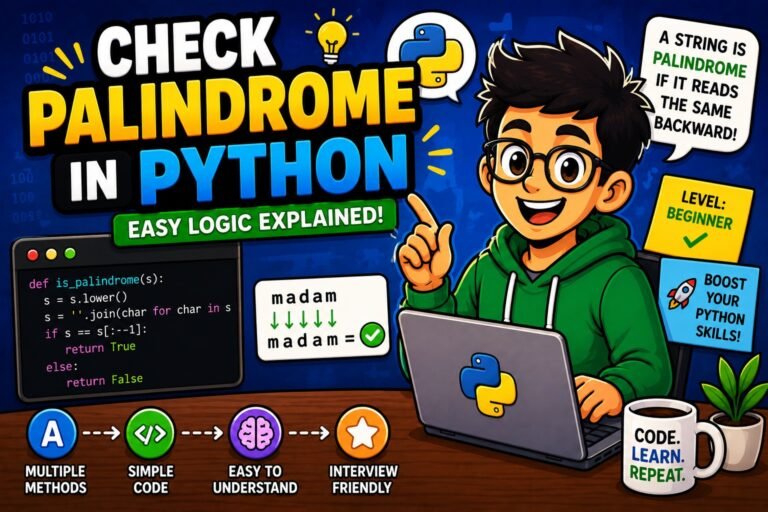
1. Palindrome Checking
A palindrome is a word or phrase that reads the same forwards and backwards. "racecar", "madam", and "level" are all palindromes.
def is_palindrome(s: str) -> bool:
    """Check if a string is a palindrome (ignores case and spaces)."""
    cleaned = s.lower().replace(" ", "")
    return cleaned == cleaned[::-1]

print(is_palindrome("racecar"))                     # True
print(is_palindrome("A man a plan a canal Panama"))  # True
print(is_palindrome("Python"))                       # False
Palindrome detection is used in text analysis, data validation, and as a classic coding interview question.
2. DNA Sequence Analysis
In biology research, scientists regularly need to reverse DNA sequences to find reverse complements — a critical operation in gene analysis. Python is the standard tool in research labs for this kind of precise character-by-character manipulation, precisely because code can be verified and tested in a way that AI tools cannot.
def reverse_complement(dna: str) -> str:
    """Return the reverse complement of a DNA strand."""
    complement = {'A': 'T', 'T': 'A', 'C': 'G', 'G': 'C'}
    return ''.join(complement[base] for base in reversed(dna))

print(reverse_complement("ATCG"))  # Output: CGAT
One wrong character in a DNA sequence can mean analysing the wrong gene entirely — which is exactly why Python’s reliable, testable string methods are trusted here over manual processes.
3. Data Validation and Parsing
Reversing strings can help you quickly validate patterns — for example, checking if a credit card number ends with a specific digit sequence, or extracting a file extension from a path by working backwards:
filename = "report_2026.pdf"
extension = filename[::-1].split(".")[0][::-1]
print(extension)  # Output: pdf
4. Coding Interview Preparation
String reversal is one of the most commonly asked Python interview questions at all levels — from junior to senior. Understanding all 5 methods gives you the ability to discuss trade-offs confidently, which is exactly what interviewers are evaluating.
5. Text Processing and Automation Pipelines
Reversing strings comes up in ETL pipelines, log file processing, and text transformations. When combined with Python’s file I/O capabilities, you can process large volumes of text data efficiently.
If you are building data processing pipelines, our Pandas tutorial for beginners is an excellent next step — Pandas is Python’s go-to library for working with structured data at scale.
You can also combine string manipulation with automation — our guide on how to send emails automatically using Python shows how string processing feeds directly into real automation workflows.
Frequently Asked Questions (FAQs)
Q1. What is the easiest way to reverse a string in Python?
The easiest way is to use slicing: my_string[::-1]. It is a single line of code, requires no imports, and works correctly for all standard strings. It is the recommended method for everyday use.
Q2. Does Python have a built-in .reverse() method for strings?
No. Unlike lists, Python strings do not have a .reverse() method because strings are immutable — they cannot be changed in place. You must create a new reversed copy using slicing, reversed(), or one of the other methods in this guide.
Q3. Can I reverse a string using a for loop in Python?
Yes, and it is a great exercise for beginners. Iterate over the string and prepend each character to a result variable. However, for large strings, this is significantly slower than slicing due to Python’s string immutability creating new string objects on every iteration.
Q4. What is the difference between reversed() and slicing [::-1]?
reversed() returns a lazy iterator — it processes one character at a time without creating an intermediate copy. Slicing [::-1] returns a new string immediately. Slicing is faster for small to medium strings; reversed() is more memory-efficient when processing large data streams.
Q5. Is recursion a good way to reverse a string in Python?
For learning algorithmic thinking and interview practice, yes. For production code, no — Python’s default recursion depth limit of approximately 1,000 means any string longer than that will raise a RecursionError. Always use slicing or reversed() in real applications.
Q6. How do I check if a string is a palindrome in Python?
def is_palindrome(s):
    s = s.lower().replace(" ", "")
    return s == s[::-1]

print(is_palindrome("racecar"))  # True
Q7. What is the time complexity of reversing a string in Python?
All standard methods — slicing, reversed(), and list-based reversal — run in O(n) time. The exception is naive loop-based concatenation using +, which can degrade to O(n²). Always use ''.join() when building strings in a loop to keep complexity at O(n).
Q8. Can Python’s string reversal handle emojis and special characters?
Slicing and reversed() handle standard Unicode characters correctly. However, some complex Unicode constructs like grapheme clusters (multi-codepoint emoji combinations, certain accented characters in some scripts) may not reverse as expected with basic techniques. For production applications dealing with multilingual or emoji-heavy content, consider using a grapheme-aware library.
Conclusion
You have now learned 5 complete, working methods to reverse a string in Python. Here is the quick summary:
| Method | Best For |
|---|---|
Slicing [::-1] | Everyday use — fastest, cleanest, most Pythonic |
reversed() + join | Large strings and memory-efficient iteration |
| For/While loop | Learning the logic behind reversal |
| Recursion | Interview prep and algorithmic thinking |
List + .reverse() | Readable intermediate-level Pythonic code |
The bottom line: Start with slicing. It is the right tool for most situations. Learn the other methods to deepen your understanding and prepare for technical interviews.
String reversal might seem like a small topic, but it teaches you big ideas — immutability, iteration, recursion, complexity analysis, and Pythonic style. Those concepts will serve you throughout your entire journey as a Python developer.
The best way to solidify what you have learned is to practise. Write each method from memory, test it with edge cases, and challenge yourself to explain why one method is faster than another.