
Generate unlimited Python practice tasks instantly with the PyCodeRoom AI Task Generator. Choose difficulty, category, and improve coding skills fast.
AI Task Generator
Generate Python coding tasks powered by AI
PyCodeRoom AI Task Generator – Get Unlimited Python Practice Tasks in Seconds
Every Python learner hits the same wall eventually. You finish a tutorial, understand the syntax, maybe build a small script — and then you stare at your screen thinking, “What do I actually code next?”
Finding the right practice task is harder than it sounds. Most online lists repeat the same tired exercises. They are either too basic, too advanced, or completely disconnected from what you are trying to learn. That gap between “I finished the lesson” and “I can solve real problems” is where most learners get stuck.
The PyCodeRoom AI Task Generator exists to close that gap. It is an AI-powered tool available right here on PyCodeRoom that creates unique, structured Python coding tasks on demand — matched to your skill level and the topic you want to practice.
No searching. No scrolling through forums. Just pick your options, click a button, and start coding.
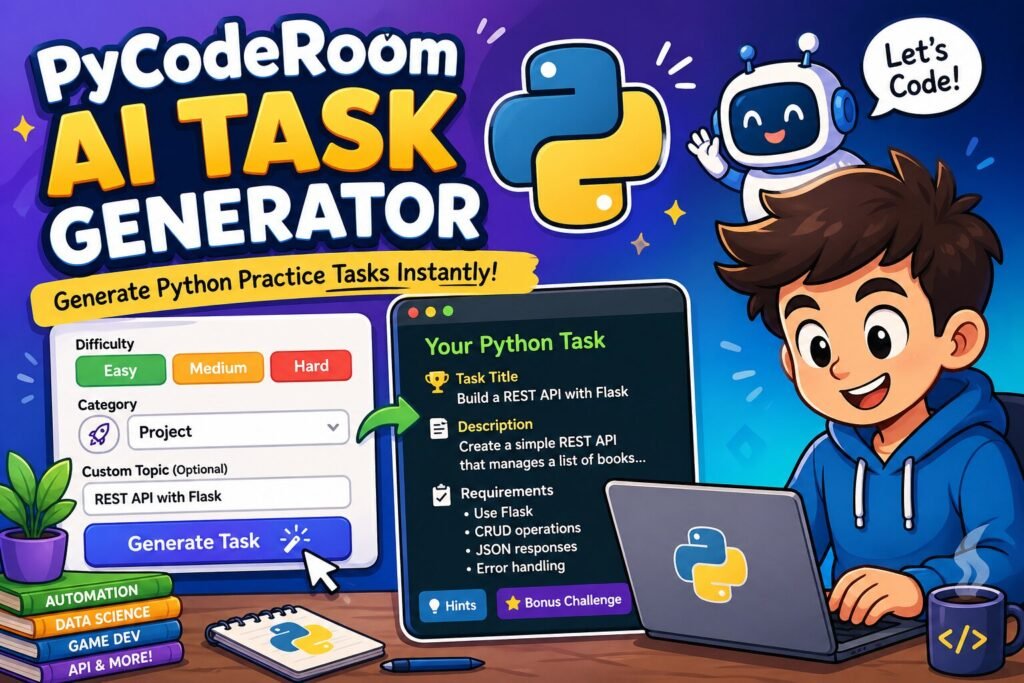
How the AI Task Generator Works
The concept is simple: you tell the tool what kind of challenge you want, and it builds a complete coding task for you in seconds.
Here is what you do:
- Choose a difficulty level — Easy, Medium, or Hard.
- Select a category — Logic, Project, Automation, Web, Data Science, File Handling, API, or Game.
- Add a custom topic (optional) — Type something specific like “recursion,” “web scraping,” or “sorting algorithms.”
- Click Generate Task — The AI creates a full task and displays it instantly.
- Click Regenerate — Not interested in that one? Get a completely different task with one click.
The entire process takes a few seconds, and the page never reloads. You can generate as many tasks as you want in a single session.
What You Get With Each Task
Every generated task follows a clear, consistent format designed to mirror real coding assignments:
- Task Title — A short, descriptive name for the challenge.
- Description — A thorough explanation of the problem you need to solve or the program you need to build.
- Requirements — Specific technical constraints, expected features, or rules to follow.
- Expected Output — What the finished program should display or produce when it runs correctly.
- Hints — Hidden by default so you can try solving it independently first. Reveal them when you need a push in the right direction.
- Bonus Challenge — An optional extra step that takes the task further and tests deeper understanding.
This structure is intentional. It trains you to read specifications the way you would in a professional setting or a technical interview, not just follow step-by-step instructions.
Eight Categories to Practice Across
The tool covers a wide range of Python topics so you can focus on exactly what matters to you right now.
Logic
Algorithm challenges, mathematical puzzles, and problem-solving exercises that sharpen your analytical thinking. These are the types of questions that frequently appear in coding interviews.
Project
Complete mini-projects you can build from start to finish. These are great portfolio pieces — small enough to complete in a session, substantial enough to demonstrate your skills.
Automation
Tasks that teach you to write scripts for repetitive work. Think file renaming, data cleanup, or workflows similar to sending emails automatically using Python. Automation is one of the most practical reasons to learn Python in the first place.
Web
Web development challenges involving frameworks, HTTP requests, and building functional web applications. If you have explored building a website using Flask, these tasks will give you plenty of additional practice.
Data Science
Data analysis, visualization, and manipulation tasks. A strong complement to learning libraries like Pandas for data handling.
File Handling
Working with text files, CSVs, JSON, and directories. If you are building your foundation with concepts like reading and writing text files in Python, this category gives you targeted exercises to reinforce those skills.
API
Consuming external APIs, building your own endpoints, and handling JSON data. These tasks prepare you for real-world development where most applications depend on API integrations.
Game
Interactive games and simulations. If you enjoyed building something like a number guessing game, this category delivers more creative challenges in the same spirit — from text adventures to strategy games.
Why AI-Generated Tasks Are More Effective Than Static Lists
Every Task Is Unique
Static exercise lists have a ceiling. Once you have seen them all, they stop being useful. The AI Task Generator creates original challenges each time. Even if you request the same category and difficulty twice, you will get a different problem to solve.
Difficulty Scales With You
Selecting Easy when you are learning fundamentals like taking user input in Python keeps things manageable. As your confidence grows, switching to Medium and Hard introduces complexity gradually — more constraints, larger scope, and tougher edge cases.
Custom Topics Let You Train Your Weak Spots
General practice has its place, but targeted practice is where real improvement happens. The custom topic field lets you zero in on specific concepts. Struggling with decorators? Type it in. Want more practice with list comprehensions, regular expressions, or database queries? The AI adapts to your request.
Structure Builds Professional Habits
Reading a task with defined requirements, expected output, and constraints teaches you to approach coding the way experienced developers do — by understanding the specification before writing a single line of code.
How to Get the Best Results
Here are a few strategies to make the most of the tool:
Start at the right level. There is no advantage to jumping into Hard tasks if you are still building fundamentals. Easy tasks are not trivial — they test real concepts. Use them to build speed and confidence before moving up.
Always attempt the task before checking hints. The hints are hidden by default for a reason. Struggling through a problem, even if you do not solve it perfectly, builds stronger mental models than following guided steps.
Do the bonus challenge. Every task includes one. It is usually a meaningful extension — adding error handling, optimizing performance, or supporting edge cases. Completing it turns a good exercise into a great one.
Combine category and custom input for precision. Selecting “Automation” and typing “PDF merging” gives you a highly specific, practical challenge. The more precise your input, the more relevant the output.
Generate multiple tasks and pick the one that excites you. Motivation matters. If a task does not grab your attention, regenerate. You will practice more consistently when you are working on something that interests you.
Keep a record of completed tasks. Copy the task titles or descriptions into a personal log. Over time, you will see how far you have progressed across different categories and difficulty levels.
Frequently Asked Questions
Is the AI Task Generator free?
Yes. You can use it at no cost directly on PyCodeRoom.
Do I need to create an account?
No. The tool is open to everyone. Visit the page, select your options, and generate tasks immediately.
How long does it take to get a task?
Most tasks appear within 3 to 8 seconds after clicking Generate.
Will I get duplicate tasks?
It is extremely unlikely. The AI generates original responses each time, so even repeated requests with the same settings will produce different challenges.
What Python skill level do I need?
The tool works for complete beginners through advanced developers. Easy tasks cover foundational concepts, while Hard tasks involve complex logic, multi-step requirements, and real-world scenarios.
Can I use the generated tasks for teaching or sharing?
Absolutely. The tasks are generated for practice and learning. Use them in study groups, classrooms, or your own content — however they help you most.
Start Practicing Now
The hardest part of learning Python is not understanding the language — it is building the habit of writing code regularly. The PyCodeRoom AI Task Generator gives you a new, well-structured challenge every time you sit down to practice, so you always have a clear starting point.
Pick a difficulty. Choose a category. Click Generate. Then open your code editor and build something.
If you want structured learning to go alongside your practice, explore our guides on data handling with Pandas, building your first Flask website, and automating emails with Python.
The best way to learn Python is to write Python. Start now.