Build a Guess the Number Game in Python — The Complete Beginner’s Project Guide (2026)
If you have just started learning Python, there is one project that almost every beginner is recommended to build first — the Guess the Number Game. It is simple enough to finish in a single sitting, yet powerful enough to teach you the most important programming concepts you will use for the rest of your Python journey.
In this guide, you will build this game from scratch, step by step. By the end, you will have a fully working, crash-proof game — and a clear understanding of why every line of code is written the way it is.
No prior experience is required. Just Python installed on your computer and a willingness to learn.
Let’s build something real.
Why Beginner Python Projects Are the Best Way to Learn
Most beginners make the same mistake: they read Python tutorials, watch videos, and take notes — but never actually write code. The result? The knowledge fades within days.
Building projects changes everything.
When you write code to solve an actual problem — even a small one like a number guessing game — the concepts stop being abstract. Loops feel real when you use one to keep a game running. Conditional statements make sense the moment you write if guess > secret_number. Input validation becomes important the second your program crashes because someone typed “abc” instead of “5”.
Learning by Doing vs. Learning by Reading
Reading about Python is like reading about riding a bicycle. It gives you the idea, but the real learning happens only when you get on and start pedalling. Projects are your bicycle.
The Guess the Number Game is one of the best first projects because:
- It is short enough to finish quickly (great for motivation)
- It teaches multiple core concepts at once
- It works in the terminal — no complicated setup needed
- It can be improved gradually, teaching you iterative development
What Skills This Project Covers
By building this game, you will practise:
- Generating random numbers using the
randommodule - Collecting user input with the
input()function - Controlling program flow with
whileloops - Making decisions with
if,elif, andelsestatements - Counting and tracking data with variables
- Validating user input to prevent crashes
- Enhancing a project with new features step by step
These are not beginner-only skills. These are the foundations every Python developer uses daily — from web development to data science to automation.
What Is the Guess the Number Game?
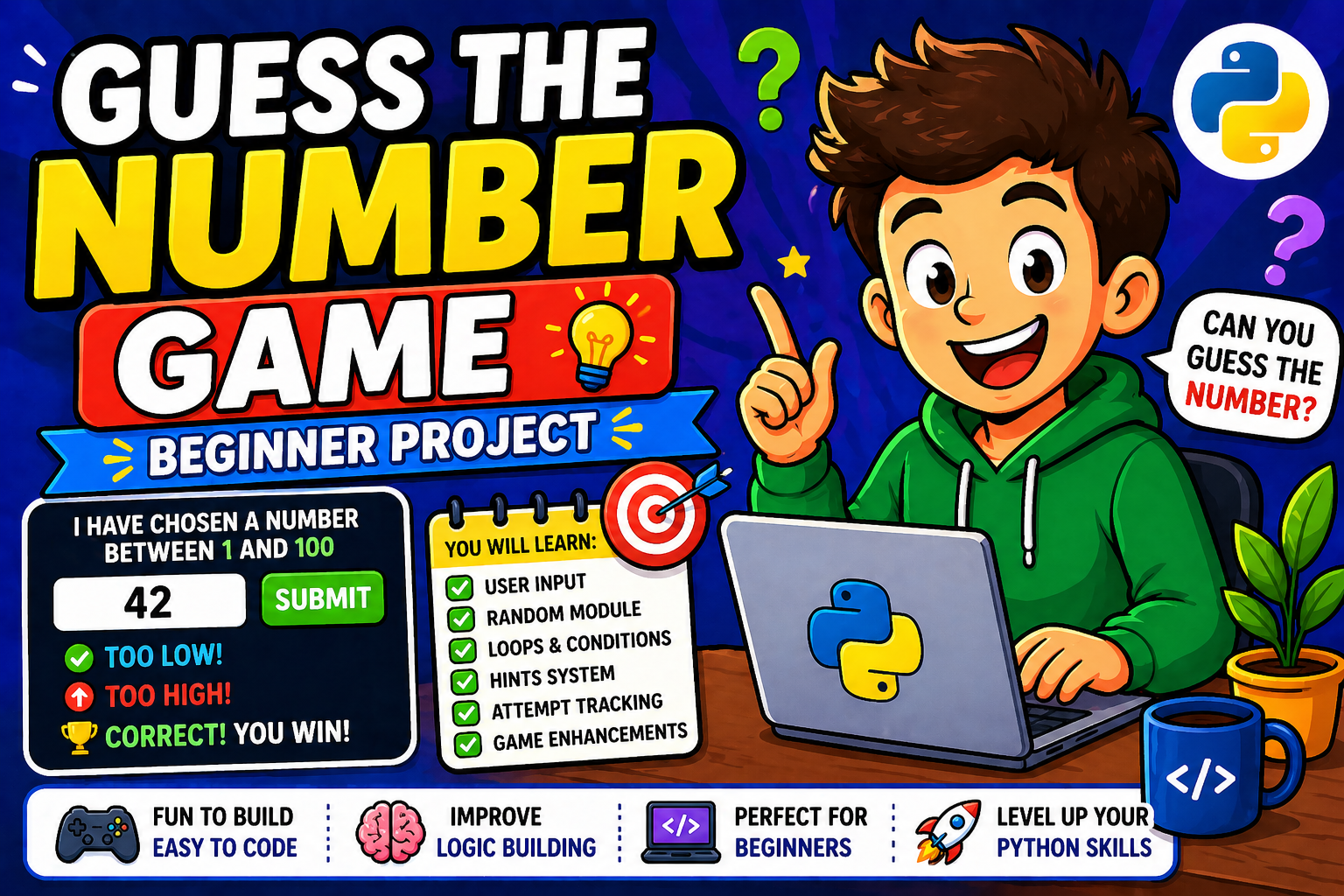
The Guess the Number Game is a classic interactive console game where:
- The computer secretly picks a random number within a defined range (for example, between 1 and 100)
- The player tries to guess that number
- After each guess, the program gives a hint — either “Too High”, “Too Low”, or “Correct!”
- The game continues until the player guesses correctly or runs out of attempts
It sounds simple. And it is — by design. That simplicity is exactly what makes it the perfect first project.
Why This Is the #1 Recommended First Python Project
Programming educators and platforms — from Real Python to GeeksforGeeks — consistently recommend this game for one reason: it naturally forces you to use the building blocks of every Python program.
There is no artificial complexity. Every feature you add — hints, attempt limits, difficulty levels — emerges logically from the game’s rules. You are not following instructions blindly; you are solving a problem.
Project Overview and Logic (How the Game Works)
Before writing a single line of code, let’s map out exactly how the game should work. This step — called pseudocode — is what professional developers do before coding any project.
Game Flow (Step by Step)
START
  ↓
Generate a secret random number between 1 and 100
  ↓
Set attempts counter to 0
  ↓
LOOP:
  Ask the player to enter a guess
    ↓
  Validate the input (is it a number? Is it in range?)
    ↓
  Increment attempts counter by 1
    ↓
  IF guess == secret number → Congratulate player, show attempts → END LOOP
  IF guess < secret number  → Print "Too Low! Guess higher"
  IF guess > secret number  → Print "Too High! Guess lower"
  ↓
  (loop continues)
END
  ↓
Ask player: "Do you want to play again?"
This is your blueprint. Every section of code you write from this point forward maps directly to one of these steps.
Core Components of the Game
| Component | Python Tool Used |
|---|---|
| Random secret number | random.randint() |
| Player input | input() + int() |
| Game loop | while loop |
| Hints | if / elif / else |
| Attempt tracking | Counter variable |
| Input validation | try / except |
| Replay | Outer while loop |
Setting Up Your Python Environment
Before you write code, you need a place to write it.
Step 1 — Install Python 3
Visit python.org and download the latest stable version of Python 3. As of 2026, always use Python 3 — Python 2 reached its end of life in 2020 and should never be used for new projects.
During installation on Windows, make sure to check “Add Python to PATH” — this lets you run Python from any terminal window.
Step 2 — Choose a Code Editor
For absolute beginners, these are the best options:
- Thonny — Designed specifically for learners; shows variables and execution clearly
- VS Code — Industry-standard editor, free, with excellent Python support
- IDLE — Ships with Python; simple and reliable for small scripts
Any of these will work perfectly for this project. VS Code is recommended if you plan to keep learning Python beyond this project.
Step 3 — Create Your File
- Open your editor
- Create a new file
- Save it as
guess_the_number.py(the.pyextension tells your computer it is a Python file) - To run it, open your terminal and type:
python guess_the_number.py
You are ready. Let’s write some code.
Using the random Module in Python
The first thing our game needs is a secret number. Python cannot truly guess a number by itself — but it can generate one that appears random using the built-in random module.
What Is the random Module?
The random module is part of Python’s standard library — meaning it comes pre-installed with Python and you do not need to install anything. You simply tell Python you want to use it by writing:
import random
This single line must appear at the very top of your script, before any other code.
Generating a Random Number with random.randint()
For this game, we need one specific function: random.randint(a, b)
This function generates a random integer between a and b — and importantly, both endpoints are included. So random.randint(1, 100) can return any integer from 1 through 100, inclusive.
import random

secret_number = random.randint(1, 100)
That one line generates your game’s secret number. Every time the program runs, secret_number will hold a different value. That is the magic that makes the game replayable.
Understanding Pseudo-Random Numbers (Simple Explanation)
You may have seen the term “pseudo-random” and wondered what it means. In simple terms: computers follow fixed rules, so they cannot generate truly random numbers. Instead, Python’s random module uses a mathematical formula that produces numbers that behave randomly — unpredictable enough for games, simulations, and most real-world uses.
For this project, pseudo-random is perfectly sufficient.
Common Mistake — Forgetting to Import the Module
This is one of the most frequent beginner errors:
# ❌ Wrong — random is not imported
secret_number = random.randint(1, 100)
# NameError: name 'random' is not defined
# ✅ Correct — import always goes at the top
import random
secret_number = random.randint(1, 100)
Make it a habit: always write your imports first, before anything else in your script.
Taking User Input in Python
The player needs a way to communicate with the game. In Python, you collect keyboard input using the input() function.
guess = input("Enter your guess: ")
When Python reaches this line, the program pauses and waits for the player to type something and press Enter. Whatever they type is stored as a string in the variable guess.
The Most Important Rule: Input Is Always a String
Here is something that trips up nearly every beginner:
The input() function always returns a string — even if the user types a number.
That means if a player types 42, Python stores it as "42" (the string), not 42 (the integer). If you try to compare a string to a number, Python cannot do it correctly.
# ❌ This will not work as expected
guess = input("Enter your guess: ")   # guess = "42" (string)
if guess > secret_number:             # TypeError: '>' not supported between str and int
    print("Too high!")
The fix is simple — convert the input to an integer immediately using int():
# ✅ Correct
guess = int(input("Enter your guess: "))  # guess = 42 (integer)
To understand this concept more deeply, read our detailed guide on how to take user input in Python, which covers type conversion, prompts, and multi-input handling in full detail.
Implementing the Core Game Logic — Loops and Conditional Statements
Now it is time to put the game’s brain together. This is where loops and conditional statements come in.
Using a while Loop to Keep the Game Running
The game should not stop after a single guess — it should keep asking until the player either guesses correctly or runs out of chances. A while loop is perfect for this.
while True:
    # Game logic goes here
    # We use 'break' to exit when the game ends
while True creates an infinite loop — it runs forever until Python hits a break statement. This is a valid and commonly used pattern for games and menu-driven programs.
Making Decisions with if, elif, and else
Inside the loop, the game needs to compare the player’s guess to the secret number and respond appropriately. This is the job of conditional statements.
if guess == secret_number:
    print("🎯 Correct! You got it!")
    break                          # Exit the loop — game over
elif guess < secret_number:
    print("📉 Too low! Guess higher.")
else:
    print("📈 Too high! Guess lower.")
Let’s read this as plain English:
if guess == secret_number→ The player got it right. Celebrate and stop the loop.elif guess < secret_number→ The guess is below the target. Tell the player to go higher.else→ The only remaining possibility is that the guess is too high. Tell the player to go lower.
Your First Working Version
Here is a minimal, working version of the game:
import random

secret_number = random.randint(1, 100)

print("🎉 Welcome to the Guess the Number Game!")
print("I'm thinking of a number between 1 and 100.")

while True:
    guess = int(input("Enter your guess: "))

    if guess == secret_number:
        print("🎯 Correct! Well done!")
        break
    elif guess < secret_number:
        print("📉 Too low! Try a higher number.")
    else:
        print("📈 Too high! Try a lower number.")
This works. Run it — play it. You will immediately understand what each part does because you built it yourself.
Adding Hints
You already added hints in the section above with the elif and else blocks. But let’s dig deeper into why this matters and how to make the hints even more useful.
Why Hints Are the Heart of the Game
Without hints, the Guess the Number Game is just random clicking. Hints are what make it a thinking game. They teach the player to narrow down possibilities logically with each guess.
This is actually a real computer science concept: binary search. In binary search, you eliminate half the remaining possibilities with each step. A player who starts with 50, then goes to 75 or 25 based on the hint, is using binary search instinctively.
Making Hints More Engaging
Plain “Too high” works, but a slightly warmer message improves the player experience without adding complexity:
if guess == secret_number:
    print(f"🎯 Amazing! You guessed it — the number was {secret_number}!")
    break
elif guess < secret_number:
    print(f"📉 Too low! The number is greater than {guess}. Aim higher!")
else:
    print(f"📈 Too high! The number is less than {guess}. Try lower!")
Notice the use of f-strings (formatted string literals, available since Python 3.6). They let you embed variable values directly inside strings using {}. This is the modern, recommended way to format output in Python 2026.
Counting Attempts and Scoring
A game without scoring is just a drill. Adding an attempts counter gives the player a personal goal to beat and makes the game replayable.
Setting Up the Counter
Before the loop starts, create a counter variable set to zero:
attempts = 0
Incrementing the Counter
Inside the loop, after the player submits a valid guess, increase the counter by 1:
attempts += 1
attempts += 1 is shorthand for attempts = attempts + 1. It adds 1 to whatever value attempts currently holds.
Displaying the Final Score
When the player wins, use an f-string to display their score:
if guess == secret_number:
    print(f"🎯 Correct! You guessed it in {attempts} attempt(s)!")
    break
Optional: A Rating System Based on Attempts
You can add a simple rating to encourage the player:
if attempts <= 3:
    rating = "🏆 Genius!"
elif attempts <= 6:
    rating = "⭐ Sharp!"
elif attempts <= 10:
    rating = "👍 Good effort!"
else:
    rating = "📚 Keep practising!"

print(f"Your rating: {rating}")
This small addition makes the game feel polished without requiring any advanced Python knowledge.
Adding Input Validation — Making Your Game Crash-Proof
Right now, if a player types “hello” instead of a number, the game crashes with a ValueError. That is not acceptable in any real program.
Input validation is the process of checking that user input is safe and correct before using it.
The Problem Without Validation
Enter your guess: hello
ValueError: invalid literal for int() with base 10: 'hello'
The program crashes completely. The player loses their progress. That is a terrible experience.
The Fix — try and except
Python’s try/except block lets you attempt something risky and catch the error if it occurs, instead of letting the program crash:
try:
    guess = int(input("Enter your guess: "))
except ValueError:
    print("❌ Invalid input! Please enter a whole number.")
    continue   # Skip the rest of the loop and ask again
The continue statement tells the loop to skip back to the top and restart — without incrementing the attempt counter, and without crashing.
Also Validate the Range
Even if the player enters a valid number, it might be outside the game’s range (for example, -5 or 200 when the range is 1–100). Add a range check:
try:
    guess = int(input("Enter your guess (1–100): "))
    if guess < 1 or guess > 100:
        print("⚠️ Please enter a number between 1 and 100.")
        continue
except ValueError:
    print("❌ That's not a valid number. Please try again.")
    continue
The Game With Full Input Validation
import random

secret_number = random.randint(1, 100)
attempts = 0

print("🎉 Welcome to the Guess the Number Game!")
print("I'm thinking of a number between 1 and 100.\n")

while True:
    try:
        guess = int(input("Your guess: "))
        if guess < 1 or guess > 100:
            print("⚠️ Please enter a number between 1 and 100.")
            continue
    except ValueError:
        print("❌ Invalid input! Please enter a whole number.")
        continue

    attempts += 1

    if guess == secret_number:
        print(f"\n🎯 Correct! The number was {secret_number}.")
        print(f"You got it in {attempts} attempt(s)!")
        break
    elif guess < secret_number:
        print(f"📉 Too low! The number is greater than {guess}.")
    else:
        print(f"📈 Too high! The number is less than {guess}.")
This version is now crash-proof. It handles every type of bad input gracefully and keeps the game running smoothly.
Improving the Game
Once the core game works, the real fun begins: adding features. Each enhancement teaches you something new about Python.
Enhancement 1 — Difficulty Levels
Allow the player to choose a difficulty at the start. Difficulty changes both the number range and the maximum allowed attempts:
import random

print("🎮 Choose your difficulty:")
print("  1. Easy   (1–50,  10 attempts)")
print("  2. Medium (1–100,  7 attempts)")
print("  3. Hard   (1–200,  5 attempts)")

difficulty = input("\nEnter 1, 2, or 3: ").strip()

if difficulty == "1":
    lower, upper, max_attempts = 1, 50, 10
elif difficulty == "2":
    lower, upper, max_attempts = 1, 100, 7
elif difficulty == "3":
    lower, upper, max_attempts = 1, 200, 5
else:
    print("Invalid choice. Defaulting to Medium.")
    lower, upper, max_attempts = 1, 100, 7

secret_number = random.randint(lower, upper)
Enhancement 2 — Attempt Limit
Give the player only a set number of guesses. Display the remaining chances after each wrong guess:
attempts = 0

while attempts < max_attempts:
    remaining = max_attempts - attempts
    print(f"\n🔢 Attempts remaining: {remaining}")

    try:
        guess = int(input(f"Guess a number between {lower} and {upper}: "))
        if guess < lower or guess > upper:
            print(f"⚠️ Enter a number between {lower} and {upper}.")
            continue
    except ValueError:
        print("❌ Invalid input. Please enter a whole number.")
        continue

    attempts += 1

    if guess == secret_number:
        print(f"\n🎯 Correct! You guessed it in {attempts} attempt(s)!")
        break
    elif guess < secret_number:
        print(f"📉 Too low! The number is greater than {guess}.")
    else:
        print(f"📈 Too high! The number is less than {guess}.")
else:
    print(f"\n💀 Game Over! The number was {secret_number}. Better luck next time!")
The else block attached to the while loop runs only when the loop ends without hitting a break — meaning the player ran out of attempts without guessing correctly.
Enhancement 3 — Play Again Option
Wrap the entire game logic in a function and add an outer loop for replaying:
import random

def play_game():
    """Main game function — contains the complete game logic."""

    print("\n🎮 Choose difficulty: 1) Easy  2) Medium  3) Hard")
    choice = input("Enter 1, 2, or 3: ").strip()

    if choice == "1":
        lower, upper, max_attempts = 1, 50, 10
    elif choice == "3":
        lower, upper, max_attempts = 1, 200, 5
    else:
        lower, upper, max_attempts = 1, 100, 7

    secret_number = random.randint(lower, upper)
    attempts = 0

    print(f"\n🎯 Guess the number between {lower} and {upper}.")
    print(f"You have {max_attempts} attempts.\n")

    while attempts < max_attempts:
        remaining = max_attempts - attempts

        try:
            guess = int(input(f"[{remaining} left] Your guess: "))
            if guess < lower or guess > upper:
                print(f"⚠️ Please enter a number between {lower} and {upper}.")
                continue
        except ValueError:
            print("❌ Enter a valid whole number.")
            continue

        attempts += 1

        if guess == secret_number:
            print(f"\n🎉 Correct! The number was {secret_number}.")
            print(f"You solved it in {attempts} attempt(s)!")
            if attempts <= 3:
                print("🏆 Incredible — genius-level guessing!")
            elif attempts <= 6:
                print("⭐ Sharp thinking!")
            else:
                print("👍 Good work — keep practising!")
            return
        elif guess < secret_number:
            print(f"📉 Too low! Higher than {guess}.")
        else:
            print(f"📈 Too high! Lower than {guess}.")

    print(f"\n💀 Out of attempts! The number was {secret_number}.")


# ── Main Program ──────────────────────────────────────────

print("=" * 45)
print("   🎮  GUESS THE NUMBER GAME  🎮")
print("=" * 45)

while True:
    play_game()
    again = input("\nPlay again? (y/n): ").strip().lower()
    if again != "y":
        print("\nThanks for playing! Happy coding! 🐍")
        break
This is your complete, enhanced version — fully functional, beginner-readable, and structured with a proper function. This is the version worth showing in your portfolio.
Enhancement 4 — Saving High Scores to a File
Want to make the game remember scores between sessions? You can save them to a text file using Python’s built-in file handling. This is a fantastic next step once you finish this project. Our guide on how to read and write text files in Python walks you through exactly how to do this — including appending scores, reading them back, and displaying a leaderboard.
Common Mistakes Beginners Make in This Project
Every beginner makes mistakes. The following are the most common ones in this specific project — with clear fixes.
Mistake 1 — Not Converting input() to int
# ❌ Wrong
guess = input("Enter your guess: ")
if guess == secret_number:  # Comparing string to integer — always False
# ✅ Correct
guess = int(input("Enter your guess: "))
💡 Why it happens: input() always returns a string. You must convert it.
Mistake 2 — Forgetting to import random
# ❌ Wrong
secret_number = random.randint(1, 100)
# NameError: name 'random' is not defined
# ✅ Correct
import random
secret_number = random.randint(1, 100)
💡 Why it happens: Python only knows about a module after you explicitly import it.
Mistake 3 — Using = Instead of == in Comparisons
# ❌ Wrong
if guess = secret_number:   # SyntaxError
# ✅ Correct
if guess == secret_number:  # == checks equality; = assigns a value
💡 Why it happens: In Python (and most languages), = assigns a value, while == compares two values.
Mistake 4 — Infinite Loop With No Exit Condition
# ❌ Wrong — loop never ends because there is no break
while True:
    guess = int(input("Guess: "))
    if guess == secret_number:
        print("Correct!")
        # Missing: break
# ✅ Correct
while True:
    guess = int(input("Guess: "))
    if guess == secret_number:
        print("Correct!")
        break   # Always include break to exit the loop on win
💡 Why it happens: A while True loop runs forever unless you explicitly break out of it.
Mistake 5 — Not Resetting Variables When Replaying
# ❌ Wrong — attempts carry over from the previous game
while True:
    play_game()
    again = input("Play again? (y/n): ")
    if again != "y":
        break
    # attempts is still 7 from the last round!
💡 Fix: Initialize all game variables (attempts = 0, secret_number = random.randint(...)) inside the play_game() function, not outside it. This ensures they reset fresh every time the function is called.
Mistake 6 — Misunderstanding randint() Range
# ❌ Confusion — some beginners think 100 is excluded
secret_number = random.randint(1, 100)  # Returns 1 to 100 INCLUSIVE
💡 Clarification: Unlike Python’s range() function (which excludes the upper bound), random.randint(a, b) includes both a and b. The number 100 can be generated.
Mistake 7 — IndentationError in Loops and Conditions
# ❌ Wrong indentation
while True:
guess = int(input("Guess: "))  # IndentationError — must be indented
# ✅ Correct — 4 spaces of indentation inside the loop
while True:
    guess = int(input("Guess: "))
💡 Why it matters: Python uses indentation to define code blocks. Inconsistent spacing causes IndentationError and is one of the most common crashes for absolute beginners.
Real-World Learning Benefits of This Project
Building the Guess the Number Game is not just about making a game. It is about proving to yourself — and to anyone who sees your code — that you can take a problem, break it down, and write working software.
Core Python Skills You Genuinely Practise
| Skill | Where It Appears in the Game |
|---|---|
| Variables | secret_number, attempts, guess |
| Data types & conversion | int(input(...)) |
The random module | random.randint() |
while loops | Game loop and replay loop |
if/elif/else | Hint system and win condition |
try/except | Input validation |
| Functions | play_game() function |
| f-strings | All dynamic output messages |
| Program structure | Pseudocode → code progression |
How This Project Builds Problem-Solving Thinking
Every feature you add to this game follows the same pattern that professionals use:
- Define the problem → “The game should handle invalid input without crashing.”
- Plan the solution → “Wrap input in a try/except block.”
- Write the code → Implement the solution.
- Test it → Type “hello” and see if it handles it correctly.
- Improve it → Add a range check as well.
This loop — define, plan, write, test, improve — is the core development cycle. You are learning it here, with 50 lines of code, before you apply it to projects with 50,000 lines.
What You Can Build Next
Once you are comfortable with this project, these are natural next steps:
- Flask Web App — Take your Python skills to the browser. Our guide on building a simple website using Flask is the perfect next project for Python learners ready to move beyond the terminal.
- Python Automation — Automate real tasks like sending emails programmatically. Check out our tutorial on how to send emails automatically using Python to see Python doing something genuinely useful.
- Data Analysis — If data interests you, Python’s Pandas library is your next milestone. The official Python documentation is always the best reference as you grow.