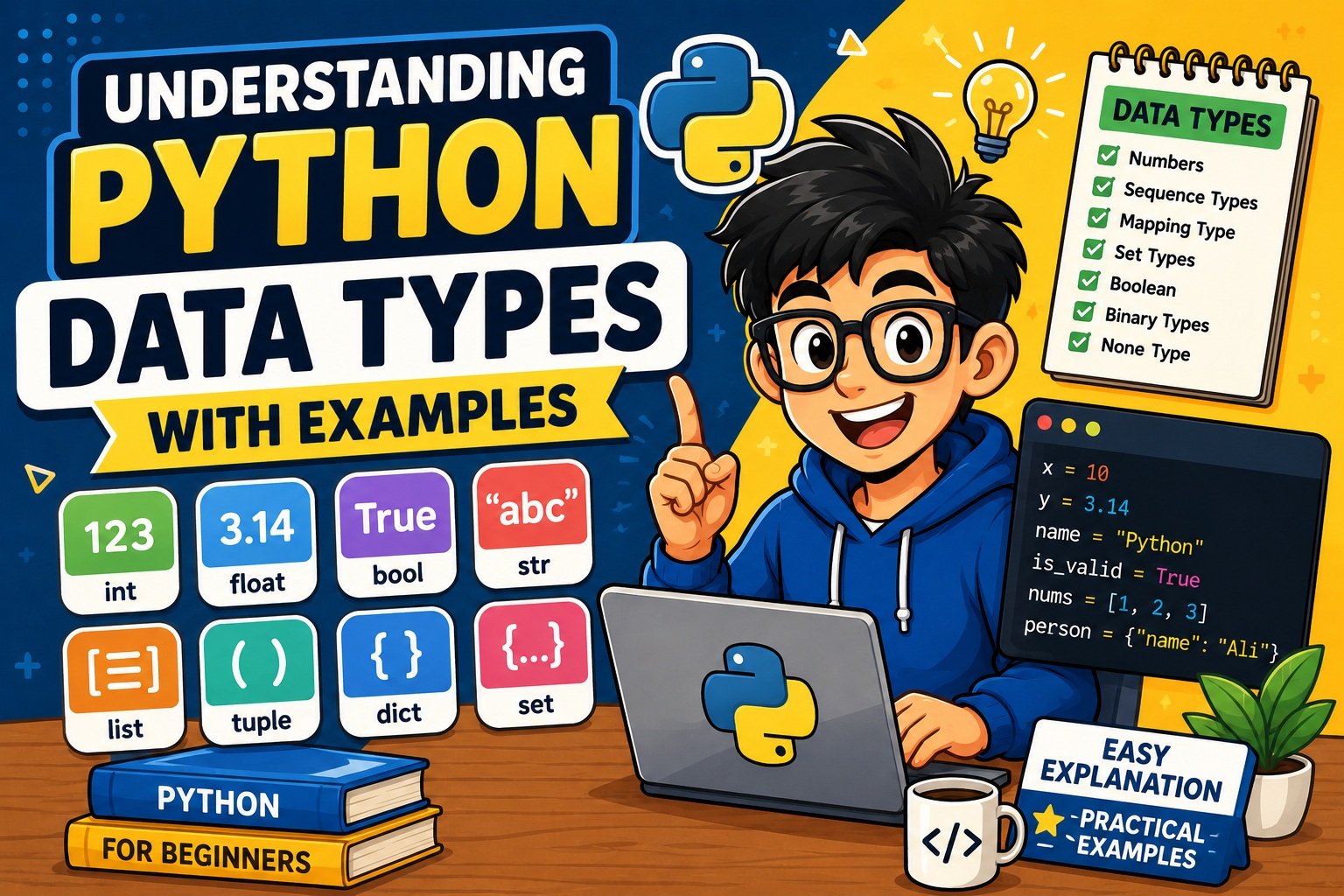
Understanding Python Data Types with Examples (2026 Guide)
If you’ve just started learning Python, you’ve probably noticed something: unlike Java or C++, Python never asks you to declare what type a variable is. You just write x = 5 or name = "Alice" and Python figures out the rest.
That flexibility is one of Python’s greatest strengths — but it can also lead to subtle bugs and inefficient code if you don’t understand what’s happening underneath.
This guide breaks down every Python data type in plain language, with practical examples you can run today. Whether you’re preparing for an interview, building your first project, or just trying to understand why 0.1 + 0.2 doesn’t equal 0.3, you’re in the right place.
What Are Python Data Types?
Think of data types as different kinds of containers. A glass holds water. A box holds books. A bag holds groceries. Each container is designed for a specific kind of content, and mixing them up creates problems.
In Python, a data type tells the interpreter what kind of data a variable holds — and by extension, what operations are allowed on it. You can multiply two integers, but you can’t multiply two dictionaries. You can loop over a list, but you can’t loop over a plain integer.
Python figures out the type automatically at runtime — this is what “dynamically typed” means.
x = 42          # Python knows this is an int
name = "Alice"  # Python knows this is a str
price = 9.99    # Python knows this is a float
You never declared any types here. Python inferred them from the values you assigned. That’s very different from Java, where you’d write int x = 42; and declare the type upfront.
Static Typing vs Dynamic Typing
| Feature | Python (Dynamic) | Java (Static) |
|---|---|---|
| Type declaration | Not required | Required |
| Type checked at | Runtime | Compile time |
| Flexibility | High | Lower |
| Risk | Runtime type errors | Compile-time errors |
| Type hints available | Yes (optional) | Yes (required) |
Python is strongly typed (it won’t silently convert an integer to a string for you) but dynamically typed (it doesn’t require upfront type declarations). This combination gives you flexibility without sacrificing reliability — as long as you understand the rules.
Why Python Data Types Matter More Than You Think
Knowing your data types isn’t just academic. It has real consequences:
Memory usage. A tuple of numbers uses less memory than a list of the same numbers. For large datasets, this difference compounds.
Performance. Checking whether an item exists in a list takes longer as the list grows — it’s O(n). Checking in a set takes constant time — O(1). Choosing the wrong type can make your code ten times slower on large inputs.
Correctness. The most common Python bugs are type-related. Passing a string where an integer is expected, comparing a number to None, or accidentally mutating a shared list — these all come from not thinking clearly about types.
Readability. Code that uses the right type for the job is easier to understand. A tuple signals “this data is fixed.” A frozenset signals “this is a set that won’t change.” Types communicate intent.
Python’s Built-In Data Types — Complete Overview
Here’s a full reference table of all Python built-in data types. Keep this handy.
| Type | Category | Mutable? | Typical Use |
|---|---|---|---|
int | Numeric | No | Counting, indexing |
float | Numeric | No | Decimals, prices |
complex | Numeric | No | Scientific computing |
bool | Boolean | No | Conditions, flags |
str | Sequence | No | Text, names, messages |
list | Sequence | Yes | Ordered, changeable collections |
tuple | Sequence | No | Fixed records, multi-value returns |
range | Sequence | No | Loop iteration, slicing |
set | Set | Yes | Unique items, fast lookup |
frozenset | Set | No | Hashable sets, dict keys |
dict | Mapping | Yes | Key-value data, JSON-like structures |
bytes | Binary | No | Network data, file I/O |
bytearray | Binary | Yes | Mutable binary data |
memoryview | Binary | Varies | Zero-copy buffer access |
NoneType | Special | — | Absence of a value |
Now let’s go through each one in detail.
Numeric Data Types in Python
Python has three numeric types: int, float, and complex.
Integer (int)
An int is a whole number — positive, negative, or zero. Unlike languages like C, Python’s integers have no size limit. You can work with numbers as large as your system’s memory allows.
# Basic integers
count = 100
temperature = -15
population = 8_100_000_000  # Underscores improve readability

print(type(count))       # <class 'int'>
print(population)        # 8100000000

# Different number bases
binary_val = 0b1010      # Binary (base 2) → 10
octal_val  = 0o17        # Octal (base 8)  → 15
hex_val    = 0xFF        # Hexadecimal     → 255

print(binary_val, octal_val, hex_val)  # 10 15 255
What’s happening here: Python lets you write large numbers with underscores (8_100_000_000) for readability — the underscores are ignored by the interpreter. You can also write integer literals in binary (0b), octal (0o), or hexadecimal (0x) formats.
💡 Beginner Tip: Use underscores in large numbers like
1_000_000instead of1000000. It’s cleaner and both are valid Python.
Common error to avoid:
result = 10 / 0
# ZeroDivisionError: division by zero
Always check for zero before dividing, or wrap the operation in a try/except ZeroDivisionError block.
Float (float)
A float represents a decimal number. Python stores floats using the IEEE 754 double-precision standard — the same format used by nearly every programming language.
price = 19.99
pi = 3.14159265358979
scientific = 2.5e6   # 2,500,000.0 (scientific notation)

print(type(price))   # <class 'float'>
print(scientific)    # 2500000.0
The Floating-Point Precision Problem
Here’s something that surprises many beginners:
print(0.1 + 0.2)        # 0.30000000000000004
print(0.1 + 0.2 == 0.3)  # False
This isn’t a Python bug — it’s a consequence of how binary floating-point arithmetic works. The number 0.1 cannot be represented exactly in binary, so tiny rounding errors accumulate.
How to fix it:
import math
print(math.isclose(0.1 + 0.2, 0.3))  # True

# For financial calculations, use decimal.Decimal:
from decimal import Decimal
result = Decimal("0.1") + Decimal("0.2")
print(result)  # 0.3 (exact)
⚠️ Warning: Never use
floatfor money or any calculation where exact decimal precision matters. Usedecimal.Decimalinstead.
Complex (complex)
A complex number has a real part and an imaginary part, written as a + bj.
z = 3 + 4j
print(z.real)   # 3.0
print(z.imag)   # 4.0
print(abs(z))   # 5.0 (magnitude)
print(type(z))  # <class 'complex'>
Most beginners won’t need complex numbers day-to-day. They appear in signal processing, electrical engineering simulations, and scientific computing. Python’s standard library includes the cmath module for complex math operations.
Boolean Data Type (bool)
A bool has exactly two values: True and False. It controls the flow of nearly every program you’ll write.
is_logged_in = True
has_permission = False

print(type(is_logged_in))  # <class 'bool'>
Here’s something that surprises a lot of Python learners: bool is a subclass of int.
print(True + True)        # 2
print(True * 5)           # 5
print(isinstance(True, int))  # True
print(int(True), int(False))  # 1 0
This means True == 1 and False == 0 — which is occasionally useful, and occasionally a source of subtle bugs.
Truthy and Falsy Values
Python doesn’t require an explicit True or False in conditions. Every object in Python is either truthy or falsy.
Falsy values (these all evaluate to False in an if statement):
0,0.0,0j""(empty string)[],(),{},set()(empty containers)NoneFalse
Everything else is truthy.
user_input = ""
if not user_input:
    print("No input provided.")  # This prints

name = "Alice"
if name:
    print(f"Hello, {name}!")  # This prints too
💡 Beginner Tip: Don’t write
if x == True:orif x == False:. Just writeif x:orif not x:. It’s more Pythonic and handles edge cases better.
⚠️ Common Error: Using
isto compare booleans:if x is True:works forTrue/Falsebut can mislead. Useif x:unless you specifically need to distinguishTruefrom other truthy values.
String Data Type (str)
Strings are one of the most-used types in Python. A str is an immutable sequence of Unicode characters — which means you can’t change individual characters after the string is created, but you can do almost anything else with it.
name = "Alice"
greeting = 'Hello, World!'
paragraph = """This is a
multi-line string."""

print(type(name))  # <class 'str'>
print(len(name))   # 5
Indexing and Slicing
Since a string is a sequence, you can access individual characters by position.
word = "Python"

print(word[0])    # P  (first character)
print(word[-1])   # n  (last character)
print(word[0:3])  # Pyt (characters 0, 1, 2)
print(word[::-1]) # nohtyP (reversed)
String slicing is a fundamental skill. If you want to explore it further, check out How to Reverse a String in Python — it’s a great way to practice indexing in action.
Essential String Methods
| Method | What It Does | Example |
|---|---|---|
.upper() | All uppercase | "hello".upper() → "HELLO" |
.lower() | All lowercase | "HELLO".lower() → "hello" |
.strip() | Remove whitespace | " hi ".strip() → "hi" |
.split(sep) | Split into list | "a,b".split(",") → ["a","b"] |
.replace(a, b) | Replace substring | "cat".replace("c","b") → "bat" |
.find(sub) | Find substring index | "hello".find("ll") → 2 |
.startswith(s) | Starts with? | "Python".startswith("Py") → True |
.join(iterable) | Join with separator | ", ".join(["a","b"]) → "a, b" |
f-Strings — The Modern Way to Format Strings
Since Python 3.6, f-strings are the preferred way to embed values inside strings:
name = "Alice"
age = 30
print(f"Hello, {name}. You are {age} years old.")
# Hello, Alice. You are 30 years old.

# You can include expressions directly:
print(f"In 5 years you'll be {age + 5}.")
# In 5 years you'll be 35.
🆕 Python 3.14 — t-Strings: Python 3.14 introduced template strings (t-strings) with the
tprefix. Unlike f-strings which produce a plainstr, a t-string produces aTemplateobject that preserves the structure of the interpolation — making it possible to apply custom processing (like HTML sanitization or localization) before the final string is built. For most beginners, f-strings are still what you need. t-strings are designed for library authors and framework developers.
Common String Mistakes
# ❌ Trying to mutate a string
name = "Alice"
name[0] = "B"  # TypeError: 'str' object does not support item assignment

# ✅ Create a new string instead
name = "B" + name[1:]  # "Blice"
# ❌ Comparing string to int
user_input = input("Enter a number: ")  # Returns a string!
if user_input == 5:  # Always False — str != int
    print("Got it")

# ✅ Convert first
if int(user_input) == 5:
    print("Got it")
For handling user input safely, see How to Take User Input in Python — it covers type conversion pitfalls in detail.
List — Python’s Most Versatile Data Type
A list is an ordered, mutable collection that can hold items of any type — including other lists.
fruits = ["apple", "banana", "cherry"]
mixed  = [1, "hello", 3.14, True, None]
nested = [[1, 2], [3, 4], [5, 6]]

print(fruits[0])  # apple
print(mixed[-1])  # None
print(nested[1])  # [3, 4]
Core List Operations
numbers = [3, 1, 4, 1, 5, 9]

# Add items
numbers.append(2)          # Add to end
numbers.insert(0, 0)       # Insert at position 0
numbers.extend([6, 5, 3])  # Add multiple items

# Remove items
numbers.remove(1)   # Remove first occurrence of 1
popped = numbers.pop()  # Remove and return last item
popped_at = numbers.pop(0)  # Remove and return item at index 0

# Sort and reverse
numbers.sort()             # In-place sort
numbers.sort(reverse=True) # Descending
numbers.reverse()          # Reverse in place

print(sorted(numbers))  # Returns new sorted list (original unchanged)
List Comprehensions — The Pythonic Shortcut
# Old way
squares = []
for n in range(1, 6):
    squares.append(n ** 2)

# Pythonic way
squares = [n ** 2 for n in range(1, 6)]
print(squares)  # [1, 4, 9, 16, 25]

# With a condition
evens = [n for n in range(20) if n % 2 == 0]
print(evens)  # [0, 2, 4, 6, 8, 10, 12, 14, 16, 18]
💡 Pro Tip: If you’re frequently adding and removing items from both ends of a list, use
collections.dequeinstead. It’s optimized for that pattern and much faster thanlist.insert(0, item).
Tuple — The Immutable Cousin of List
A tuple is an ordered, immutable sequence. Once created, its contents cannot change.
point = (10, 20)
rgb   = (255, 128, 0)
person = ("Alice", 30, "Engineer")

print(point[0])  # 10
print(type(point))  # <class 'tuple'>
The single-item tuple gotcha:
# This is NOT a tuple — it's just an int in parentheses
not_a_tuple = (42)
print(type(not_a_tuple))  # <class 'int'>

# This IS a tuple — notice the trailing comma
is_a_tuple = (42,)
print(type(is_a_tuple))  # <class 'tuple'>
Why Use a Tuple Instead of a List?
- Speed. Iterating over a tuple is measurably faster than a list.
- Memory. Tuples use less memory than equivalent lists.
- Safety. Immutability signals that this data shouldn’t change.
- Dictionary keys. Tuples can be dict keys; lists cannot.
import sys
my_list  = [1, 2, 3, 4, 5]
my_tuple = (1, 2, 3, 4, 5)

print(sys.getsizeof(my_list))   # 120 bytes
print(sys.getsizeof(my_tuple))  # 80 bytes
Tuple Unpacking
point = (10, 20)
x, y = point
print(x, y)  # 10 20

# Starred unpacking
first, *rest = (1, 2, 3, 4, 5)
print(first)  # 1
print(rest)   # [2, 3, 4, 5]

# Returning multiple values from a function
def get_dimensions():
    return (1920, 1080)  # Returns a tuple

width, height = get_dimensions()
Named Tuples — Readable Records
from collections import namedtuple

Point = namedtuple("Point", ["x", "y"])
p = Point(10, 20)
print(p.x, p.y)  # 10 20 — much clearer than p[0], p[1]
Set and Frozenset
A set is an unordered collection of unique items. Duplicates are automatically removed.
tags = {"python", "coding", "tutorial", "python"}  # Duplicate removed
print(tags)  # {'coding', 'python', 'tutorial'} — order may vary

print(type(tags))  # <class 'set'>
⚠️ Common Error:
{}creates an empty dict, not an empty set. To create an empty set, useset().
empty_dict = {}          # <class 'dict'>
empty_set  = set()       # <class 'set'>
Set Operations
a = {1, 2, 3, 4}
b = {3, 4, 5, 6}

print(a | b)   # Union:        {1, 2, 3, 4, 5, 6}
print(a & b)   # Intersection: {3, 4}
print(a - b)   # Difference:   {1, 2}
print(a ^ b)   # Symmetric difference: {1, 2, 5, 6}
The Real Power of Sets: Fast Membership Testing
import time

# 1 million items
big_list = list(range(1_000_000))
big_set  = set(range(1_000_000))

# Checking if 999999 is in the list
start = time.perf_counter()
_ = 999999 in big_list
print(f"List: {time.perf_counter() - start:.6f}s")  # ~0.01s

# Checking in the set
start = time.perf_counter()
_ = 999999 in big_set
print(f"Set:  {time.perf_counter() - start:.6f}s")  # ~0.000001s
The set wins by orders of magnitude — because sets use hash tables, lookups are O(1) regardless of size.
Removing Duplicates from a List
raw = [3, 1, 4, 1, 5, 9, 2, 6, 5, 3]
unique = list(set(raw))
print(unique)  # [1, 2, 3, 4, 5, 6, 9] — order not guaranteed
Frozenset — The Immutable Set
A frozenset is like a set but immutable. You can use it as a dictionary key or put it inside another set.
permissions = frozenset({"read", "write"})
print(type(permissions))  # <class 'frozenset'>

# Can be used as a dict key
access_rules = {frozenset({"read"}): "viewer", frozenset({"read","write"}): "editor"}
Dictionary (dict)
A dict maps unique keys to values. Since Python 3.7, dictionaries maintain insertion order.
user = {
    "name": "Alice",
    "age": 30,
    "city": "New York"
}

print(user["name"])          # Alice
print(user.get("email", "Not set"))  # Not set (safe access with default)
Core Dictionary Operations
# Update a value
user["age"] = 31

# Add a new key
user["email"] = "alice@example.com"

# Delete a key
del user["city"]

# Check if a key exists
if "email" in user:
    print(user["email"])

# Iterate
for key, value in user.items():
    print(f"{key}: {value}")
Merging Dictionaries (Modern Python)
defaults = {"theme": "dark", "lang": "en"}
user_prefs = {"lang": "fr", "font": "large"}

# Python 3.9+ — use the | operator
merged = defaults | user_prefs
print(merged)  # {'theme': 'dark', 'lang': 'fr', 'font': 'large'}

# Older approach (still works)
merged = {**defaults, **user_prefs}
Dictionary Comprehensions
names = ["alice", "bob", "charlie"]
name_lengths = {name: len(name) for name in names}
print(name_lengths)  # {'alice': 5, 'bob': 3, 'charlie': 7}
Real-World Example: Parsing API Responses
Dictionaries are the natural home for JSON data from APIs. When you make an HTTP request and parse the response, you almost always get a dict back:
import json

response_body = '{"id": 1, "name": "Alice", "active": true}'
data = json.loads(response_body)

print(data["name"])    # Alice
print(data["active"])  # True
To learn how to actually fetch that data, see Python Requests Library: How to Call APIs in Python.
💡 Pro Tip: Use
collections.defaultdictto avoidKeyErrorwhen accessing missing keys:from collections import defaultdict word_count = defaultdict(int) for word in "the quick brown fox the fox".split(): word_count[word] += 1 print(dict(word_count)) # {'the': 2, 'quick': 1, 'brown': 1, 'fox': 2}
For a real-world example of dicts in a database context, see Connect Python to a Database (MySQL Example) — database rows map directly to Python dictionaries.
Range
range generates a sequence of integers without storing them all in memory at once.
r = range(0, 10, 2)  # Start, stop, step
print(list(r))       # [0, 2, 4, 6, 8]
print(type(r))       # <class 'range'>

# Memory comparison
import sys
big_list  = list(range(1_000_000))
big_range = range(1_000_000)

print(sys.getsizeof(big_list))   # ~8 MB
print(sys.getsizeof(big_range))  # 48 bytes — always the same
range is lazy — it only computes values as you request them. This makes it the right choice for any loop where you just need sequential numbers.
# Countdown using negative step
for i in range(10, 0, -1):
    print(i, end=" ")
# 10 9 8 7 6 5 4 3 2 1
Binary Types
These types deal with raw binary data — the kind you work with when reading files, sending network packets, or handling images.
bytes — Immutable Binary Sequences
# Create bytes
b1 = b"hello"
b2 = bytes([72, 101, 108, 108, 111])  # Same thing: b'Hello'

print(b1)        # b'hello'
print(b1[0])     # 104 (ASCII code for 'h')
print(type(b1))  # <class 'bytes'>

# Encode a string to bytes
text = "Hello, World!"
encoded = text.encode("utf-8")
print(encoded)  # b'Hello, World!'

# Decode bytes back to string
decoded = encoded.decode("utf-8")
print(decoded)  # Hello, World!
For a practical example of where bytes vs strings matters, see How to Read and Write Text Files in Python.
bytearray — Mutable Binary Data
bytearray is like bytes but mutable — you can change individual bytes after creation.
ba = bytearray(b"hello")
ba[0] = 72         # ASCII for 'H'
print(ba)          # bytearray(b'Hello')
print(type(ba))    # <class 'bytearray'>
Use bytearray when you need to modify binary data in place — for example, when building a network packet or modifying image pixel data.
memoryview — Zero-Copy Buffer Access
memoryview lets you work with slices of binary data without copying it. This matters when you’re dealing with large files or network buffers.
data = bytearray(b"Hello, World!")
view = memoryview(data)

# Slice without copying
chunk = view[7:12]
print(bytes(chunk))  # b'World'
For everyday scripts, you won’t need memoryview often. It becomes valuable in high-performance code that processes large amounts of binary data.
NoneType
None is Python’s way of representing “nothing,” “no value,” or “not set.” It’s the only value of type NoneType.
result = None
print(result)         # None
print(type(result))   # <class 'NoneType'>
None is not the same as 0, False, or "". It specifically means the absence of a value.
print(None == 0)      # False
print(None == False)  # False
print(None == "")     # False
Always use is when comparing to None — not ==:
# ✅ Correct
if result is None:
    print("No result")

# ❌ Works but is not Pythonic
if result == None:
    print("No result")
The reason: is checks identity (is it the exact same object?), while == checks equality (do they have the same value?). Since there’s exactly one None in Python, is None is always the right check.
Common None Patterns
# Functions return None by default
def greet(name):
    print(f"Hello, {name}")

result = greet("Alice")  # Prints "Hello, Alice"
print(result)            # None

# Optional function parameters
def connect(host, port=None):
    if port is None:
        port = 443  # Default to HTTPS port
    return f"Connecting to {host}:{port}"
Mutable vs Immutable Data Types
This concept trips up beginners more than almost anything else in Python. Once you understand it, a whole class of confusing bugs disappears.
Immutable objects cannot be changed after creation. If you “modify” them, Python creates a brand-new object.
Mutable objects can be changed in place.
| Immutable | Mutable |
|---|---|
int, float, complex | list |
bool | dict |
str | set |
tuple | bytearray |
bytes, frozenset | — |
range | — |
Why This Matters: The Shared Reference Bug
a = [1, 2, 3]
b = a          # b points to the SAME list
b.append(4)

print(a)  # [1, 2, 3, 4] ← a changed too!
print(b)  # [1, 2, 3, 4]
a and b aren’t two separate lists — they’re two names pointing to the same object in memory. Changing one changes both.
# ✅ Make a shallow copy to avoid this
b = a.copy()         # or b = a[:]
b.append(4)
print(a)  # [1, 2, 3]  ← unchanged
print(b)  # [1, 2, 3, 4]

# For nested structures, use deepcopy
import copy
original = [[1, 2], [3, 4]]
deep_copy = copy.deepcopy(original)
deep_copy[0].append(99)
print(original)  # [[1, 2], [3, 4]] ← unchanged
The Mutable Default Argument Trap
This is one of the most infamous Python gotchas:
# ❌ WRONG — the list is shared across all calls
def add_item(item, cart=[]):
    cart.append(item)
    return cart

print(add_item("apple"))   # ['apple']
print(add_item("banana"))  # ['apple', 'banana'] ← NOT what you expected!

# ✅ CORRECT — use None as the default
def add_item(item, cart=None):
    if cart is None:
        cart = []
    cart.append(item)
    return cart

print(add_item("apple"))   # ['apple']
print(add_item("banana"))  # ['banana'] ← correct
Why it happens: Default argument values are evaluated once when the function is defined, not each time the function is called. So that [] is created once and reused forever.
To understand what’s really happening in memory when Python creates and modifies these objects, see How Python Handles Memory.
Checking Data Types in Python
Using type() — The Quick Check
x = 42
name = "Alice"
items = [1, 2, 3]

print(type(x))      # <class 'int'>
print(type(name))   # <class 'str'>
print(type(items))  # <class 'list'>
type() is useful for quick debugging, but it doesn’t account for inheritance.
Using isinstance() — The Professional Way
print(isinstance(42, int))           # True
print(isinstance(42, (int, float)))  # True — check multiple types
print(isinstance(True, int))         # True — bool is a subclass of int
print(isinstance(True, bool))        # True
isinstance() is preferred in production code because it respects class hierarchies. If a subclass inherits from int, isinstance(x, int) will return True for it — which is usually what you want.
# Practical type checking
def square(x):
    if not isinstance(x, (int, float)):
        raise TypeError(f"Expected a number, got {type(x).__name__}")
    return x ** 2

print(square(4))     # 16
print(square(2.5))   # 6.25
# square("hello")    # TypeError: Expected a number, got str
💡 Pro Tip: Prefer
isinstance()overtype() ==in almost every situation. The only time you specifically wanttype()is when you need to distinguish a subclass from its parent — for example, distinguishingboolfromint.
Type Conversion (Casting) in Python
Python lets you convert values from one type to another using built-in functions.
Implicit vs Explicit Conversion
Python performs some conversions automatically (implicit):
result = 5 + 2.0  # int + float → Python converts 5 to 5.0 automatically
print(result)      # 7.0
print(type(result))  # <class 'float'>
For everything else, you convert explicitly:
# String to number
age_str = "25"
age = int(age_str)    # 25
price_str = "9.99"
price = float(price_str)  # 9.99

# Number to string
message = "Your age is " + str(age)  # str(25) = "25"

# To list, tuple, set
chars = list("Python")   # ['P', 'y', 't', 'h', 'o', 'n']
fixed = tuple([1, 2, 3]) # (1, 2, 3)
unique = set([1, 1, 2])  # {1, 2}

# Boolean conversion
print(bool(0))    # False
print(bool(""))   # False
print(bool([]))   # False
print(bool(1))    # True
print(bool("hi")) # True
Safe Conversion with Error Handling
def safe_int(value):
    try:
        return int(value)
    except ValueError:
        print(f"Cannot convert '{value}' to int")
        return None

print(safe_int("42"))     # 42
print(safe_int("hello"))  # Cannot convert 'hello' to int → None
Common Conversion Mistakes
# ❌ Losing precision silently
x = int(3.9)
print(x)  # 3 — NOT 4! int() truncates, it doesn't round

# ✅ Use round() if you want rounding
x = round(3.9)
print(x)  # 4

# ❌ The most surprising bool conversion
print(bool("False"))  # True — "False" is a non-empty string!
print(bool("0"))      # True — "0" is also non-empty!

# ✅ If you need to parse "true"/"false" strings:
def str_to_bool(s):
    return s.lower() in ("true", "1", "yes")
Choosing the Right Data Type
Picking the right type is a skill that develops over time, but here’s a framework to speed it up.
Decision Guide
Ask yourself these questions:
- Is this text? →
str - Is this a whole number? →
int - Does it have a decimal? →
float(orDecimalfor money) - Is it True/False? →
bool - Is it an ordered collection that changes? →
list - Is it ordered but fixed (won’t change)? →
tuple - Do I need unique items and fast lookup? →
set - Do I need to look up values by a key? →
dict - Do I just need a sequence of numbers for a loop? →
range - Is there no value? →
None
Comparison Table: List vs Tuple vs Set vs Dict
| Need | Best Choice | Why |
|---|---|---|
| Ordered items that can change | list | Mutable, maintains order |
| Fixed ordered record | tuple | Immutable, faster, less memory |
| Unique items, fast lookup | set | O(1) membership test |
| Key-value mapping | dict | Instant lookup by key |
| Sequence of numbers | range | Lazy, memory-efficient |
| Text data | str | Designed for Unicode text |
Performance Comparison
import timeit

# Membership testing: list vs set
setup = "data_list = list(range(100000)); data_set = set(range(100000))"

list_time = timeit.timeit("99999 in data_list", setup=setup, number=1000)
set_time  = timeit.timeit("99999 in data_set",  setup=setup, number=1000)

print(f"List: {list_time:.4f}s")  # ~2.3s
print(f"Set:  {set_time:.4f}s")   # ~0.0001s
The set is thousands of times faster for membership testing. If your code checks if item in collection frequently, and the collection has more than a few dozen items, switch to a set.
Memory Efficiency and Data Types
Python gives you tools to understand how much memory your data uses.
import sys

print(sys.getsizeof([]))        # 56 bytes  (empty list)
print(sys.getsizeof(()))        # 40 bytes  (empty tuple)
print(sys.getsizeof({}))        # 64 bytes  (empty dict)
print(sys.getsizeof(set()))     # 216 bytes (empty set)
print(sys.getsizeof(""))        # 49 bytes  (empty string)
print(sys.getsizeof(0))         # 28 bytes  (int)
print(sys.getsizeof(range(0)))  # 48 bytes  (always the same)
These numbers represent the container overhead — the actual stored items add more.
Memory Tips
- Use
tupleinstead oflistfor fixed data — it uses about 33% less memory. - Use
rangeinstead oflist(range(n))when you only need to iterate — memory stays constant at 48 bytes no matter the size. - Use generators for large sequences you process once. A generator computes values one at a time rather than storing them all. See Python Generators vs Iterators for a deep dive.
- Use
arrayfrom the standard library for large collections of the same numeric type — it’s far more compact than a list.
import array
nums = array.array("i", range(1_000_000))  # Signed integers
print(sys.getsizeof(nums))  # ~4 MB (vs ~35 MB for a list)
Type Hints and Annotations
Type hints let you annotate variables and functions with their expected types. Python doesn’t enforce them at runtime — they exist for IDE support, static analysis tools, and readability.
def greet(name: str) -> str:
    return f"Hello, {name}!"

def add(a: int, b: int) -> int:
    return a + b

age: int = 30
price: float = 9.99
Modern Type Hint Syntax (Python 3.10+)
Since Python 3.10, you can use the | operator for union types, and built-in types like list, dict, tuple directly (no imports needed):
# Python 3.10+ syntax — clean and modern
def process(value: int | float | None) -> str:
    if value is None:
        return "no value"
    return str(value)

# Collections — no need to import List, Dict from typing
def summarize(items: list[int]) -> dict[str, int]:
    return {"count": len(items), "sum": sum(items)}
For Python 3.9 and earlier, import from typing:
from typing import List, Dict, Optional, Union

def find_user(user_id: int) -> Optional[dict]:  # dict or None
    ...
Tools That Use Type Hints
| Tool | What It Does |
|---|---|
| mypy | Static type checker — finds type errors before you run the code |
| Pyright | Microsoft’s fast type checker, integrated into VS Code |
| Pydantic | Runtime type validation for data models and APIs |
| FastAPI | Uses type hints to auto-generate validation and docs |
Type hints become increasingly valuable as your projects grow. For small scripts they’re optional — for any shared codebase or API, they’re essential.
Common Beginner Mistakes with Python Data Types
| Mistake | What Happens | Fix |
|---|---|---|
{} as empty set | Creates a dict, not a set | Use set() |
(42) as single-item tuple | It’s just int(42) | Use (42,) |
if x == True: | Fragile comparison | Use if x: |
if x == None: | Works but not Pythonic | Use if x is None: |
0.1 + 0.2 == 0.3 | Returns False | Use math.isclose() |
bool("False") is True | Non-empty string is truthy | Parse explicitly |
| Mutable default argument | Shared state across calls | Use None as default |
| Mutating shared list | Unexpected side effects | Use .copy() or copy.deepcopy() |
int(3.9) truncates | Expects 4, gets 3 | Use round(3.9) |
Forgetting input() returns str | Type comparison fails | Convert with int() or float() |
Python Data Types
- ✅ Use
isinstance()overtype() ==for type checking - ✅ Prefer
tupleoverlistfor data that won’t change - ✅ Use
dict.get(key, default)instead ofdict[key]when the key may be missing - ✅ Add type hints to all public functions and module-level APIs
- ✅ Use
decimal.Decimalfor any financial or currency arithmetic - ✅ Use
setfor membership testing on large collections - ✅ Never use mutable objects as default argument values
- ✅ Use f-strings (
f"...") for string formatting — not%or.format() - ✅ Use
is Noneandis not None— not== None - ✅ Use
range()instead oflist(range())inforloops
Real-World Examples Across Use Cases
Data Science with Pandas
When you work with pandas, every column has a dtype that maps back to Python types. Understanding Python types helps you understand why pandas behaves as it does.
import pandas as pd

df = pd.DataFrame({
    "name":  ["Alice", "Bob"],     # object (str)
    "age":   [30, 25],              # int64
    "score": [95.5, 87.3]          # float64
})

print(df.dtypes)
For a full introduction to pandas data handling, see Pandas Tutorial for Beginners.
Web Development with FastAPI
FastAPI uses Python type hints to automatically validate request data, generate documentation, and handle serialization:
from fastapi import FastAPI
from pydantic import BaseModel

app = FastAPI()

class User(BaseModel):
    name: str
    age: int
    active: bool = True

@app.post("/users/")
def create_user(user: User):
    return {"message": f"Created user {user.name}"}
When a request comes in with age: "hello", FastAPI rejects it automatically based on the type hint int. This is type hints doing real work at runtime. See How to Build a REST API Using FastAPI for a complete walkthrough.
Handling User Input Safely
The input() function always returns a string. If your program needs a number, you must convert it — and you should always handle the case where the user provides something invalid:
def get_age():
    while True:
        raw = input("Enter your age: ")
        try:
            age = int(raw)
            if age < 0 or age > 150:
                print("That doesn't look like a valid age.")
                continue
            return age
        except ValueError:
            print(f"'{raw}' is not a valid number. Try again.")

age = get_age()
print(f"You are {age} years old.")
For more patterns like this, see How to Take User Input in Python.
Python Data Types Cheat Sheet
Quick Syntax Reference
# Numeric
x = 42           # int
y = 3.14         # float
z = 2 + 3j       # complex

# Boolean
flag = True      # bool

# Text
name = "Alice"   # str

# Sequences
my_list  = [1, 2, 3]      # list  — mutable
my_tuple = (1, 2, 3)      # tuple — immutable
my_range = range(1, 10)   # range — lazy

# Sets
my_set       = {1, 2, 3}          # set       — mutable
my_frozenset = frozenset({1, 2})  # frozenset — immutable

# Mapping
my_dict = {"key": "value"}  # dict — mutable

# Binary
my_bytes     = b"hello"                # bytes     — immutable
my_bytearray = bytearray(b"hello")    # bytearray — mutable

# Nothing
nothing = None               # NoneType
Type Conversion Functions
| Convert to | Function | Example |
|---|---|---|
int | int() | int("42") → 42 |
float | float() | float("3.14") → 3.14 |
str | str() | str(42) → "42" |
bool | bool() | bool(0) → False |
list | list() | list("abc") → ['a','b','c'] |
tuple | tuple() | tuple([1,2]) → (1, 2) |
set | set() | set([1,1,2]) → {1, 2} |
dict | dict() | dict(a=1, b=2) → {'a':1,'b':2} |
Python Data Types
Getting ready for a Python interview? Here are the questions that appear most often.
Beginner Level
Q1: What is the difference between a list and a tuple? A list is mutable (you can change its contents after creation). A tuple is immutable (you cannot). Tuples use less memory and are slightly faster to iterate. Use a tuple when the data is fixed; use a list when it needs to change.
Q2: How do you check the type of a variable? Use type(x) for a quick check, or isinstance(x, SomeType) for production code. isinstance() respects inheritance, making it more reliable.
Q3: What is the difference between is and ==? == checks if two values are equal. is checks if they are the exact same object in memory. Always use is for None comparisons (if x is None), and == for value comparisons.
Q4: Can a Python dictionary key be a list? No. Dictionary keys must be hashable, and lists are mutable (therefore not hashable). Use a tuple instead.
Q5: What does None mean in Python? None is a singleton object of type NoneType that represents the absence of a value. Functions that don’t explicitly return something return None by default.
Intermediate Level
Q6: Why is 0.1 + 0.2 != 0.3 in Python? Because Python uses IEEE 754 double-precision floating-point arithmetic, and 0.1 cannot be represented exactly in binary. Tiny rounding errors accumulate. Use math.isclose() for comparisons, or decimal.Decimal for exact decimal arithmetic.
Q7: What is the difference between copy() and deepcopy()? copy() creates a shallow copy — the new object contains references to the same nested objects. deepcopy() recursively copies everything, so nested objects are also new. Use deepcopy() when your data structure contains mutable nested objects.
Q8: Why is bool a subclass of int in Python? By design. True and False were added to Python after int, and the simplest implementation was to make bool inherit from int. This means True == 1, False == 0, and you can do arithmetic with booleans.
Q9: What makes an object unhashable in Python? Mutable objects are not hashable because their hash value could change as their content changes. Lists, dicts, and sets are unhashable. Strings, tuples, ints, and frozensets are hashable.
Q10: How does Python decide if an object is “truthy”? Python calls __bool__() on the object. If not defined, it calls __len__(). If the length is zero, the object is falsy. If neither is defined, the object is truthy by default.
For more interview prep, see Top 20 Python Interview Questions for Beginners (2026) and Tricky Python Questions That Confuse Beginners.
Frequently Asked Questions
Q: What are the 5 main data types in Python? The most commonly used are int, float, str, list, and dict. Python actually has 14+ built-in types in total, including tuple, set, bool, range, bytes, bytearray, memoryview, NoneType, frozenset, and complex.
Q: Is Python strongly typed or weakly typed? Python is strongly typed — it will not silently coerce types in unexpected ways (you can’t add a string and an integer without an explicit conversion). It is also dynamically typed — types are determined at runtime, not declared in advance.
Q: How do I convert a string to an int in Python? Use int("42"). Always wrap it in a try/except ValueError block when working with user input, since int("hello") raises a ValueError.
Q: What is NoneType in Python? NoneType is the type of the None object. None represents the absence of a value. Every function that doesn’t explicitly return a value returns None by default.
Q: What data type is True in Python? True is of type bool, which is a subclass of int. So True == 1 and False == 0.
Q: Can a Python list hold different data types? Yes. A Python list can hold any mix of types: [1, "hello", 3.14, None, [2, 3]]. There are no restrictions.
Q: What is the difference between type() and isinstance()? type() returns the exact type. isinstance() checks if an object is an instance of a class or any of its parent classes — making it more appropriate for most type-checking scenarios.
Q: When should I use a set vs a list? Use a set when you need fast membership testing (in operator) or when you want to eliminate duplicates. Use a list when order matters or when you need to access items by index.
Summary
Python’s type system is one of its most powerful features — flexible enough to be beginner-friendly, but deep enough to support serious engineering when you need it.
Here’s what to carry forward:
- Python has 14+ built-in types organized into numeric, sequence, set, mapping, binary, and special categories
- Mutable types (
list,dict,set) can change after creation — watch out for shared references - Immutable types (
int,str,tuple) cannot change — they’re safer for use as dictionary keys and function defaults - Use
isinstance()overtype()for type checking in real code - Use the right type for the job:
setfor fast lookups,tuplefor fixed data,dictfor key-value pairs - Type hints (optional but recommended) make your code more readable and help catch bugs early
What to Learn Next
Now that you understand Python’s built-in types, here’s where to go next:
- Create your own types with object-oriented programming → Object-Oriented Programming (OOP) in Python Explained
- Debug type-related errors that show up in real code → How to Debug Python Code Step by Step
- Practice with real challenges to reinforce what you’ve learned → 50 Python Coding Questions for Practice
- Understand memory and performance at a deeper level → How Python Handles Memory
External Resources
- Python Built-in Types — Official Documentation — The definitive reference for every built-in type, with full method listings and examples.
- Python Data Model — Explains how Python objects, types, and values actually work under the hood.
- PEP 484 — Type Hints — The original proposal that introduced type annotations to Python.
- typing module documentation — Complete reference for Python’s type hint system, including
Optional,Union,Protocol, and more. - decimal module — Decimal fixed-point and floating-point arithmetic — Essential reading if you work with financial data.
- collections module — Specialized container types like
namedtuple,defaultdict,deque, andCounter. - Annotations Best Practices — Python 3.14 Docs — Up-to-date guidance on working with
__annotations__and the newannotationlibmodule in Python 3.14.