50+ Python Coding Questions for Practice: The Complete Beginner to Intermediate Guide (2026)
You can read ten Python tutorials in a single weekend and still freeze the moment someone asks you to write a loop from scratch. Sound familiar?
That is the gap between knowing about Python and actually knowing Python — and coding practice is the only thing that closes it.
In 2026, Python continues to dominate technology. It powers artificial intelligence pipelines, data science workflows, web backends, automation scripts, and much more. The demand for developers who can solve real problems — not just recite definitions — has never been higher.
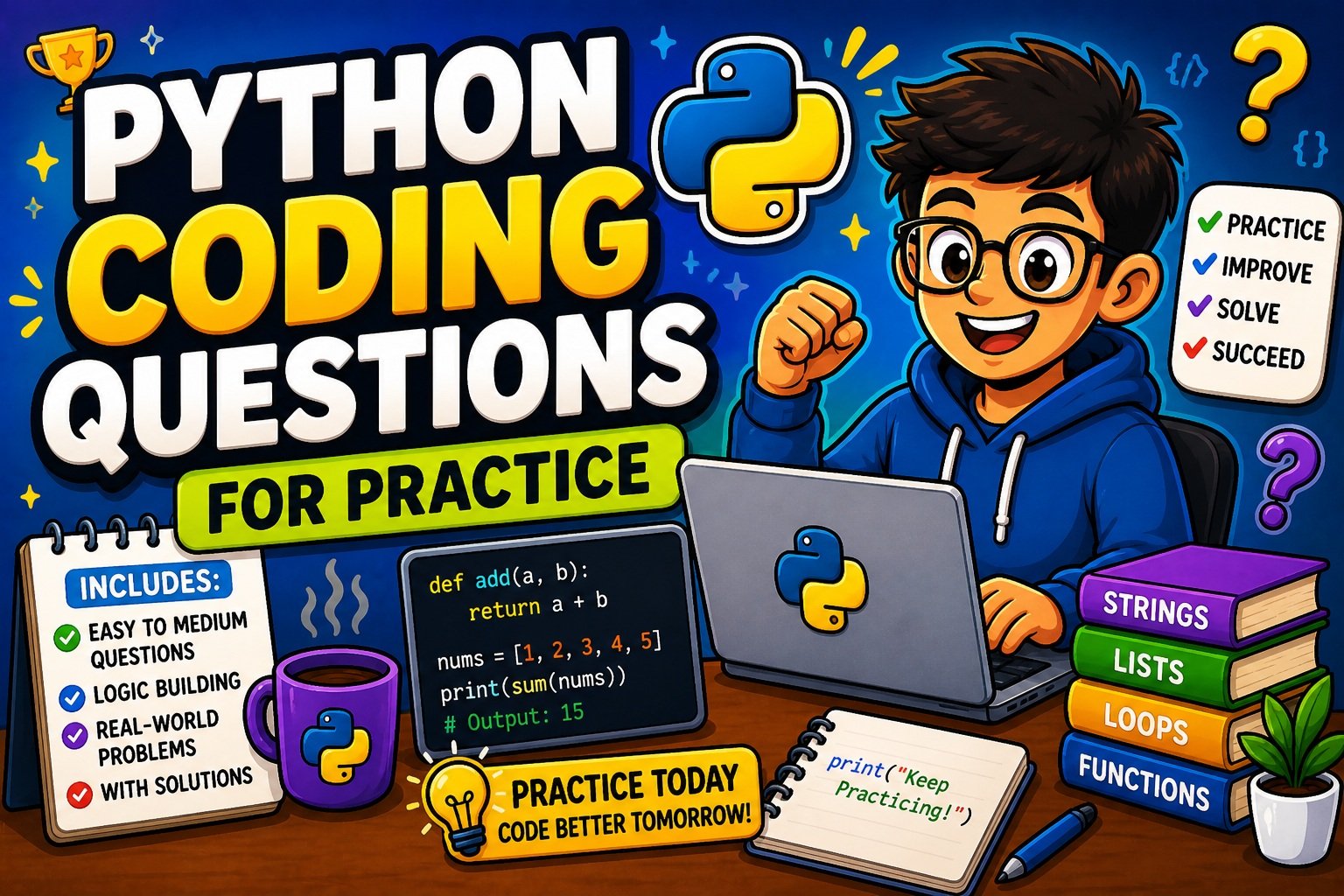
This guide gives you a structured, practical, and beginner-friendly collection of Python coding questions for practice. You will work through easy problems, step up to intermediate challenges, tackle logic-building exercises, and encounter real-world scenarios. Every question comes with a clean, readable solution and a plain-language explanation.
Whether you are a complete beginner writing your first print() statement or someone who wants to sharpen their skills before a job interview, this guide is built for you.
If you are also preparing for technical interviews, bookmark our guide on Top 20 Python Interview Questions for Beginners (2026) — it pairs perfectly with this post.
How to Use These Python Practice Questions Effectively
Before diving into the questions, spend two minutes reading this section. Most beginners skip it. The ones who read it learn twice as fast.
Rule 1 — Attempt before you peek at the solution. The struggle is the learning. If you look at the answer first, your brain records the answer — not the process. Give yourself at least 10 minutes on each problem independently.
Rule 2 — Type every line of code by hand. Never copy-paste solutions. Typing code trains your fingers and your memory simultaneously. Errors you make while typing teach you more than correct code you paste.
Rule 3 — Follow the difficulty ladder. Work through Easy questions fully before jumping to Intermediate. Each section builds directly on the previous one. Skipping ahead creates invisible knowledge gaps.
Rule 4 — Keep a mistake journal. Every time you make an error, write it down: what went wrong, why it went wrong, and how you fixed it. Reviewing that journal weekly builds pattern recognition faster than any tutorial.
Rule 5 — Practice daily, not in marathons. Thirty focused minutes every day beats a four-hour session on Sunday. Consistency is the compound interest of coding skill.
Want a personalized challenge based on your current level? Try the PyCodeRoom AI Task Generator — it builds custom Python problems designed exactly for where you are right now.
Beginner-Level Python Coding Questions for Practice
These questions are designed to build your core foundation. They focus on input/output, conditionals, loops, strings, and lists — the building blocks that appear in virtually every Python program ever written.
1. Variables, Data Types & Basic Input/Output
Q1 — Personalized Greeting Program
Problem: Write a program that takes a user’s name and age as input. Print: Hello, [name]! You are [age] years old.
name = input("Enter your name: ")
age = input("Enter your age: ")
print(f"Hello, {name}! You are {age} years old.")
Expected Output:
Enter your name: Sara
Enter your age: 22
Hello, Sara! You are 22 years old.
What you learn: f-strings, input(), variable storage.
Not sure how
input()works in different scenarios? Read our full guide on how to take user input in Python for a deep dive into every method.
Q2 — Swap Two Variables Without a Third Variable
Problem: Given a = 5 and b = 10, swap their values without using a temporary variable.
a = 5
b = 10

a, b = b, a

print(f"a = {a}, b = {b}")
Expected Output:
a = 10, b = 5
What you learn: Python’s elegant tuple unpacking for simultaneous assignment.
Q3 — Celsius to Fahrenheit Converter
Problem: Write a program that takes a temperature in Celsius and converts it to Fahrenheit.
Formula: F = (C × 9/5) + 32
celsius = float(input("Enter temperature in Celsius: "))
fahrenheit = (celsius * 9 / 5) + 32
print(f"{celsius}°C is equal to {fahrenheit:.2f}°F")
Expected Output:
Enter temperature in Celsius: 37
37.0°C is equal to 98.60°F
Q4 — Rectangle Area and Perimeter
Problem: Take the length and width of a rectangle from the user. Calculate and print both the area and perimeter.
length = float(input("Enter the length: "))
width = float(input("Enter the width: "))

area = length * width
perimeter = 2 * (length + width)

print(f"Area: {area}")
print(f"Perimeter: {perimeter}")
2. Conditional Statements (if / elif / else)
Q5 — Positive, Negative, or Zero
Problem: Ask the user to enter a number. Print whether it is positive, negative, or zero.
number = float(input("Enter a number: "))

if number > 0:
    print("The number is Positive.")
elif number < 0:
    print("The number is Negative.")
else:
    print("The number is Zero.")
Q6 — Largest of Three Numbers (Without max())
Problem: Find the largest among three numbers entered by the user — without using the built-in max() function.
a = float(input("Enter first number: "))
b = float(input("Enter second number: "))
c = float(input("Enter third number: "))

if a >= b and a >= c:
    largest = a
elif b >= a and b >= c:
    largest = b
else:
    largest = c

print(f"The largest number is: {largest}")
What you learn: Chained comparison conditions, logical and operator.
Q7 — Leap Year Checker
Problem: Write a program that checks whether a given year is a leap year or not.
Rules: A year is a leap year if it is divisible by 4, except for century years (divisible by 100), which must also be divisible by 400.
year = int(input("Enter a year: "))

if (year % 4 == 0 and year % 100 != 0) or (year % 400 == 0):
    print(f"{year} is a Leap Year.")
else:
    print(f"{year} is not a Leap Year.")
Q8 — Simple Grade Calculator
Problem: Take a student’s score (0–100) and print their letter grade.
score = int(input("Enter your score (0-100): "))

if score >= 90:
    grade = "A"
elif score >= 80:
    grade = "B"
elif score >= 70:
    grade = "C"
elif score >= 60:
    grade = "D"
else:
    grade = "F"

print(f"Your grade is: {grade}")
3. Loops (for & while)
Q9 — FizzBuzz (The Classic Interview Warm-Up)
Problem: Print numbers from 1 to 50. Replace multiples of 3 with Fizz, multiples of 5 with Buzz, and multiples of both with FizzBuzz.
for i in range(1, 51):
    if i % 3 == 0 and i % 5 == 0:
        print("FizzBuzz")
    elif i % 3 == 0:
        print("Fizz")
    elif i % 5 == 0:
        print("Buzz")
    else:
        print(i)
Pro Tip: FizzBuzz appears in real technical screenings more often than beginners expect. Master it cold — meaning you can write it from memory in under two minutes.
Q10 — Factorial with a Loop
Problem: Calculate the factorial of a number entered by the user using a for loop. (No recursion yet.)
n = int(input("Enter a number: "))
factorial = 1

for i in range(1, n + 1):
    factorial *= i

print(f"Factorial of {n} is: {factorial}")
Q11 — Multiplication Table
Problem: Print the complete multiplication table (up to 10) for any number the user enters.
num = int(input("Enter a number: "))

for i in range(1, 11):
    print(f"{num} x {i} = {num * i}")
Q12 — Input Until Quit (while loop)
Problem: Keep asking the user for a word and echo it back. Stop only when the user types quit.
while True:
    word = input("Enter a word (or 'quit' to stop): ")
    if word.lower() == "quit":
        print("Goodbye!")
        break
    print(f"You entered: {word}")
What you learn: while True loops, the break statement, .lower() for case-insensitive comparison.
4. Strings
Q13 — Count Vowels in a String
Problem: Write a function that counts how many vowels appear in a given string.
def count_vowels(text):
    vowels = "aeiouAEIOU"
    count = 0
    for char in text:
        if char in vowels:
            count += 1
    return count

sentence = input("Enter a sentence: ")
print(f"Number of vowels: {count_vowels(sentence)}")
Q14 — Reverse a String Without Slicing
Problem: Reverse a string using a loop (not the [::-1] shortcut — that is saved for the next question).
def reverse_string(text):
    reversed_text = ""
    for char in text:
        reversed_text = char + reversed_text
    return reversed_text

word = input("Enter a string: ")
print(f"Reversed: {reverse_string(word)}")
Once you understand the loop-based approach above, explore every other method — including slicing — in our dedicated guide: How to Reverse a String in Python.
Q15 — Palindrome Checker
Problem: Check if a string reads the same forwards and backwards (ignoring spaces and case).
def is_palindrome(text):
    cleaned = text.replace(" ", "").lower()
    return cleaned == cleaned[::-1]

word = input("Enter a word: ")
if is_palindrome(word):
    print(f'"{word}" is a palindrome.')
else:
    print(f'"{word}" is not a palindrome.')
Test it with: racecar, A man a plan a canal Panama, hello
Q16 — Character Frequency Counter
Problem: Count how many times each character appears in a string.
text = input("Enter a string: ")
frequency = {}

for char in text:
    if char in frequency:
        frequency[char] += 1
    else:
        frequency[char] = 1

for char, count in frequency.items():
    print(f"'{char}' : {count}")
5. Lists
Q17 — Find Min and Max Without Built-in Functions
Problem: Find the largest and smallest numbers in a list without using min() or max().
numbers = [34, 7, 23, 32, 5, 62]

largest = numbers[0]
smallest = numbers[0]

for num in numbers:
    if num > largest:
        largest = num
    if num < smallest:
        smallest = num

print(f"Largest: {largest}")
print(f"Smallest: {smallest}")
Q18 — Remove Duplicates While Preserving Order
Problem: Remove duplicate values from a list but keep the original order of elements.
def remove_duplicates(lst):
    seen = []
    for item in lst:
        if item not in seen:
            seen.append(item)
    return seen

sample = [1, 3, 2, 3, 5, 1, 4, 2]
print(remove_duplicates(sample))
# Output: [1, 3, 2, 5, 4]
Q19 — Sort a List of Strings Alphabetically
Problem: Sort a list of names alphabetically and then again in reverse order.
names = ["Charlie", "Alice", "Eve", "Bob", "Diana"]

names_sorted = sorted(names)
names_reversed = sorted(names, reverse=True)

print("Alphabetical:", names_sorted)
print("Reverse:", names_reversed)
Intermediate-Level Python Coding Questions for Practice
You have built your foundation. Now the problems require more thinking — combining concepts, writing functions, and starting to care about efficiency.
6. Functions & Recursion
Q20 — Recursive Fibonacci
Problem: Write a recursive function that returns the nth Fibonacci number.
def fibonacci(n):
    if n <= 0:
        return 0
    elif n == 1:
        return 1
    else:
        return fibonacci(n - 1) + fibonacci(n - 2)

for i in range(10):
    print(fibonacci(i), end=" ")
# Output: 0 1 1 2 3 5 8 13 21 34
What you learn: Recursion, base cases, the call stack.
Note: The recursive version is elegant for learning but inefficient for large
n. For production use, explore memoization withfunctools.lru_cachefrom the Python official documentation.
Q21 — Function Returning Multiple Values
Problem: Write a function that takes two numbers and returns both their quotient and remainder.
def divide(a, b):
    if b == 0:
        return None, None
    return a // b, a % b

quotient, remainder = divide(17, 5)
print(f"Quotient: {quotient}, Remainder: {remainder}")
# Output: Quotient: 3, Remainder: 2
Q22 — Simple Decorator
Problem: Create a decorator that prints "--- Function started ---" before and "--- Function ended ---" after any function it wraps.
def logger(func):
    def wrapper(*args, **kwargs):
        print("--- Function started ---")
        result = func(*args, **kwargs)
        print("--- Function ended ---")
        return result
    return wrapper

@logger
def greet(name):
    print(f"Hello, {name}!")

greet("Alex")
Output:
--- Function started ---
Hello, Alex!
--- Function ended ---
Q23 — Lambda with Filter
Problem: Use a lambda function and filter() to extract all even numbers from a list.
numbers = [1, 2, 3, 4, 5, 6, 7, 8, 9, 10]
evens = list(filter(lambda x: x % 2 == 0, numbers))
print(evens)
# Output: [2, 4, 6, 8, 10]
7. Dictionaries
Q24 — Merge Two Dictionaries
Problem: Merge two dictionaries. If both share a key, keep the value from the second dictionary.
dict1 = {"a": 1, "b": 2, "c": 3}
dict2 = {"b": 99, "d": 4}

merged = {**dict1, **dict2}
print(merged)
# Output: {'a': 1, 'b': 99, 'c': 3, 'd': 4}
What you learn: Dictionary unpacking with ** — a clean, Pythonic pattern used widely in modern codebases.
Q25 — Word Frequency Counter
Problem: Count how many times each word appears in a sentence.
sentence = "the quick brown fox jumps over the lazy dog the fox"
words = sentence.split()
frequency = {}

for word in words:
    frequency[word] = frequency.get(word, 0) + 1

for word, count in sorted(frequency.items(), key=lambda x: x[1], reverse=True):
    print(f"{word}: {count}")
Q26 — Sort a Dictionary by Values
Problem: Sort a dictionary by its values in descending order.
scores = {"Alice": 88, "Bob": 95, "Charlie": 72, "Diana": 91}

sorted_scores = dict(sorted(scores.items(), key=lambda x: x[1], reverse=True))

for name, score in sorted_scores.items():
    print(f"{name}: {score}")
8. File Handling
Q27 — Count Lines and Words in a File
Problem: Read a text file and print the total number of lines and words it contains.
filename = "sample.txt"

with open(filename, "r") as f:
    lines = f.readlines()

total_lines = len(lines)
total_words = sum(len(line.split()) for line in lines)

print(f"Total Lines: {total_lines}")
print(f"Total Words: {total_words}")
Q28 — Write User Input to a File and Read It Back
Problem: Ask the user to type three sentences. Write them to a file, then read and print the file contents.
filename = "user_notes.txt"

# Write
with open(filename, "w") as f:
    print("Enter 3 sentences (press Enter after each):")
    for _ in range(3):
        line = input("> ")
        f.write(line + "\n")

# Read back
print("\n--- Your saved notes ---")
with open(filename, "r") as f:
    print(f.read())
File handling is a core real-world skill. Our complete guide on reading and writing text files in Python covers every method — from basic
open()topathliband context managers.
9. List & Dictionary Comprehensions
Q29 — Even Numbers with List Comprehension
Problem: Generate a list of all even numbers from 1 to 50 using a single line of list comprehension.
evens = [x for x in range(1, 51) if x % 2 == 0]
print(evens)
Versus the traditional loop approach:
# Traditional
evens = []
for x in range(1, 51):
    if x % 2 == 0:
        evens.append(x)
Both produce the same result. The comprehension version is more Pythonic and generally faster.
Q30 — Dictionary of Squares
Problem: Create a dictionary {1: 1, 2: 4, 3: 9, ... 10: 100} using dictionary comprehension.
squares = {x: x**2 for x in range(1, 11)}
print(squares)
10. Object-Oriented Programming (OOP)
Q31 — BankAccount Class
Problem: Build a BankAccount class with deposit(), withdraw(), and check_balance() methods. Prevent withdrawals that exceed the balance.
class BankAccount:
    def __init__(self, owner, balance=0):
        self.owner = owner
        self.balance = balance

    def deposit(self, amount):
        self.balance += amount
        print(f"Deposited ${amount}. New balance: ${self.balance}")

    def withdraw(self, amount):
        if amount > self.balance:
            print("Insufficient funds.")
        else:
            self.balance -= amount
            print(f"Withdrew ${amount}. Remaining balance: ${self.balance}")

    def check_balance(self):
        print(f"{self.owner}'s Balance: ${self.balance}")


account = BankAccount("Alice", 500)
account.deposit(200)
account.withdraw(100)
account.check_balance()
Output:
Deposited $200. New balance: $700
Withdrew $100. Remaining balance: $600
Alice's Balance: $600
New to classes, objects, and inheritance? Before tackling the next problem, read our beginner-friendly guide on Object-Oriented Programming in Python.
Q32 — Inheritance — Student and GraduateStudent
Problem: Create a Student base class. Build a GraduateStudent subclass that adds a thesis_topic attribute and overrides the introduce() method.
class Student:
    def __init__(self, name, grade):
        self.name = name
        self.grade = grade

    def introduce(self):
        print(f"Hi, I'm {self.name} and I'm in grade {self.grade}.")


class GraduateStudent(Student):
    def __init__(self, name, grade, thesis_topic):
        super().__init__(name, grade)
        self.thesis_topic = thesis_topic

    def introduce(self):
        print(f"Hi, I'm {self.name}. My thesis is on '{self.thesis_topic}'.")


s1 = Student("Emma", 10)
s2 = GraduateStudent("Liam", 12, "Machine Learning in Healthcare")

s1.introduce()
s2.introduce()
Logic-Building Challenges
These problems push you to think algorithmically. They don’t require any external libraries — just clean logic, loops, and conditionals.
Q33 — All Prime Numbers up to N (Sieve of Eratosthenes)
Problem: Find all prime numbers from 2 up to a given number N using the Sieve algorithm.
def sieve(n):
    is_prime = [True] * (n + 1)
    is_prime[0] = is_prime[1] = False

    for i in range(2, int(n**0.5) + 1):
        if is_prime[i]:
            for j in range(i * i, n + 1, i):
                is_prime[j] = False

    return [i for i in range(2, n + 1) if is_prime[i]]

print(sieve(50))
# Output: [2, 3, 5, 7, 11, 13, 17, 19, 23, 29, 31, 37, 41, 43, 47]
Q34 — Two-Sum Problem
Problem: Given a list of integers and a target value, find all pairs of numbers that sum to the target.
def find_pairs(numbers, target):
    seen = set()
    pairs = []
    for num in numbers:
        complement = target - num
        if complement in seen:
            pairs.append((complement, num))
        seen.add(num)
    return pairs

nums = [2, 7, 4, 0, 9, 5, 1, 3]
target = 9
print(find_pairs(nums, target))
# Output: [(2, 7), (4, 5), (0, 9)]
Q35 — Number Pattern (1, 12, 123…)
Problem: Print the following pattern:
1
12
123
1234
12345
rows = 5
for i in range(1, rows + 1):
    row = ""
    for j in range(1, i + 1):
        row += str(j)
    print(row)
Once you’ve built your logic muscles, put them to immediate use by building a complete Guess the Number Game in Python — it ties together conditionals, loops, and user input in one satisfying project.
Real-World Python Coding Problems
This is where practice becomes power. These problems connect directly to things Python developers build on the job every day.
Q36 — CLI Contact Book
Problem: Build a simple command-line contact book where users can add, search, and delete contacts.
contacts = {}

def add_contact(name, phone):
    contacts[name] = phone
    print(f"Contact '{name}' added.")

def search_contact(name):
    if name in contacts:
        print(f"{name}: {contacts[name]}")
    else:
        print("Contact not found.")

def delete_contact(name):
    if name in contacts:
        del contacts[name]
        print(f"Contact '{name}' deleted.")
    else:
        print("Contact not found.")

# Demo
add_contact("Alice", "0300-1234567")
add_contact("Bob", "0321-9876543")
search_contact("Alice")
delete_contact("Bob")
search_contact("Bob")
Q37 — Automated Email Reminder Script
Problem: Write a Python script that sends an automated reminder email using smtplib.
import smtplib
from email.mime.text import MIMEText
from email.mime.multipart import MIMEMultipart

def send_reminder(sender, password, receiver, subject, body):
    msg = MIMEMultipart()
    msg["From"] = sender
    msg["To"] = receiver
    msg["Subject"] = subject
    msg.attach(MIMEText(body, "plain"))

    with smtplib.SMTP_SSL("smtp.gmail.com", 465) as server:
        server.login(sender, password)
        server.sendmail(sender, receiver, msg.as_string())
        print("Reminder email sent successfully!")

# Usage
# send_reminder("you@gmail.com", "your_app_password", "friend@example.com",
#               "Meeting Reminder", "Don't forget our meeting at 3 PM today!")
This is a genuinely powerful real-world skill. For a full walkthrough with Gmail App Passwords and error handling, follow our complete tutorial on sending emails automatically using Python.
Q38 — CSV Data Analyzer (Pandas Preview)
Problem: Parse a CSV file and calculate the average of a numeric column.
import csv

def average_column(filename, column_name):
    total = 0
    count = 0
    with open(filename, newline="") as csvfile:
        reader = csv.DictReader(csvfile)
        for row in reader:
            total += float(row[column_name])
            count += 1
    return total / count if count > 0 else 0

# avg = average_column("sales.csv", "revenue")
# print(f"Average Revenue: {avg:.2f}")
Once you’re comfortable with CSV basics, Pandas will transform how you work with data. Start with our Pandas Tutorial for Beginners to learn grouping, filtering, and visualization in Python.
Step-by-Step Problem Solving Approach
When you face a new Python coding question you have never seen before, having a framework prevents panic. Here is the RUCDE Method — a repeatable five-step process that works for beginners and experienced developers alike.
Step 1 — R: Read the Problem Twice Read once for the general idea. Read again for the specific details: What are the inputs? What is the expected output? What edge cases exist (empty input, zero, negative numbers)?
Step 2 — U: Understand with a Manual Example Before touching the keyboard, trace through a simple example on paper. If the problem asks you to reverse a list, manually reverse [1, 2, 3] with your finger. This step alone eliminates 40% of coding errors.
Step 3 — C: Code a Brute-Force Solution First Write the most straightforward version that works — no cleverness, no optimization. Correctness before elegance. Get it working, then make it better.
Step 4 — D: Debug Using Print Statements If your code produces wrong output, add print() statements inside loops and conditions to see exactly what is happening at each step. Never guess — trace.
Step 5 — E: Enhance Once working, ask: Can this be shorter? Faster? More readable? Refactor using list comprehensions, built-in functions, or better variable names. Follow PEP 8 style guidelines as standard practice.
Step 4 is where most beginners lose confidence. Our hands-on guide on how to debug Python code step by step will make you comfortable reading error messages and tracing bugs like a professional.
RUCDE Applied to FizzBuzz:
- R: Print 1–50. Divisible by 3 → “Fizz”. Divisible by 5 → “Buzz”. Both → “FizzBuzz”.
- U: Test mentally: 15 is divisible by both → “FizzBuzz”. 9 → “Fizz”. 10 → “Buzz”. 7 → 7.
- C: Write the nested
if/elif/elseinside aforloop (see Q9 above). - D: Add
print(i)before each condition check to confirm the loop runs correctly. - E: Verify PEP 8 spacing, remove test prints, ensure readable variable names.
Common Mistakes Beginners Make When Practicing Python
Every beginner makes these mistakes. Knowing them in advance saves hours of frustration.
Mistake 1 — Mixing Tabs and Spaces Python uses indentation to define code blocks. Mixing tabs and spaces causes IndentationError — one of the most common and confusing errors for newcomers. ✅ Fix: Configure your editor to always insert 4 spaces when you press Tab. VS Code, PyCharm, and Sublime Text all support this setting.
Mistake 2 — Using is Instead of ==
# Wrong
x = 5
if x is 5:   # This works by accident for small integers but is semantically wrong
    print("Yes")

# Correct
if x == 5:
    print("Yes")
✅ Fix: Use == for value comparisons. Reserve is exclusively for checking None — if result is None.
Mistake 3 — Skipping the Fundamentals Many beginners find loops and strings “boring” and rush toward machine learning or web frameworks. Without solid fundamentals, everything advanced becomes fragile. ✅ Fix: Spend at least three to four weeks exclusively on variables, loops, functions, strings, and lists. These appear in 90% of all real Python code.
Mistake 4 — Copying Code Without Understanding It Pasting a solution from Stack Overflow that works feels productive. It is not learning. ✅ Fix: Before using any external code, read every line. Modify it — change variable names, adjust the logic — and observe what breaks. Understanding comes from deliberate interaction, not passive observation.
Mistake 5 — Ignoring Error Messages Beginners often feel overwhelmed by red error text and close the terminal. Error messages are not enemies — they are the most specific feedback you will ever receive. ✅ Fix: Read the last line of the traceback first. It tells you the exact error type and line number. Work backwards from there.
Mistake 6 — Using camelCase Instead of snake_case
# Un-Pythonic
myVariableName = "Alice"

# Pythonic (PEP 8 standard)
my_variable_name = "Alice"
✅ Fix: Follow PEP 8 naming conventions from day one. It makes your code look professional and readable to any Python developer.
Mistake 7 — Trying to Learn Everything at Once Python has web frameworks, data science libraries, machine learning tools, automation utilities, and more. Trying to learn all of it simultaneously leads to paralysis and burnout. ✅ Fix: Choose one path — web development, data, or automation — and stay on it for 90 days. Depth before breadth.
Tips to Improve Your Python Coding Skills Faster
These seven habits, applied consistently, produce faster growth than any course or tutorial:
1. Code Every Single Day Even 20 minutes of actual coding beats three hours of watching tutorials. Daily practice creates the neural pathways that make Python intuitive.
2. Solve First, Then Study the Answer Spend 10–15 minutes genuinely attempting every problem. Even if your solution is wrong or incomplete, that struggle primes your brain for the correct approach.
3. Build Small Projects A number guessing game, a personal expense tracker, a word frequency analyzer, a simple quiz app — projects force you to combine concepts in ways that exercises alone cannot.
4. Read Other People’s Solutions After solving a problem yourself, look at how others solved the same problem on HackerRank or LeetCode. You will discover cleaner patterns, better built-in functions, and smarter logic you would never have found alone.
5. Learn PEP 8 Early The PEP 8 Python Style Guide is the industry standard for readable Python code. Learning it early means you never have to unlearn messy habits later.
6. Use the Official Python Documentation docs.python.org is the most authoritative, accurate, and up-to-date Python resource in existence. Get comfortable navigating it. Start with the Built-in Functions reference — you will use it constantly.
7. Practice Rubber Duck Debugging When stuck, explain your code out loud to an inanimate object — a rubber duck, a coffee mug, a plant. The act of verbalizing forces you to confront exactly where your logic breaks. It sounds silly. It works remarkably well.
30-Day Progress Benchmark: After 30 days of daily practice with these questions, you should be able to solve 80% of beginner-level problems without hints, and begin understanding intermediate problems without panic. Trust the process.
Best Platforms for Python Coding Practice in 2026
| Platform | Best For | Level | Free? |
|---|---|---|---|
| HackerRank | Structured domain challenges, interview prep | Beginner → Advanced | ✅ Yes |
| LeetCode | Data structures, algorithms, FAANG interviews | Medium → Hard | Partial |
| PYnative | Topic-wise Python-specific exercises | Beginner → Intermediate | ✅ Yes |
| GeeksforGeeks | Concept explanations with practice problems | All Levels | ✅ Yes |
| Codecademy | Guided, interactive learning paths | Beginner | Partial |
| W3Resource | Topic-specific drill exercises | Beginner | ✅ Yes |
| Exercism.io | Mentored code review and feedback | Intermediate | ✅ Yes |
Recommended Starting Path:
- Use PYnative and W3Resource for topic-based drills (loops, strings, dictionaries).
- Graduate to HackerRank‘s Python domain for structured challenge completion.
- Move to LeetCode Easy problems when you are comfortable with the intermediate questions in this post.
FAQs
Q: How many Python questions should I practice per day as a beginner? Two to three focused questions per day is the ideal starting point. Understanding two problems deeply is worth more than rushing through ten without comprehension. Quality of understanding beats quantity of attempts every time.
Q: What topics should I focus on first for Python practice? Begin with variables, data types, and basic input/output. Then move to conditionals, loops, and functions. After that, tackle strings, lists, and dictionaries. These topics account for the majority of beginner and intermediate questions.
Q: Is Python a good language for coding interview preparation? Absolutely. Python’s clean, readable syntax allows you to focus on problem-solving logic rather than fighting verbose syntax. In 2026, it is one of the most widely accepted languages in technical interviews across data science, software engineering, and automation roles.
Q: How long does it take to become comfortable with Python coding questions? With consistent daily practice, most beginners solve easy questions confidently within four to six weeks. Intermediate-level comfort typically comes after three to four months. The key variable is daily consistency — not hours per session.
Q: What is the best way to verify my solutions? Attempt the problem first. Then compare with trusted resources like PYnative or GeeksforGeeks. Use Python Tutor to visually trace your code execution line by line — it is an excellent free debugging and learning tool.
Q: Can I get a Python developer job by just practicing coding questions? Coding questions are essential but not the complete picture. Combine consistent problem-solving practice with real projects (at least two to three on GitHub), basic version control with Git, and a specialization in either web development (Flask/Django), data analysis (Pandas/NumPy), or automation.
Conclusion
The path from beginner to confident Python developer is not mysterious. It is questions practiced daily, mistakes understood thoroughly, and small projects built consistently over time.
You now have a complete roadmap: beginner questions to build your foundation, intermediate challenges to stretch your thinking, logic puzzles to sharpen your problem-solving, and real-world problems to make your skills applicable.
The one thing that separates developers who grow quickly from those who stay stuck is simple: they write code every single day, even when it is imperfect, even when it breaks, especially when it breaks.
Pick one question from this list. Open your code editor, set a 20-minute timer, and start typing. That is where every great Python developer begins — not in a course, not in a tutorial, but in that first moment of sitting down and actually writing code.