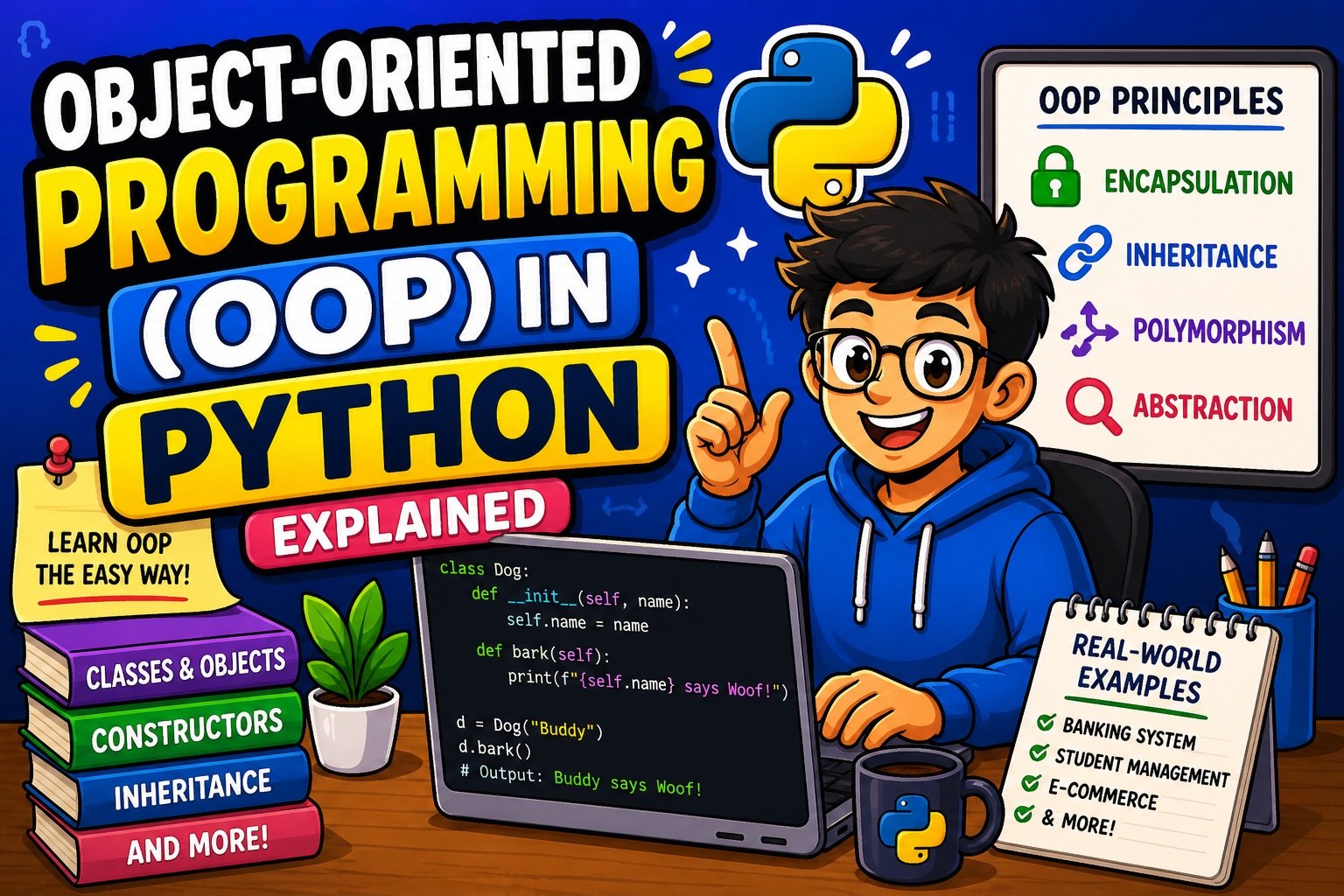
Object-Oriented Programming (OOP) in Python Explained: The Complete Beginner’s Guide (2026)
Imagine you’re building a banking app. You have hundreds of customers, each with their own account number, balance, and transaction history. Without a proper structure, your code quickly becomes a tangled mess of variables and functions — nearly impossible to maintain or scale.
This is exactly the problem that Object-Oriented Programming (OOP) in Python solves.
OOP is not just a coding technique — it’s a way of thinking about your programs. Instead of writing a sequence of instructions, you model your application around real-world objects: a BankAccount, a Customer, a Transaction. Each object knows its own data and what it can do, making your codebase cleaner, smarter, and far easier to grow.
Whether you’re building a web app, automating tasks, or exploring data science, OOP is the skill that separates beginner Python developers from professionals. In this guide, you’ll learn every core concept from scratch — no prior OOP knowledge required.
Before we dive in: If you’re brand new to Python, make sure you’re comfortable with the basics first. Our guide on how to take user input in Python covers the foundational skills you’ll need throughout this tutorial.
What Is Object-Oriented Programming (OOP)?
Object-Oriented Programming (OOP) is a programming paradigm — a style of writing code — that organizes software around objects rather than functions and logic alone.
An object is a self-contained unit that combines:
- Data (called attributes or properties) — what the object knows
- Behavior (called methods) — what the object can do
Think of it this way: a car has data (color, brand, speed) and behavior (accelerate, brake, turn). In OOP, you’d model that as a Car object with matching attributes and methods.
The Blueprint Analogy
In OOP, before you create any object, you first define a class — the blueprint.
| Concept | Real-World Analogy | Python Term |
|---|---|---|
| Blueprint | Architectural floor plan | class |
| Building | House built from the plan | object / instance |
| Property | Number of rooms | attribute |
| Action | Opening a door | method |
So the class is the plan; the object is what you actually build from it. You can create as many objects as you want from the same class, just like a builder can construct multiple houses from one blueprint.
The Four Pillars of OOP
Object-Oriented Programming rests on four foundational principles. You’ll learn each one in depth in this guide:
- Encapsulation — Bundling data and behavior together, and protecting internal state
- Inheritance — Letting one class reuse and extend another class
- Polymorphism — Allowing the same operation to behave differently depending on the object
- Abstraction — Hiding complex implementation details, showing only what’s necessary
These four pillars work together to make your code more modular, reusable, and maintainable.
Why Use OOP in Python?
You might wonder: “Python already works fine with functions — why do I need OOP?”
That’s a fair question. Here’s the honest answer: for small scripts, you don’t always need OOP. But as soon as your project grows beyond a few files, the advantages of OOP become impossible to ignore.
Key Benefits of OOP in Python
1. Code Reusability Write a class once and reuse it everywhere. Need a hundred Employee objects? One class does the job. This follows the DRY principle — Don’t Repeat Yourself.
2. Modularity OOP lets you break your application into small, independent pieces. Each class handles one responsibility. This makes the codebase much easier to read and navigate.
3. Scalability When your project needs new features, you add new classes or extend existing ones. You don’t need to rewrite code that already works.
4. Maintainability Bugs are easier to isolate. If something goes wrong with customer billing, you look inside the BillingAccount class — not through thousands of lines of scattered functions.
5. Real-World Modeling OOP naturally mirrors how we think about the world. A Student has a name, an age, and can enroll() in courses. Your code reads more like plain English.
Where Is OOP Used in the Real World?
- Web Development: Frameworks like Django and Flask are built entirely around OOP. See how OOP powers web apps in our guide on building a simple website using Flask.
- Data Science: Libraries like Pandas and NumPy use classes extensively. Every time you create a
DataFrame, you’re using OOP. - Game Development: Characters, items, and game states are all modeled as objects.
- Automation: Email bots, scrapers, and task managers benefit hugely from OOP’s structure.
Classes and Objects in Python
Let’s write our first class.
Defining a Class
In Python, you create a class using the class keyword:
class Dog:
    # Class attribute (shared by ALL instances)
    species = "Canis familiaris"

    # Instance attributes (unique to EACH instance)
    def __init__(self, name, age):
        self.name = name
        self.age = age
Creating Objects (Instances)
Now let’s create some Dog objects from that blueprint:
dog1 = Dog("Buddy", 3)
dog2 = Dog("Max", 5)

print(dog1.name)     # Output: Buddy
print(dog2.age)      # Output: 5
print(dog1.species)  # Output: Canis familiaris
print(dog2.species)  # Output: Canis familiaris
Notice that species is the same for both dogs (it’s a class attribute), but name and age are different for each (they’re instance attributes).
Class Attributes vs. Instance Attributes
| Type | Defined | Shared? | Example |
|---|---|---|---|
| Class Attribute | Outside __init__, in the class body | Yes, by all instances | species = "Canis familiaris" |
| Instance Attribute | Inside __init__ using self | No, unique to each instance | self.name = name |
Pro Tip: Be careful with mutable class attributes (like lists or dictionaries). Changing them on one instance affects all instances. Use instance attributes for data that should be unique per object.
Attributes and Methods
A class without methods is just a data container. Methods are what bring your objects to life.
Instance Methods
The most common type. They operate on instance data and always take self as the first parameter:
class Dog:
    def __init__(self, name, age):
        self.name = name
        self.age = age

    def bark(self):
        return f"{self.name} says: Woof!"

    def get_info(self):
        return f"{self.name} is {self.age} years old."

my_dog = Dog("Buddy", 3)
print(my_dog.bark())     # Output: Buddy says: Woof!
print(my_dog.get_info()) # Output: Buddy is 3 years old.
Class Methods
Decorated with @classmethod and receive cls (the class itself) instead of self. Useful for alternative constructors:
class Dog:
    total_dogs = 0

    def __init__(self, name, age):
        self.name = name
        self.age = age
        Dog.total_dogs += 1

    @classmethod
    def get_total(cls):
        return f"Total dogs created: {cls.total_dogs}"

dog1 = Dog("Buddy", 3)
dog2 = Dog("Max", 5)
print(Dog.get_total())  # Output: Total dogs created: 2
Static Methods
Decorated with @staticmethod. They don’t access instance or class data — they’re utility functions that logically belong to the class:
class MathHelper:
    @staticmethod
    def add(a, b):
        return a + b

    @staticmethod
    def multiply(a, b):
        return a * b

print(MathHelper.add(5, 3))       # Output: 8
print(MathHelper.multiply(4, 6))  # Output: 24
Naming Conventions for Methods
Follow these Python conventions for clean, readable code:
- Use verb-noun pairs:
get_balance(),send_email(),calculate_area() - Keep method names lowercase with underscores (snake_case)
- Every method that operates on instance data should start with
self
Constructors (__init__) — How Objects Are Born
The __init__ method is Python’s constructor. It runs automatically the moment you create a new object, and its job is to set up the initial state of that object.
Basic __init__ Example
class BankAccount:
    def __init__(self, owner, balance=0):
        self.owner = owner
        self.balance = balance

    def deposit(self, amount):
        if amount > 0:
            self.balance += amount
            print(f"${amount} deposited. New balance: ${self.balance}")

    def withdraw(self, amount):
        if amount <= self.balance:
            self.balance -= amount
            print(f"${amount} withdrawn. New balance: ${self.balance}")
        else:
            print("Insufficient funds!")

    def __str__(self):
        return f"Account({self.owner}) | Balance: ${self.balance}"

# Create account objects
alice_account = BankAccount("Alice", 1000)
bob_account = BankAccount("Bob")  # Uses default balance of 0

alice_account.deposit(500)
# Output: $500 deposited. New balance: $1500

alice_account.withdraw(200)
# Output: $200 withdrawn. New balance: $1300

print(alice_account)
# Output: Account(Alice) | Balance: $1300
Understanding self
self is a reference to the current instance of the class. When you write self.balance = balance inside __init__, you’re saying: “Store the balance value on this specific object.”
It’s not a keyword — it’s a strong convention. Technically you could name it anything, but always use self to follow Python standards and avoid confusing anyone reading your code.
The __str__ and __repr__ Methods
Two closely related dunder (double underscore) methods that control how your objects are displayed:
| Method | Used By | Purpose |
|---|---|---|
__str__ | print(), str() | Human-readable string |
__repr__ | repr(), debugger | Developer/debugging string |
class Person:
    def __init__(self, name, age):
        self.name = name
        self.age = age

    def __str__(self):
        return f"{self.name}, age {self.age}"

    def __repr__(self):
        return f"Person(name='{self.name}', age={self.age})"

p = Person("Alice", 30)
print(str(p))   # Output: Alice, age 30
print(repr(p))  # Output: Person(name='Alice', age=30)
Want to practice building Python logic step by step before tackling full OOP projects? Our build a number guessing game in Python guide is a great hands-on warm-up.
Encapsulation
Encapsulation is the practice of bundling an object’s data (attributes) and behavior (methods) together, while restricting direct access to some of the internal details.
Think of it like a TV remote. You press buttons (the public interface) to change the channel, but you don’t need to understand the circuit board inside (the hidden implementation).
Access Levels in Python
Python uses naming conventions to signal access levels (it doesn’t enforce them at the language level):
| Convention | Example | Meaning |
|---|---|---|
| Public | self.name | Accessible from anywhere |
| Protected | self._name | Internal use; shouldn’t be touched from outside (convention) |
| Private | self.__name | Name-mangled; significantly harder to access externally |
class Employee:
    def __init__(self, name, salary):
        self.name = name          # Public
        self._department = "HR"   # Protected
        self.__salary = salary    # Private

    def get_salary(self):
        return self.__salary

    def set_salary(self, new_salary):
        if new_salary > 0:
            self.__salary = new_salary
        else:
            print("Salary must be positive.")

emp = Employee("Alice", 50000)
print(emp.name)           # Output: Alice
print(emp.get_salary())   # Output: 50000
emp.set_salary(55000)
print(emp.get_salary())   # Output: 55000

# Trying to access private attribute directly:
# print(emp.__salary)     # AttributeError!
The Pythonic Way: @property
Instead of manual get_/set_ methods, Python offers the elegant @property decorator:
class Circle:
    def __init__(self, radius):
        self._radius = radius

    @property
    def radius(self):
        return self._radius

    @radius.setter
    def radius(self, value):
        if value >= 0:
            self._radius = value
        else:
            raise ValueError("Radius cannot be negative.")

    @property
    def area(self):
        import math
        return round(math.pi * self._radius ** 2, 2)

c = Circle(5)
print(c.radius)   # Output: 5
print(c.area)     # Output: 78.54
c.radius = 10
print(c.area)     # Output: 314.16
The @property approach lets you access attributes like regular variables (c.radius) while still having full control over how they’re read and written. This is far more Pythonic than writing explicit getter and setter methods.
Why Encapsulation Matters
- Data integrity: You can validate input before storing it (e.g., reject a negative salary)
- Security: Sensitive data (like passwords) stays hidden from external code
- Flexibility: You can change internal implementation later without breaking external code
Inheritance
Inheritance is one of the most powerful features of OOP. It lets one class (the child or subclass) inherit all the attributes and methods of another class (the parent or superclass) — and optionally add or change them.
This models an “is-a” relationship: a Dog is an Animal. A SavingsAccount is a BankAccount.
Basic Inheritance Example
class Animal:
    def __init__(self, name, sound):
        self.name = name
        self.sound = sound

    def speak(self):
        return f"{self.name} says: {self.sound}!"

    def __str__(self):
        return f"{self.name} (Animal)"

class Dog(Animal):
    def __init__(self, name):
        super().__init__(name, "Woof")  # Call parent's __init__
        self.tricks = []

    def learn_trick(self, trick):
        self.tricks.append(trick)
        return f"{self.name} learned: {trick}"

class Cat(Animal):
    def __init__(self, name):
        super().__init__(name, "Meow")

    def purr(self):
        return f"{self.name} is purring..."

# Create instances
dog = Dog("Buddy")
cat = Cat("Whiskers")

print(dog.speak())           # Output: Buddy says: Woof!
print(cat.speak())           # Output: Whiskers says: Meow!
print(dog.learn_trick("sit")) # Output: Buddy learned: sit
print(cat.purr())            # Output: Whiskers is purring...
The super() Function
super() gives you access to the parent class’s methods. It’s most commonly used in __init__ to ensure the parent class is properly initialized before the child class adds its own attributes.
Always call super().__init__() in a child class when the parent has an __init__ method — skipping it is one of the most common OOP mistakes beginners make.
Method Overriding
Child classes can override parent methods to customize behavior:
class Animal:
    def describe(self):
        return "I am an animal."

class Dog(Animal):
    def describe(self):
        return "I am a loyal dog."  # Overrides the parent's describe()

class GoldenRetriever(Dog):
    def describe(self):
        parent_desc = super().describe()
        return f"{parent_desc} Specifically, a Golden Retriever!"

dog = Dog()
golden = GoldenRetriever()
print(dog.describe())    # Output: I am a loyal dog.
print(golden.describe()) # Output: I am a loyal dog. Specifically, a Golden Retriever!
Multiple Inheritance
Python supports inheriting from more than one parent class. Use it carefully:
class Flyable:
    def fly(self):
        return "I can fly!"

class Swimmable:
    def swim(self):
        return "I can swim!"

class Duck(Flyable, Swimmable):
    def __init__(self, name):
        self.name = name

    def quack(self):
        return f"{self.name} says: Quack!"

donald = Duck("Donald")
print(donald.fly())    # Output: I can fly!
print(donald.swim())   # Output: I can swim!
print(donald.quack())  # Output: Donald says: Quack!
⚠️ Best Practice: While inheritance is powerful, overusing it creates tightly coupled, hard-to-maintain code. When in doubt, prefer composition (having an object contain another object) over deep inheritance chains.
Polymorphism
Polymorphism comes from Greek: poly (many) + morphism (forms). In Python, it means the same method name can behave differently depending on which object it’s called on.
You’ve already seen this in the animal examples above. Let’s make it even clearer.
Method Overriding (Runtime Polymorphism)
from abc import ABC, abstractmethod
import math

class Shape(ABC):
    @abstractmethod
    def area(self):
        pass

    @abstractmethod
    def perimeter(self):
        pass

    def describe(self):
        return f"I am a {type(self).__name__} with area {self.area():.2f}"

class Circle(Shape):
    def __init__(self, radius):
        self.radius = radius

    def area(self):
        return math.pi * self.radius ** 2

    def perimeter(self):
        return 2 * math.pi * self.radius

class Rectangle(Shape):
    def __init__(self, width, height):
        self.width = width
        self.height = height

    def area(self):
        return self.width * self.height

    def perimeter(self):
        return 2 * (self.width + self.height)

class Triangle(Shape):
    def __init__(self, base, height, side1, side2, side3):
        self.base = base
        self.height = height
        self.sides = (side1, side2, side3)

    def area(self):
        return 0.5 * self.base * self.height

    def perimeter(self):
        return sum(self.sides)

# Polymorphism in action
shapes = [Circle(5), Rectangle(4, 6), Triangle(3, 4, 3, 4, 5)]

for shape in shapes:
    print(shape.describe())

# Output:
# I am a Circle with area 78.54
# I am a Rectangle with area 24.00
# I am a Triangle with area 6.00
The describe() method works the same way on every shape, but area() behaves differently for each. That’s polymorphism.
Duck Typing
Python’s most natural form of polymorphism is duck typing: “If it walks like a duck and quacks like a duck, it’s a duck.”
You don’t need inheritance — if an object has the method you’re calling, Python is happy:
class Dog:
    def speak(self):
        return "Woof!"

class Cat:
    def speak(self):
        return "Meow!"

class Robot:
    def speak(self):
        return "Beep boop!"

# No inheritance — just duck typing!
animals = [Dog(), Cat(), Robot()]
for entity in animals:
    print(entity.speak())

# Output:
# Woof!
# Meow!
# Beep boop!
Built-In Polymorphism
Python’s built-in operators are polymorphic too:
print(2 + 3)        # 5     → arithmetic addition
print("Hi" + " !")  # Hi !  → string concatenation
print([1, 2] + [3]) # [1, 2, 3] → list joining
The + operator behaves differently based on the type of its operands. That’s polymorphism at the language level.
Abstraction
Abstraction means exposing only what something does, not how it does it.
When you press a car’s brake pedal, you don’t need to understand the hydraulic fluid system — you just know pressing it slows the car down. The complexity is hidden; the interface is simple.
In Python, abstraction is implemented using Abstract Base Classes (ABCs) from the abc module.
Creating Abstract Classes
from abc import ABC, abstractmethod

class DatabaseConnector(ABC):
    """Abstract base class for all database connectors."""

    @abstractmethod
    def connect(self):
        """Establish a connection to the database."""
        pass

    @abstractmethod
    def disconnect(self):
        """Close the database connection."""
        pass

    @abstractmethod
    def execute_query(self, query):
        """Execute a SQL query."""
        pass

    def log_action(self, action):
        """Concrete method available to all subclasses."""
        print(f"[LOG] Action: {action}")

class MySQLConnector(DatabaseConnector):
    def connect(self):
        self.log_action("MySQL connect")
        return "Connected to MySQL"

    def disconnect(self):
        self.log_action("MySQL disconnect")
        return "Disconnected from MySQL"

    def execute_query(self, query):
        return f"MySQL executing: {query}"

class PostgreSQLConnector(DatabaseConnector):
    def connect(self):
        self.log_action("PostgreSQL connect")
        return "Connected to PostgreSQL"

    def disconnect(self):
        self.log_action("PostgreSQL disconnect")
        return "Disconnected from PostgreSQL"

    def execute_query(self, query):
        return f"PostgreSQL executing: {query}"

# Cannot instantiate an abstract class directly:
# db = DatabaseConnector()  # TypeError!

mysql = MySQLConnector()
print(mysql.connect())
print(mysql.execute_query("SELECT * FROM users"))

# Output:
# [LOG] Action: MySQL connect
# Connected to MySQL
# MySQL executing: SELECT * FROM users
Any class that inherits from DatabaseConnector must implement all three abstract methods. If it doesn’t, Python raises a TypeError when you try to instantiate it.
Abstraction vs. Encapsulation — Clearing the Confusion
This is one of the most common points of confusion for beginners:
| Concept | Focus | Example |
|---|---|---|
| Encapsulation | Hiding data (protecting internal state) | Making __salary private |
| Abstraction | Hiding complexity (simplifying the interface) | The DatabaseConnector ABC above |
Encapsulation is about who can access the data. Abstraction is about what the user needs to know about the system.
OOP vs. Procedural Programming
Both are valid approaches. The right choice depends on your project.
A Side-by-Side Comparison
| Feature | Procedural Programming | Object-Oriented Programming |
|---|---|---|
| Core Unit | Functions | Classes and Objects |
| Data Storage | Variables, global/local scope | Encapsulated inside objects |
| Code Reuse | Function calls | Inheritance and Composition |
| Best For | Simple scripts, utilities | Large apps, complex systems |
| Examples | File processing scripts | Web apps, games, data pipelines |
| Learning Curve | Lower | Higher upfront, pays off later |
Procedural Approach
# Procedural style
name = "Alice"
balance = 1000

def deposit(balance, amount):
    return balance + amount

def withdraw(balance, amount):
    if amount <= balance:
        return balance - amount
    return balance

balance = deposit(balance, 500)
print(f"{name}'s balance: ${balance}")  # Alice's balance: $1500
OOP Approach
# OOP style
class BankAccount:
    def __init__(self, owner, balance=0):
        self.owner = owner
        self.balance = balance

    def deposit(self, amount):
        self.balance += amount

    def withdraw(self, amount):
        if amount <= self.balance:
            self.balance -= amount

    def __str__(self):
        return f"{self.owner}'s balance: ${self.balance}"

account = BankAccount("Alice", 1000)
account.deposit(500)
print(account)  # Alice's balance: $1500
The OOP version is more code upfront — but imagine managing 1,000 accounts. With OOP, you create 1,000 objects from the same class. With procedural code, you’d have a nightmare of variables and function calls.
For simple tasks like processing a text file, procedural Python is perfectly fine. Our guide on how to read and write text files in Python is a great example where a clean, procedural approach works beautifully. But once your project grows, OOP becomes essential.
When to use OOP:
- Building applications with multiple interacting components
- When you need many objects of the same type
- Team projects where modularity and clarity matter
- When modeling real-world entities
When procedural is fine:
- Quick automation scripts
- Simple one-off data processing
- When a problem has a clear linear flow with no need for state management
Best Practices for Writing Clean OOP Code in Python
Knowing the concepts is only half the battle. Writing clean, professional OOP code requires following proven practices.
1. Follow Python Naming Conventions
| Element | Convention | Example |
|---|---|---|
| Class names | CapWords (PascalCase) | BankAccount, UserProfile |
| Method names | lowercase_with_underscores | get_balance(), send_email() |
| Private attributes | double underscore prefix | self.__password |
| Constants | ALL_CAPS | MAX_RETRIES = 3 |
2. Single Responsibility Principle (SRP)
Each class should do one thing and have one reason to change. If your User class handles login, sends emails, and generates reports — break it up.
# Bad: One class doing too much
class User:
    def login(self): ...
    def send_welcome_email(self): ...
    def generate_report(self): ...

# Good: Each class has one responsibility
class User:
    def login(self): ...

class EmailService:
    def send_welcome_email(self, user): ...

class ReportGenerator:
    def generate_user_report(self, user): ...
3. DRY — Don’t Repeat Yourself
If you find yourself copying and pasting the same logic into multiple classes, that logic belongs in a parent class or a utility method.
4. Favor Composition Over Inheritance
Instead of always inheriting, consider composing objects from other objects:
# Composition example
class Engine:
    def start(self):
        return "Engine started"

class Car:
    def __init__(self, brand):
        self.brand = brand
        self.engine = Engine()  # Car HAS-AN Engine (composition)

    def start(self):
        return f"{self.brand}: {self.engine.start()}"

my_car = Car("Toyota")
print(my_car.start())  # Output: Toyota: Engine started
Use inheritance for is-a relationships. Use composition for has-a relationships.
5. Write Docstrings for Every Class and Method
class BankAccount:
    """
    Represents a bank account for a single customer.

    Attributes:
        owner (str): The account holder's name.
        balance (float): The current account balance.
    """

    def deposit(self, amount: float) -> None:
        """
        Deposit a positive amount into the account.

        Args:
            amount (float): The amount to deposit. Must be positive.
        """
        if amount > 0:
            self.balance += amount
6. Use Type Hints (Python 3.5+)
Type hints make your code self-documenting and enable better IDE support:
class Product:
    def __init__(self, name: str, price: float, stock: int) -> None:
        self.name = name
        self.price = price
        self.stock = stock

    def apply_discount(self, percent: float) -> float:
        return self.price * (1 - percent / 100)
7. Write Unit Tests for Your Classes
Always test your classes in isolation. Python’s built-in unittest or pytest library makes this straightforward:
import unittest

class TestBankAccount(unittest.TestCase):
    def setUp(self):
        self.account = BankAccount("Test User", 1000)

    def test_deposit(self):
        self.account.deposit(500)
        self.assertEqual(self.account.balance, 1500)

    def test_withdraw_insufficient_funds(self):
        self.account.withdraw(2000)
        self.assertEqual(self.account.balance, 1000)  # Balance unchanged
Writing clean code also means knowing how to find and fix problems when they occur. Our step-by-step Python debugging guide walks you through every technique you need to troubleshoot your OOP code effectively.
Common Mistakes Beginners Make in Python OOP
Learning OOP comes with a predictable set of stumbling blocks. Here are the most common ones — and exactly how to fix them.
Mistake 1: Forgetting self in Methods
# ❌ Wrong
class Dog:
    def bark():        # Missing self!
        return "Woof!"

# ✅ Correct
class Dog:
    def bark(self):
        return "Woof!"
Every instance method must have self as its first parameter. Forgetting it causes a TypeError when you call the method.
Mistake 2: Using Mutable Default Arguments in __init__
# ❌ Dangerous — all instances share the SAME list!
class Student:
    def __init__(self, name, grades=[]):
        self.name = name
        self.grades = grades  # This is shared across all instances!

# ✅ Correct — each instance gets its own fresh list
class Student:
    def __init__(self, name, grades=None):
        self.name = name
        self.grades = grades if grades is not None else []
This is one of Python’s most notorious gotchas. Always use None as the default and create the mutable object inside __init__.
Mistake 3: Skipping super().__init__() in Child Classes
# ❌ Wrong — parent's __init__ never runs
class Animal:
    def __init__(self, name):
        self.name = name

class Dog(Animal):
    def __init__(self, name, breed):
        # Forgot super().__init__(name)!
        self.breed = breed

dog = Dog("Buddy", "Labrador")
print(dog.name)  # AttributeError: 'Dog' object has no attribute 'name'

# ✅ Correct
class Dog(Animal):
    def __init__(self, name, breed):
        super().__init__(name)  # Initialize parent first
        self.breed = breed
Mistake 4: Confusing Class and Instance Attributes
# ❌ Dangerous — modifying a class-level list
class Team:
    members = []  # Shared by ALL Team instances!

    def add_member(self, name):
        self.members.append(name)

team1 = Team()
team2 = Team()
team1.add_member("Alice")
print(team2.members)  # ['Alice'] — Oops! team2 is affected!

# ✅ Correct
class Team:
    def __init__(self):
        self.members = []  # Each instance gets its own list

    def add_member(self, name):
        self.members.append(name)
Mistake 5: Making Everything a Class
Not every problem needs OOP. A simple function is better than a class with one method. Use classes when you need to maintain state across multiple operations or when you have multiple objects of the same type.
Mistake 6: Deep, Unnecessary Inheritance Chains
# ❌ Overly complex hierarchy
class A: ...
class B(A): ...
class C(B): ...
class D(C): ...  # D now has all of A, B, C's baggage

# ✅ Prefer flatter hierarchies + composition
If you’re building a chain of five or more inheritance levels, stop and reconsider. Deep hierarchies are fragile and difficult to maintain.
Mistake 7: Assuming __ Makes Attributes Truly Private
Python’s name mangling (__attribute) makes attributes harder to access externally, but not truly inaccessible:
class Secret:
    def __init__(self):
        self.__password = "abc123"

s = Secret()
# print(s.__password)     # AttributeError
print(s._Secret__password)  # Works! → "abc123"
Python trusts developers. Use __ for strong convention, not ironclad security.
Interviewers love testing OOP knowledge through tricky scenarios like these. Check out our top 20 Python interview questions for beginners (2026) to see exactly how these concepts appear in real job interviews.
Real-World Examples and Mini Projects Using OOP
Theory is only useful when you can build something real. Here are three practical mini-projects that demonstrate OOP in action.
🏦 Mini Project 1: Bank Account System
This project demonstrates Encapsulation, Inheritance, and Polymorphism in a real-world context.
class BankAccount:
    """Base class for all bank account types."""

    def __init__(self, owner: str, balance: float = 0.0):
        self.owner = owner
        self.__balance = balance
        self.__transactions = []

    @property
    def balance(self):
        return self.__balance

    def deposit(self, amount: float):
        if amount > 0:
            self.__balance += amount
            self.__transactions.append(f"Deposit: +${amount}")
            print(f"✅ ${amount} deposited. Balance: ${self.__balance:.2f}")
        else:
            print("❌ Deposit amount must be positive.")

    def withdraw(self, amount: float):
        if amount > self.__balance:
            print("❌ Insufficient funds.")
        elif amount <= 0:
            print("❌ Withdrawal amount must be positive.")
        else:
            self.__balance -= amount
            self.__transactions.append(f"Withdrawal: -${amount}")
            print(f"✅ ${amount} withdrawn. Balance: ${self.__balance:.2f}")

    def get_statement(self):
        print(f"\n--- Statement for {self.owner} ---")
        for t in self.__transactions:
            print(f"  {t}")
        print(f"  Current Balance: ${self.__balance:.2f}\n")

    def __str__(self):
        return f"{type(self).__name__}({self.owner}) | Balance: ${self.__balance:.2f}"


class SavingsAccount(BankAccount):
    """Savings account with interest functionality."""

    def __init__(self, owner: str, balance: float = 0.0, interest_rate: float = 0.05):
        super().__init__(owner, balance)
        self.interest_rate = interest_rate

    def apply_interest(self):
        interest = self.balance * self.interest_rate
        self.deposit(interest)
        print(f"📈 Interest applied at {self.interest_rate * 100}%")


class CheckingAccount(BankAccount):
    """Checking account with overdraft protection."""

    def __init__(self, owner: str, balance: float = 0.0, overdraft_limit: float = 200.0):
        super().__init__(owner, balance)
        self.overdraft_limit = overdraft_limit

    def withdraw(self, amount: float):
        if amount > self.balance + self.overdraft_limit:
            print(f"❌ Exceeds overdraft limit of ${self.overdraft_limit}")
        else:
            # Override parent withdraw to allow overdraft
            print(f"⚠️ Using overdraft protection")
            super().withdraw(amount)


# Demo
savings = SavingsAccount("Alice", 1000.0, 0.04)
checking = CheckingAccount("Bob", 500.0, 300.0)

savings.deposit(500)
savings.apply_interest()
savings.get_statement()

checking.deposit(100)
checking.withdraw(800)  # Allowed via overdraft
checking.get_statement()
📚 Mini Project 2: Library Book Management System
This project demonstrates Composition (a Library has Book objects) and multiple interacting classes.
from datetime import datetime, timedelta

class Book:
    """Represents a single book in the library."""

    def __init__(self, title: str, author: str, isbn: str):
        self.title = title
        self.author = author
        self.isbn = isbn
        self.is_available = True
        self.due_date = None

    def __str__(self):
        status = "Available" if self.is_available else f"Due: {self.due_date}"
        return f"'{self.title}' by {self.author} [{status}]"


class Member:
    """Represents a library member."""

    def __init__(self, name: str, member_id: str):
        self.name = name
        self.member_id = member_id
        self.borrowed_books = []

    def __str__(self):
        return f"Member: {self.name} (ID: {self.member_id})"


class Library:
    """Manages the library's collection and members."""

    def __init__(self, name: str):
        self.name = name
        self.__books = []
        self.__members = []

    def add_book(self, book: Book):
        self.__books.append(book)
        print(f"📘 Added: {book.title}")

    def register_member(self, member: Member):
        self.__members.append(member)
        print(f"👤 Registered: {member.name}")

    def checkout_book(self, isbn: str, member: Member):
        for book in self.__books:
            if book.isbn == isbn:
                if book.is_available:
                    book.is_available = False
                    book.due_date = (datetime.now() + timedelta(days=14)).strftime("%Y-%m-%d")
                    member.borrowed_books.append(book)
                    print(f"✅ '{book.title}' checked out to {member.name}. Due: {book.due_date}")
                else:
                    print(f"❌ '{book.title}' is not available.")
                return
        print("❌ Book not found.")

    def return_book(self, isbn: str, member: Member):
        for book in member.borrowed_books:
            if book.isbn == isbn:
                book.is_available = True
                book.due_date = None
                member.borrowed_books.remove(book)
                print(f"✅ '{book.title}' returned by {member.name}.")
                return
        print("❌ This book wasn't checked out by this member.")

    def list_available_books(self):
        print(f"\n📚 Available books at {self.name}:")
        available = [b for b in self.__books if b.is_available]
        for book in available:
            print(f"  - {book}")
        if not available:
            print("  No books currently available.")


# Demo
lib = Library("City Central Library")

book1 = Book("Python Crash Course", "Eric Matthes", "978-1")
book2 = Book("Clean Code", "Robert C. Martin", "978-2")
book3 = Book("The Pragmatic Programmer", "David Thomas", "978-3")

alice = Member("Alice Johnson", "M001")
bob = Member("Bob Smith", "M002")

lib.add_book(book1)
lib.add_book(book2)
lib.add_book(book3)
lib.register_member(alice)
lib.register_member(bob)

lib.list_available_books()
lib.checkout_book("978-1", alice)
lib.checkout_book("978-2", bob)
lib.list_available_books()
lib.return_book("978-1", alice)
lib.list_available_books()
Extend this project further: Once you’re comfortable with the OOP structure, you can save and load the library’s data from a file. Our guide on how to read and write text files in Python shows you exactly how to add file persistence to any Python project.
📧 Mini Project 3: Email Notification System
This project demonstrates Abstraction, Inheritance, and Polymorphism — with a base abstract class and multiple concrete email types.
from abc import ABC, abstractmethod
from datetime import datetime

class BaseEmail(ABC):
    """Abstract base class for all email types."""

    def __init__(self, recipient: str, subject: str):
        self.recipient = recipient
        self.subject = subject
        self.timestamp = datetime.now().strftime("%Y-%m-%d %H:%M")

    @abstractmethod
    def build_body(self) -> str:
        """Each email type must define its own body."""
        pass

    def send(self):
        """Template method — same structure for all emails."""
        body = self.build_body()
        print(f"\n{'='*50}")
        print(f"📧 TO: {self.recipient}")
        print(f"📌 SUBJECT: {self.subject}")
        print(f"🕐 SENT: {self.timestamp}")
        print(f"{'─'*50}")
        print(body)
        print(f"{'='*50}\n")
        return True


class WelcomeEmail(BaseEmail):
    def __init__(self, recipient: str, username: str):
        super().__init__(recipient, "Welcome to PyCodeRoom! 🎉")
        self.username = username

    def build_body(self) -> str:
        return (
            f"Hello {self.username},\n\n"
            f"Welcome to PyCodeRoom! We're thrilled to have you.\n"
            f"Your account is now active and ready to use.\n\n"
            f"Start exploring Python tutorials and projects today!\n\n"
            f"Happy coding,\nThe PyCodeRoom Team"
        )


class AlertEmail(BaseEmail):
    def __init__(self, recipient: str, alert_type: str, message: str):
        super().__init__(recipient, f"⚠️ Alert: {alert_type}")
        self.alert_type = alert_type
        self.message = message

    def build_body(self) -> str:
        return (
            f"IMPORTANT ALERT: {self.alert_type}\n\n"
            f"{self.message}\n\n"
            f"Please review and take action immediately.\n\n"
            f"PyCodeRoom Security Team"
        )


class PasswordResetEmail(BaseEmail):
    def __init__(self, recipient: str, reset_link: str):
        super().__init__(recipient, "Reset Your Password")
        self.reset_link = reset_link

    def build_body(self) -> str:
        return (
            f"You requested a password reset.\n\n"
            f"Click the link below to reset your password:\n"
            f"{self.reset_link}\n\n"
            f"This link expires in 24 hours.\n"
            f"If you didn't request this, please ignore this email.\n\n"
            f"PyCodeRoom Support"
        )


# Demo — Polymorphism: same .send() method, different bodies
emails = [
    WelcomeEmail("alice@example.com", "Alice"),
    AlertEmail("admin@example.com", "Login from new device", "A login was detected from IP: 192.168.1.1"),
    PasswordResetEmail("bob@example.com", "https://pycoderoom.site/reset?token=abc123"),
]

for email in emails:
    email.send()
Want to go further and actually send these emails programmatically? Our guide on how to send emails automatically using Python shows you how to connect this OOP structure to a real email service.
📊 Bonus: OOP in Data Science with Pandas
You might not realize it, but you use OOP every time you work with data in Python.
import pandas as pd

# When you do this, you're calling Pandas' DataFrame class constructor
df = pd.DataFrame({
    "name": ["Alice", "Bob", "Charlie"],
    "score": [92, 87, 95]
})

# .sort_values() is a method on the DataFrame object
df_sorted = df.sort_values("score", ascending=False)

# .describe() is another method
print(df.describe())
pd.DataFrame is a class. df is an object. sort_values() and describe() are methods. OOP is everywhere in professional Python — you just need to know how to see it.
See this in full detail with our complete Pandas tutorial for beginners (2026) — understanding OOP will make working with Pandas feel far more intuitive.
Frequently Asked Questions (FAQs)
❓ What is Object-Oriented Programming (OOP) in Python?
Object-Oriented Programming (OOP) in Python is a programming approach where you organize your code into classes (blueprints) and objects (instances). It groups related data and behavior together, making code more modular, reusable, and easier to maintain. The four core principles are encapsulation, inheritance, polymorphism, and abstraction.
❓ What are the 4 pillars of OOP in Python?
The four pillars are:
- Encapsulation — Bundling data and methods together and restricting direct access to internal state
- Inheritance — Allowing a child class to inherit attributes and methods from a parent class
- Polymorphism — The same method name behaving differently based on the object
- Abstraction — Hiding implementation complexity and showing only what’s necessary
❓ Is Python good for OOP?
Absolutely. Python’s clean syntax makes OOP concepts straightforward to learn and implement. Python supports all major OOP features: single and multiple inheritance, method overriding, abstract classes, operator overloading, and more — with less boilerplate than Java or C++. Python 3 (the current standard as of 2026) has first-class OOP support throughout.
❓ What is self in Python OOP?
self is a reference to the current instance of the class. It’s automatically passed to every instance method, allowing you to access and modify that object’s attributes. It’s a strong convention — you’ll see self in 100% of production Python code, and you should always use it.
❓ What is the difference between a class and an object in Python?
A class is the blueprint — it defines the structure and behavior. An object (or instance) is a concrete entity created from that blueprint. For example, Dog is a class; my_dog = Dog("Buddy", 3) creates a specific Dog object. You can create as many objects as you need from one class.
❓ What is the difference between encapsulation and abstraction?
This is a common source of confusion:
- Encapsulation is about hiding data — controlling who can access or modify an object’s internal state
- Abstraction is about hiding complexity — showing users a simple interface while keeping the messy implementation details out of sight
They often work together, but they solve different problems.
❓ When should I use OOP in Python?
Use OOP when:
- Building applications with multiple interacting components
- You need many objects of the same type (users, products, accounts)
- Working in a team where code clarity and modularity matter
- Modeling real-world entities in your code
For simple scripts or quick one-off tasks, plain procedural code is often the better choice.
❓ What is __init__ in Python?
__init__ is Python’s constructor method. It’s automatically called when you create a new object from a class. Its primary purpose is to initialize the object’s attributes with their starting values. It always takes self as its first parameter, followed by any other initialization data you want to pass in.
❓ What is the difference between __str__ and __repr__?
Both control how an object is displayed as a string:
__str__is for human-readable output — what you see when youprint()an object__repr__is for developer/debugging output — what you see in the Python REPL or debugger, typically showing enough detail to recreate the object
❓ What is multiple inheritance in Python?
Multiple inheritance is when a class inherits from more than one parent class simultaneously:
class Child(Parent1, Parent2):
    pass
Python handles it using the Method Resolution Order (MRO) — a defined order for searching parent classes. Use it carefully to avoid the “Diamond Problem.”
Conclusion
Congratulations on making it through the complete guide to Object-Oriented Programming (OOP) in Python!
Here’s a quick recap of everything you’ve learned:
- Classes and Objects — the building blocks of OOP; classes are blueprints, objects are the real things
- Attributes and Methods — objects know their data (attributes) and what they can do (methods)
- Constructors (
__init__) — the method that sets up every new object automatically - Encapsulation — protecting your data with access control and the
@propertydecorator - Inheritance — building class hierarchies to reuse and extend existing code
- Polymorphism — one interface, many forms; the same method behaving differently per object
- Abstraction — hiding complexity behind clean, simple interfaces using abstract base classes
- Best Practices — SRP, DRY, type hints, docstrings, and composition over inheritance
- Common Mistakes — mutable defaults, missing
self, skippingsuper(), and more - Real-World Projects — a bank system, library manager, and email notification engine
OOP might feel like a lot to absorb at first. That’s normal. The best way to internalize it is to build something. Take the BankAccount project, make it your own, add features, break things, fix them, and learn.
Every time you create a class and instantiate an object, you’re thinking like a professional Python developer.