How to Fix “IndentationError” in Python — A Complete Beginner’s Guide (2026)
Have you ever stared at your screen, certain your Python code was perfectly logical, only for it to refuse to run? If the error message started with the word IndentationError, you are definitely not alone.
This is one of the most common — and most misunderstood — errors that Python beginners (and even experienced developers) encounter. The frustrating part? The code might look perfectly fine on your screen. The problem is hiding in plain sight: invisible whitespace.
Python is different from most programming languages. While JavaScript uses curly braces {} to define code blocks and Java wraps everything in {} and ;, Python uses indentation — the spaces or tabs at the beginning of a line — to define structure. This makes Python incredibly readable and clean, but it also means a single misplaced space or tab can crash an entire program.
In this guide, you will learn:
- Exactly what
IndentationErroris and why it happens - The three types of indentation errors and what they mean
- The infamous tabs vs. spaces problem
- How to fix every type of indentation error, step by step
- Real code examples with wrong and correct versions
- The best editor and IDE settings to prevent these errors
- Official PEP 8 rules every Python developer should know
- Common beginner mistakes and how to avoid them
If you are just getting started with Python, it helps to understand how Python reads your instructions — including how to take user input in Python — before diving into debugging errors. Let’s get into it.
What Is IndentationError in Python?
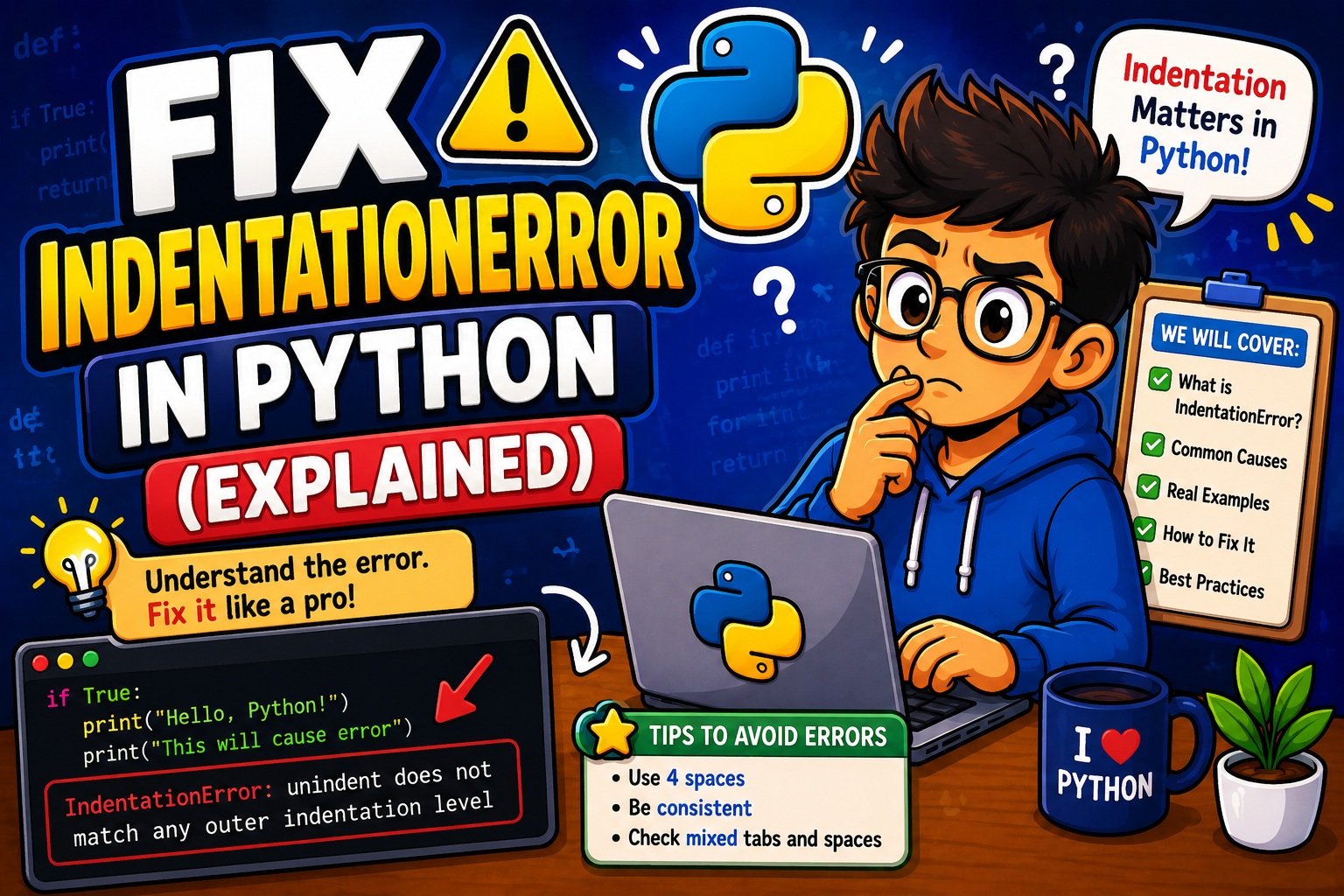
IndentationError is a built-in Python exception that is raised when the Python interpreter finds incorrect or inconsistent whitespace in your source code. It is a subclass of SyntaxError, which means Python detects it during the parsing phase — before your program even begins to run.
In simpler terms: Python read your code, tried to figure out its structure, and couldn’t understand it because the spacing was wrong.
The Three Types of IndentationError
Understanding which indentation error you are seeing is the first step to fixing it. Python raises three main variants:
1. IndentationError: expected an indented block
This is the most common type for beginners. It means Python reached a line ending with a colon (:) — such as a function definition, if statement, or for loop — but the next line was not indented. Python expected a code block to follow, but found nothing valid.
# ❌ WRONG — This triggers the error
def greet(name):
print("Hello", name)
  File "main.py", line 2
    print("Hello", name)
    ^
IndentationError: expected an indented block after function definition on line 1
2. IndentationError: unexpected indent
This error means Python encountered extra indentation where none was expected. A line was indented, but it is not inside any block that would justify that indentation.
# ❌ WRONG — Top-level code cannot be indented
    x = 10
  File "main.py", line 1
    x = 10
    ^
IndentationError: unexpected indent
3. IndentationError: unindent does not match any outer indentation level
This occurs when a line is dedented (has less indentation than the line before it), but its indentation level does not match any previous valid level. Python cannot figure out which block it belongs to.
# ❌ WRONG — The return statement does not align with any block level
def calculate(radius):
    area = 3.14 * radius ** 2
      return area
  File "main.py", line 3
    return area
               ^
IndentationError: unindent does not match any outer indentation level
Important tip: Python’s error message shows you the file name and line number of the problem. However, sometimes the actual mistake is on the line above the one flagged. If the flagged line looks fine, check the line directly before it.
Why Python Uses Indentation
To truly understand why indentation errors happen, it helps to understand why Python works this way in the first place.
Most programming languages use curly braces {} to define where a code block begins and ends. Python’s creator, Guido van Rossum, made a deliberate choice to use whitespace (indentation) instead. His reasoning was elegant: code is read far more often than it is written, and enforcing indentation means every Python program is visually consistent and easy to read.
This concept is called significant whitespace — the indentation is not decorative. It is literally part of the language’s syntax.
How Python Reads Code Blocks
Every time Python sees a colon (:) at the end of a line, it expects the next line to be indented. That indented section is the “block” — the body of the if, for, while, def, or class statement.
Here is a visual breakdown of indentation levels:
def greet(name):              # Level 0 — function definition
    for i in range(3):        # Level 1 — inside the function (4 spaces)
        if i > 0:             # Level 2 — inside the loop (8 spaces)
            print(i, name)    # Level 3 — inside the if block (12 spaces)
Every nested block adds one more level of indentation. Top-level code (code that does not belong to any function, class, or control structure) always starts at column 0 — the far left margin.
Common Causes of IndentationError in Python
Now that you understand what the error is and why Python enforces indentation, let’s walk through the most common causes — with real examples and clear fixes.
Cause 1 — Missing Indentation After a Colon
Any statement that ends with a colon (:) must be followed by an indented block of code. This includes:
def— function definitionsclass— class definitionsif,elif,else— conditional blocksfor,while— loopstry,except,finally— error handling
# ❌ WRONG
def say_hello():
print("Hello!")   # Not indented — Python is confused

# ✅ CORRECT
def say_hello():
    print("Hello!")   # 4 spaces — inside the function
Special case — empty blocks: If you write a block intentionally empty (for example, a placeholder function you will fill in later), Python still requires at least one statement. Use the pass keyword:
# ❌ WRONG — Empty body causes IndentationError
def coming_soon():
    # TODO: add logic later

# ✅ CORRECT
def coming_soon():
    pass   # Tells Python: "this block is intentionally empty"
Cause 2 — Unexpected Indentation on Top-Level Code
Code that does not belong to any block must start at column 0. If you add spaces before a top-level variable, assignment, or statement, Python will raise an unexpected indent error.
# ❌ WRONG
    username = "Alice"   # This is not inside any block

# ✅ CORRECT
username = "Alice"   # Starts at column 0
This often happens when you paste code from somewhere else or accidentally press the space bar or Tab key before a line.
Cause 3 — Inconsistent Indentation Within a Block
All lines inside the same block must use the exact same number of spaces. Mixing 2-space and 4-space indentation in the same block causes Python to lose track of the structure.
# ❌ WRONG — Two lines use different indentation
def process():
    x = 10
  y = 20   # Only 2 spaces — does not match the 4-space block above

# ✅ CORRECT
def process():
    x = 10
    y = 20   # Both lines use exactly 4 spaces
Cause 4 — Misaligned if / elif / else Statements
The elif and else keywords must be at the same indentation level as their matching if. If they are accidentally indented inside the if block, Python reads them as nested code — and raises an error.
# ❌ WRONG — else is indented too far
age = 20
if age >= 18:
    print("Adult")
    else:               # Should NOT be indented here
        print("Minor")

# ✅ CORRECT
if age >= 18:
    print("Adult")
else:
    print("Minor")   # else aligns with if
The same rule applies to elif and to except / finally in try/except blocks.
Cause 5 — Inconsistent Dedent (Unindent Mismatch)
When you “dedent” — return to a lower indentation level after a block — Python expects you to return to a level that already existed earlier in the code. If you jump to a level that was never used, Python cannot understand where the block ends.
# ❌ WRONG — The print statement dedents to 2 spaces, which was never used
def show_result():
    if True:
        x = 100
  print(x)   # 2 spaces — never established as a valid level

# ✅ CORRECT
def show_result():
    if True:
        x = 100
    print(x)   # Returns to 4 spaces — the function body level
Cause 6 — Copy-Pasted Code with Hidden Tab Characters
This is one of the sneakiest causes. When you copy code from a website, PDF, Stack Overflow, or a blog post, the code often contains invisible tab characters that look identical to spaces in most editors. Python 3 does not allow mixing them.
Formatting errors from pasted code are extremely common in real-world projects. If you are building something larger — like a data pipeline or a web app — it helps to have a solid debugging workflow. Our step-by-step Python debugging guide walks you through a systematic approach to tracking down errors like these.
Tabs vs. Spaces
If there is one thing that trips up Python beginners (and even experienced developers switching from other languages), it is the tabs versus spaces problem. Understanding this issue deeply will save you hours of frustration.
What Is the Actual Difference?
When you press the Tab key, your text editor inserts a tab character (\t) into the file. When you press the Spacebar four times, it inserts four space characters (). On your screen, they can look completely identical. But to Python’s parser, they are entirely different characters.
Why Is This a Problem?
Different editors and terminals display tab characters at different widths — some show them as 4 spaces wide, others as 8 spaces wide. This means:
- Code that looks perfectly aligned in VS Code might look broken in a terminal
- Code that a colleague sends you might look fine in your editor, but Python reads it differently because they used tabs and you used spaces
Python 3 makes this crystal clear: mixing tabs and spaces in the same file is a TabError (which is a subclass of IndentationError). There are no warnings. There is no tolerance. It simply does not work.
What Does PEP 8 Say?
The official Python style guide (PEP 8) is unambiguous:
“Spaces are the preferred indentation method. Tabs should be used solely to remain consistent with code that is already indented with tabs. Python disallows mixing tabs and spaces for indentation.”
Use spaces. Always. 4 spaces per indentation level.
How to Detect Hidden Tabs in Your Code
The best way to expose invisible tab characters is to enable whitespace visibility in your code editor:
- In most editors, spaces are shown as faint dots (·) and tabs as arrows (→)
- This makes mixed indentation immediately visible
VS Code:
- Open Settings (
Ctrl/Cmd + ,) - Search for “Render Whitespace”
- Set the option to “all”
PyCharm:
- Go to Settings → Editor → General → Appearance
- Check “Show whitespaces”
How to Fix Mixed Tabs and Spaces
Once you can see the invisible characters, the fix is straightforward:
- Use your editor’s built-in conversion: In VS Code, open the Command Palette (
Ctrl/Cmd + Shift + P), search for “Convert Indentation to Spaces”, and run it. - Use a formatter: Run
ruff format yourfile.pyin the terminal — Ruff is the fastest Python formatter in 2026 and will standardize all indentation automatically. - Use autopep8: Run
autopep8 --in-place yourfile.pyfor an alternative auto-fix.
# Install Ruff (the 2026 standard formatter)
pip install ruff

# Auto-fix indentation in your file
ruff format yourfile.py

# Or use autopep8
pip install autopep8
autopep8 --in-place yourfile.py
How to Fix IndentationError in Python
Let’s put everything together into a clear, repeatable process you can follow every time you encounter an indentation error.
Step 1 — Read the Full Error Message
Python gives you valuable information. Do not skip it.
  File "main.py", line 7
      print("Processing...")
      ^
IndentationError: unexpected indent
Note the file name (main.py) and the line number (7). Go directly to that line. Also check the line above — sometimes the error is caused by a missing colon or block start on the previous line.
Step 2 — Enable Whitespace Visibility
Before making any changes, turn on whitespace display in your editor so you can see exactly what characters are present. This immediately reveals any hidden tabs or irregular spacing.
Step 3 — Identify Your Error Type
Match your error message to one of the three types:
| Error Message | What It Means | Quick Fix |
|---|---|---|
expected an indented block | Nothing indented after : | Add 4 spaces, or add pass |
unexpected indent | Extra spaces where not expected | Remove the leading spaces |
unindent does not match | Dedented to a level that never existed | Align with a valid outer level |
Step 4 — Convert All Tabs to Spaces
Even if you are only fixing one line, run a global tab-to-spaces conversion across the entire file. Hidden tabs elsewhere will cause the same error to reappear.
Step 5 — Standardize to 4-Space Indentation
Go through your file and ensure every single indentation level uses exactly 4 spaces. Not 2. Not 3. Not 8. Four spaces per level is the Python standard.
Step 6 — Run a Code Formatter
After making your fixes, run a formatter to catch anything you missed:
ruff format yourfile.py
This will automatically correct any remaining indentation inconsistencies.
Step 7 — Use Python’s -tt Flag for Validation
Before deploying or sharing your code, run it with Python’s -tt flag to catch any remaining whitespace issues:
python -tt yourfile.py
This flag turns mixed-whitespace warnings into errors, helping you catch problems early.
Real Code Examples with Fixes
Let’s walk through five complete real-world scenarios — the exact errors you are most likely to face — with clear before-and-after fixes.
Example 1 — Missing Indentation Inside a Function
# ❌ WRONG
def calculate_total(price, tax):
total = price + (price * tax)
return total

print(calculate_total(100, 0.1))
IndentationError: expected an indented block after function definition on line 1
# ✅ FIXED
def calculate_total(price, tax):
    total = price + (price * tax)
    return total

print(calculate_total(100, 0.1))
# Output: 110.0
What was wrong: The two lines inside the function had no indentation. Python saw the def line with its colon and expected indented code on the next line — but found unindented code instead.
Example 2 — Unexpected Indent on a Variable
# ❌ WRONG
name = "Alice"
    age = 25        # Extra indent — not inside any block
print(name, age)
IndentationError: unexpected indent
# ✅ FIXED
name = "Alice"
age = 25            # Back to column 0
print(name, age)
# Output: Alice 25
What was wrong: age = 25 had 4 extra spaces in front of it, but it was not inside any function, loop, or conditional. Top-level code must always start at column 0.
Example 3 — Misaligned else Block
# ❌ WRONG
score = 85
if score >= 60:
    print("You passed!")
    else:
        print("You failed.")
IndentationError: expected an indented block
# ✅ FIXED
score = 85
if score >= 60:
    print("You passed!")
else:
    print("You failed.")
# Output: You passed!
What was wrong: The else was indented inside the if block. It must sit at the same level as if.
Example 4 — Unindent Mismatch in a Function
# ❌ WRONG
def get_area(radius):
    area = 3.14159 * radius ** 2
      return area       # 6 spaces — was never an established level
IndentationError: unindent does not match any outer indentation level
# ✅ FIXED
def get_area(radius):
    area = 3.14159 * radius ** 2
    return area         # 4 spaces — matches the function body level

print(get_area(5))
# Output: 78.53975
What was wrong: return area had 6 spaces instead of 4. The function body was at 4 spaces, so returning to 6 spaces confused Python — 6 was never a valid block level.
Example 5 — Empty Block Without pass
# ❌ WRONG
def future_feature():
    # This will be added later

result = future_feature()
IndentationError: expected an indented block after function definition on line 1
# ✅ FIXED
def future_feature():
    pass   # Placeholder — tells Python the block exists but is empty

result = future_feature()
What was wrong: A comment line alone does not count as a code block. Python requires at least one executable statement inside a block. pass is the proper way to create an intentionally empty block.
Once you are comfortable with properly structured code blocks, try applying them in a fun project — like this Guess the Number game in Python, which is packed with if/else blocks and loop structures that make great indentation practice.
Best Editors and IDE Settings for Python Indentation
The right editor setup can eliminate 90% of indentation errors before they ever happen. Here are the best tools and exactly how to configure them.
Visual Studio Code (VS Code) — Most Popular in 2026
VS Code is the most widely used Python editor. With the right settings, it will automatically handle indentation correctly.
Recommended settings (add to your settings.json):
{
  "editor.tabSize": 4,
  "editor.insertSpaces": true,
  "editor.detectIndentation": false,
  "editor.renderWhitespace": "all",
  "editor.formatOnSave": true
}
Essential extensions:
- Pylance — Microsoft’s official Python language server. Highlights errors in real time.
- Ruff — The 2026 standard for Python linting and formatting. Catches and fixes indentation issues automatically.
- Python (by Microsoft) — Core Python support including debugging.
With "editor.formatOnSave": true and the Ruff extension installed, your code will be auto-formatted every time you save. You will rarely see an IndentationError again.
PyCharm — Best Full-Featured Python IDE
PyCharm is the gold standard for professional Python development. It comes pre-configured with Python best practices.
Key settings to verify:
- Go to Settings → Editor → Code Style → Python
- Ensure “Use tab character” is unchecked
- Set “Tab size” and “Indent” to 4
- Enable “Show whitespaces”: Settings → Editor → General → Appearance
PyCharm’s built-in code inspector will underline indentation issues in real time and suggest auto-fixes with a single click.
Thonny — Best for Complete Beginners
If you are learning Python for the first time, Thonny is one of the friendliest editors available. It visually highlights which block your cursor is in, making indentation structure intuitive to understand.
Thonny uses 4-space indentation by default and shows a visible indent guide (a faint vertical line) to help you keep track of nesting levels.
Jupyter Notebook / JupyterLab
Jupyter automatically adds 4 spaces of indentation when you press Enter after a colon. You can also:
- Select multiple lines and press Tab to indent them all by 4 spaces
- Press Shift + Tab to reduce indentation
Jupyter is excellent for data analysis work. If you are working with Python for data tasks, our Pandas tutorial for beginners is a great companion resource that uses well-structured Jupyter code blocks throughout.
Command Line — Quick Auto-Fix Tools
If you prefer working in the terminal, these tools are essential:
# Ruff — fastest modern formatter (recommended for 2026)
pip install ruff
ruff format yourfile.py

# autopep8 — classic PEP 8 fixer
pip install autopep8
autopep8 --in-place --aggressive yourfile.py

# Detect mixed whitespace manually
python -tt yourfile.py
Python PEP 8 Indentation Rules
PEP 8 is Python’s official style guide, authored by the Python community and maintained at peps.python.org. It defines the coding conventions used across the entire Python standard library and adopted by virtually every professional Python project. Following PEP 8 is not just about avoiding errors — it is about writing code that other developers can read, maintain, and trust.
Here are the indentation-specific rules from PEP 8 that matter most:
Rule 1 — Use 4 Spaces Per Indentation Level
This is the single most important rule.
# ✅ CORRECT — 4 spaces per level
def calculate_discount(price, percent):
    discount = price * (percent / 100)
    final_price = price - discount
    return final_price
Not 2 spaces. Not 3. Not a tab. 4 spaces per level, consistently.
Rule 2 — Spaces Are Preferred Over Tabs
PEP 8 explicitly states that spaces are the preferred indentation method. Tabs are only acceptable when maintaining existing code that already uses tabs throughout. For all new code, use spaces exclusively.
Rule 3 — Never Mix Tabs and Spaces
Python 3 raises a TabError (a type of IndentationError) if tabs and spaces are mixed in the same file. This is not a warning — it is a hard error. Your program will not run.
Rule 4 — Continuation Lines Should Align Properly
When a line of code is too long and needs to wrap, the continuation lines should align with the opening delimiter or use a hanging indent:
# ✅ Aligned with opening delimiter
result = some_long_function_name(argument_one,
                                  argument_two,
                                  argument_three)

# ✅ Hanging indent (also acceptable)
result = some_long_function_name(
    argument_one,
    argument_two,
    argument_three,
)
Rule 5 — Line Length Maximum
- Code lines: Maximum 79 characters
- Comments and docstrings: Maximum 72 characters
This is a guideline that helps when multiple files are open side by side, or when reviewing code in diff tools.
Python 3.14 Update (October 2025)
Python 3.14 — the current stable version as of early 2026 — introduced enhanced beginner-friendly error messages. When an IndentationError occurs, Python 3.14 now highlights the exact character position of the mismatch and provides clearer context about what was expected. The core indentation rules and PEP 8 guidelines remain unchanged.
Understanding PEP 8 also sets you up for more advanced Python topics. For example, PEP 8 governs how classes and methods should be formatted — skills you will need when you explore Object-Oriented Programming (OOP) in Python.
Common Mistakes Beginners Make with Indentation
Every beginner makes indentation mistakes. Knowing these patterns in advance will help you spot them faster.
Mistake 1 — Pressing Tab in an Editor That Does Not Convert It
Some editors — especially basic ones like Notepad on Windows — insert a literal tab character when you press the Tab key. If you use a proper IDE for some of your code and Notepad for another file, and then combine them, you will have a mixed-whitespace disaster.
Fix: Always use a Python-aware editor. Never write Python in Notepad.
Mistake 2 — Copying Code from Websites or PDFs
Browser-rendered code and PDF documents often contain tab characters, non-breaking spaces, or other invisible characters that look like spaces but are not. When you copy and paste that code into your editor, you import those hidden characters too.
Fix: After pasting, always run ruff format on the file, or use your editor’s “Convert Indentation to Spaces” command.
Mistake 3 — Thinking the Flagged Line Is Always the Problem
Python reports the line where it noticed the problem — not always the line where you made the mistake. If line 12 has an unexpected indent, it might be because line 11 was a for loop whose body was never indented.
Fix: Always check the line above the one flagged in the error message.
Mistake 4 — Forgetting pass in Empty Blocks
Many beginners write placeholder functions or empty if blocks and leave them completely empty, intending to fill them in later. Python requires at least one statement in every block.
Fix: Write pass inside any block that is intentionally empty.
Mistake 5 — Using Different Indentation Levels in Different Functions
It is valid Python syntax to use 2 spaces in one function and 4 spaces in another — but it is terrible practice and very confusing. When a project grows, this inconsistency becomes a maintenance nightmare.
Fix: Standardize the entire project on 4 spaces. Use a formatter to enforce this automatically.
Mistake 6 — Not Reading the Full Traceback
Beginners often see IndentationError and immediately start randomly adding or removing spaces. Reading the full error message — including the file name, line number, and the ^ pointer — tells you exactly where to look.
Fix: Read the whole error. Go to the exact line. Enable whitespace visibility. Then fix.
Mistake 7 — Indenting else, elif, or except Inside Their Parent Block
These keywords are siblings of their parent statement, not children. They must be at the same level as if, for, or try — not nested inside them.
Testing your knowledge with real challenges is one of the fastest ways to build muscle memory. Try working through our 50 Python coding questions for practice — many of them involve conditionals, loops, and functions where proper indentation is essential.
Best Practices to Avoid IndentationError Forever
Once you understand the causes and fixes, preventing indentation errors permanently is straightforward. Build these habits and you will almost never see this error again.
✅ Always Use 4 Spaces Per Level
Configure your editor to insert 4 spaces when you press the Tab key. This should be your very first step when setting up a new Python project.
✅ Enable Whitespace Display From Day One
Turn on “Show Whitespace” or “Render Whitespace” in your editor immediately. This removes all guesswork about what characters are actually in your file.
✅ Use an Auto-Formatter on Every Save
Integrate Ruff or autopep8 with your editor and enable “Format on Save.” This means every time you save your file, indentation is automatically corrected. You get clean code with zero extra effort.
✅ Never Paste Code Directly From a Browser
Always paste into a plain text buffer first, or use your editor’s “Paste and Indent” feature. Better yet, paste the code and immediately run your formatter.
✅ Install a Real-Time Linter
A linter (Ruff, Pylance, or Flake8) shows you indentation problems as you type — before you even try to run the code. This turns a runtime error into an immediate visual warning.
✅ Use a Python-Aware IDE or Editor
VS Code with Pylance, PyCharm, or Thonny will all guide your indentation automatically. A plain text editor will not.
✅ Validate With python -tt Before Sharing Code
Before sending your code to a collaborator, running it in a CI pipeline, or submitting an assignment, run python -tt yourfile.py to catch any remaining mixed-whitespace issues.
✅ Practice Writing Structured Code Regularly
The best long-term fix is building intuition. The more functions, loops, and conditionals you write, the more natural proper indentation becomes. Here is a simple exercise:
# Practice: Write a function that checks if a number is even or odd
def check_number(n):
    if n % 2 == 0:
        print(f"{n} is even")
    else:
        print(f"{n} is odd")

check_number(7)    # Output: 7 is odd
check_number(12)   # Output: 12 is even
As you get more comfortable with Python, you will find that building real projects — like reading and writing text files or reversing strings — gives you hands-on indentation practice in context.
Python decorators are an excellent example of why understanding indentation at a deeper level matters — they involve nested function definitions with multiple indentation levels. When you are ready to level up, our guide on Python decorators made simple is a great next step.
Frequently Asked Questions (FAQs)
Q1: What causes IndentationError in Python?
IndentationError is caused by incorrect or inconsistent whitespace in your Python code. The most common causes are: mixing tabs and spaces, forgetting to indent after a colon (:), adding extra indentation where it is not expected, misaligning if/else blocks, and pasting code that contains hidden tab characters.
Q2: How do I fix “IndentationError: expected an indented block”?
This error means Python expected code inside a block — after a colon — but found nothing valid. Add 4 spaces of indentation to the line after the colon. If the block is intentionally empty, use pass. Example:
# Before fix
def greet():
print("Hello")

# After fix
def greet():
    print("Hello")
Q3: How do I fix “IndentationError: unexpected indent”?
This means a line has extra spaces where Python did not expect them. Remove the leading spaces from the flagged line. Top-level code — code not inside a function, class, or block — must always start at column 0.
Q4: Can I use tabs in Python instead of spaces?
Technically yes — Python allows either tabs or spaces, but not both in the same file. PEP 8, Python’s official style guide, strongly recommends spaces over tabs because spaces render consistently across all editors and operating systems. Use 4 spaces per level.
Q5: What is the correct indentation size in Python?
4 spaces per indentation level is the official PEP 8 standard and the universal convention in the Python community.
Q6: Why does Python use indentation instead of curly braces?
Guido van Rossum designed Python this way intentionally. His philosophy is that code is read far more often than it is written. Enforcing indentation ensures that every Python program has a consistent, clean, and readable structure — regardless of who wrote it.
Q7: What is the best tool to auto-fix Python indentation in 2026?
Ruff (ruff format file.py) is the fastest and most modern Python formatter available in 2026. It integrates with VS Code and PyCharm and can be set to auto-format on save. autopep8 is a reliable alternative.
Q8: Is IndentationError the same as SyntaxError?
IndentationError is a subclass of SyntaxError. This means it is a type of syntax error — specifically one caused by incorrect whitespace. Python raises it during the parsing phase, before the program runs.
Q9: Why does my code look correct but still raise IndentationError?
This almost always means your file contains hidden tab characters mixed with spaces. Enable whitespace visibility in your editor — spaces look like dots (·) and tabs look like arrows (→). Once you can see the actual characters, the problem becomes obvious.
Q10: How is Python 3.14 different when it comes to indentation errors?
Python 3.14 (released October 2025) introduced improved, more descriptive error messages. When an IndentationError occurs, it now highlights the exact character position of the mismatch more precisely and provides clearer guidance. The underlying indentation rules and PEP 8 standards are unchanged.
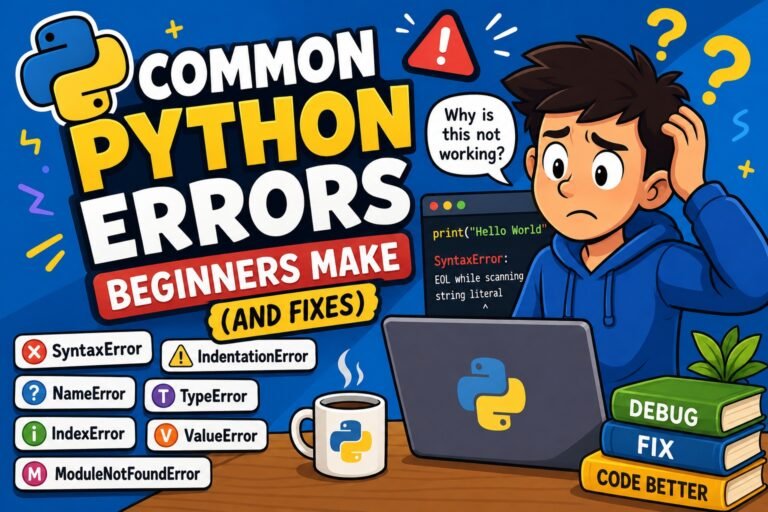
If you are preparing for Python interviews and want to know what other common error-related questions come up, check out our Top 20 Python Interview Questions for Beginners 2026 — it covers IndentationError and many other practical topics.
Conclusion
If you have made it this far, you now know more about Python indentation than most beginners — and even many intermediate developers.
Let’s recap what you learned:
IndentationErroris Python’s way of telling you that the whitespace structure of your code does not match what it expects- There are three types:
expected an indented block,unexpected indent, andunindent does not match - The tabs vs. spaces problem is the sneakiest cause — always use 4 spaces, never mix the two
- Python uses indentation by design, not accident — it enforces readable, consistent code
- Fixing indentation is a 7-step process: read the error, enable whitespace visibility, identify the type, convert tabs, standardize to 4 spaces, run a formatter, and validate with
-tt - The best long-term fix is a properly configured editor with a formatter set to run on save
Remember: every Python developer — beginner to expert — has hit an IndentationError. It is not a sign that you are a bad programmer. It is a sign that you are learning a language that takes structure seriously. Once you set up your editor correctly and build the habit of consistent indentation, these errors become genuinely rare.