Python Generators vs Iterators: A Clear Explanation (2026)
Every time you write a for loop in Python, something powerful is happening under the hood — and most beginners never stop to ask what.
Whether you’re looping over a list, reading a file line by line, or working through a million database rows, Python uses iterators to make that possible. And when you want to do it efficiently — without loading everything into memory at once — generators are the tool that makes your code fast, lean, and scalable.
Understanding the difference between generators and iterators is one of those topics that separates beginners from confident Python developers. It comes up in technical interviews, in data engineering work, in web development, and in virtually any Python project that handles large data.
In this guide, you’ll learn:
- Exactly what iterators are and how they work internally
- What generators are and why the
yieldkeyword is so powerful - The real differences between generators and iterators
- When to use each one — and when not to
- Common mistakes beginners make (and how to fix them)
- Interview questions and answers on this topic
Let’s get into it.
What Is an Iterator in Python?
The Simple Definition
An iterator is any Python object that lets you move through a sequence of values one step at a time. You’ve been using them since day one — every for loop in Python is secretly using an iterator behind the scenes.
Technically, an iterator is an object that implements two special methods:
__iter__()— returns the iterator object itself__next__()— returns the next value; raisesStopIterationwhen there are no more values
How Iterators Work
When you write for item in my_list, Python calls iter(my_list) to get an iterator, then repeatedly calls next() on it until StopIteration is raised.
You can see this yourself:
my_list = [10, 20, 30]
iterator = iter(my_list)

print(next(iterator))  # 10
print(next(iterator))  # 20
print(next(iterator))  # 30
print(next(iterator))  # Raises StopIteration
When StopIteration is raised, the for loop knows to stop — it catches that exception automatically so you never see it.
Building a Custom Iterator (Class-Based)
You can create your own iterator by writing a class with __iter__ and __next__. Here’s a simple counter:
class Counter:
    def __init__(self, limit):
        self.limit = limit
        self.current = 0

    def __iter__(self):
        return self

    def __next__(self):
        if self.current >= self.limit:
            raise StopIteration
        self.current += 1
        return self.current

# Usage
counter = Counter(3)
for num in counter:
    print(num)
# Output: 1  2  3
This works, but you can already see it requires some boilerplate. That’s where generators shine — but we’ll get there in a moment.
If you’re new to Python classes and the
__init__method, check out Object-Oriented Programming (OOP) in Python Explained before continuing — it’ll make the iterator protocol much easier to understand.
Real-World Use Case
Iterators are used anywhere Python processes sequences: reading file lines, looping over dictionary keys, processing database query results row by row. The iterator protocol is the foundation that makes all of this consistent and predictable.
What Is a Generator in Python?
The Simple Definition
A generator is a special kind of function that produces values one at a time using the yield keyword, instead of computing everything upfront and returning it all at once.
Here’s the key insight: a generator is also an iterator. It implements __iter__ and __next__ automatically. You don’t write any of that boilerplate — Python handles it for you.
The yield Keyword
yield is what makes a function a generator function. When a generator function is called, it doesn’t execute immediately. Instead, it returns a generator object. Each time you call next() on that object, the function runs until it hits a yield, returns that value, and then pauses — keeping all its local state intact.
On the next next() call, execution resumes exactly where it left off.
def count_up(limit):
    n = 0
    while n < limit:
        yield n
        n += 1

gen = count_up(3)
print(next(gen))  # 0
print(next(gen))  # 1
print(next(gen))  # 2
print(next(gen))  # Raises StopIteration
Compare this to the class-based Counter above. Same behavior, far less code.
Generator Functions vs Regular Functions
| Behavior | Regular Function | Generator Function |
|---|---|---|
| Returns | A single value | A generator object |
| Keyword used | return | yield |
| Execution | Runs fully on call | Pauses at each yield |
| State between calls | Lost | Preserved |
Generator Expressions
Just like list comprehensions create lists, generator expressions create generators — with one crucial difference: they don’t build the whole list in memory.
# List comprehension — stores all values
squares_list = [x**2 for x in range(1000000)]

# Generator expression — produces one value at a time
squares_gen = (x**2 for x in range(1000000))
The syntax is identical except for the brackets: [] for lists, () for generators.
A Practical Example: Fibonacci Generator
def fibonacci():
    a, b = 0, 1
    while True:
        yield a
        a, b = b, a + b

fib = fibonacci()
for _ in range(8):
    print(next(fib), end=" ")
# Output: 0 1 1 2 3 5 8 13
This generates Fibonacci numbers infinitely without ever running out of memory — because it only ever holds two numbers at a time.
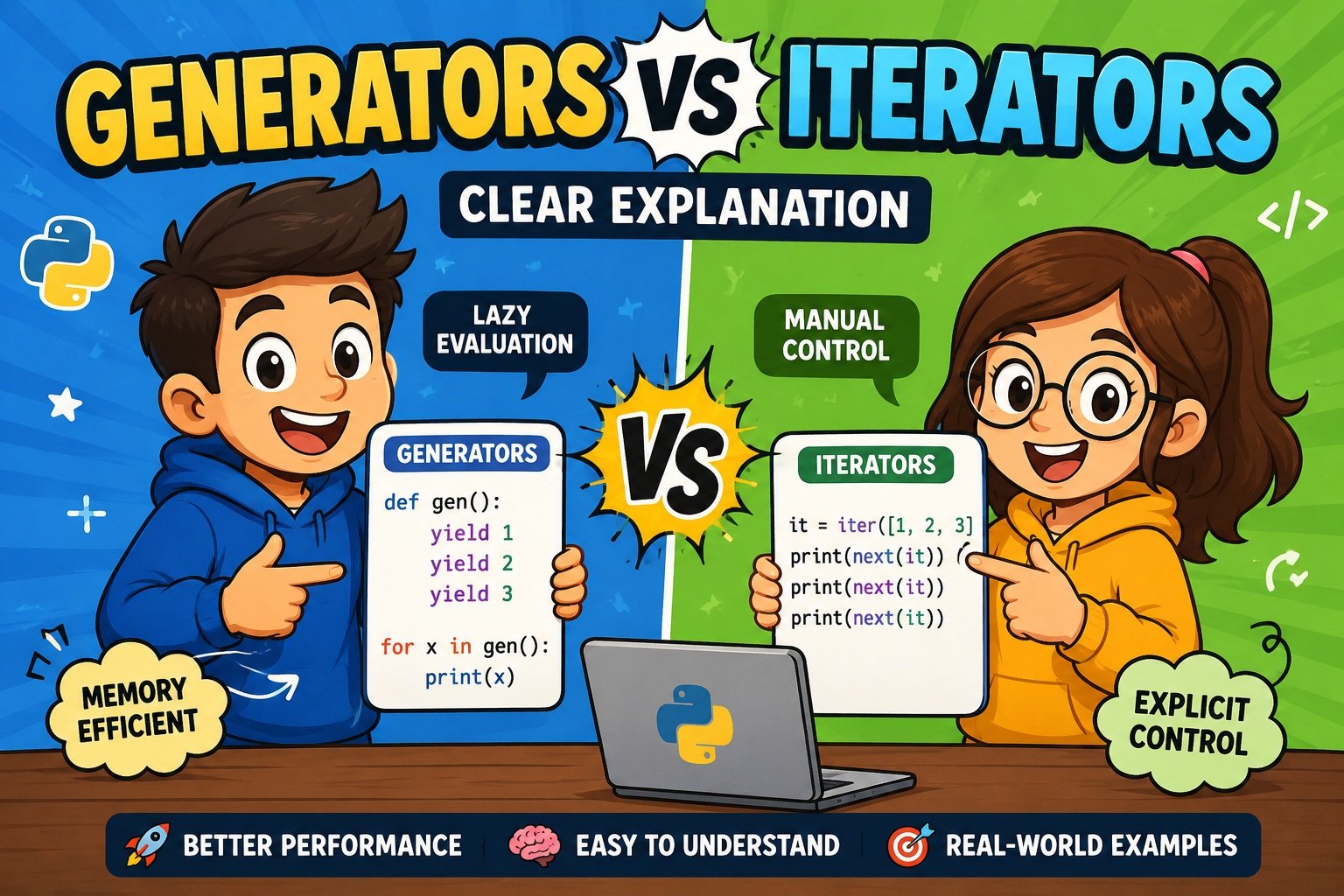
Generators vs Iterators: A Clear Explanation
Now that you understand both concepts individually, let’s talk about how they actually compare.
They’re Not the Same Thing (But Related)
Here’s the relationship in plain language:
- Every generator is an iterator — generators implement the iterator protocol automatically
- Not every iterator is a generator — you can write an iterator as a class without using
yieldat all
Think of it like this: a generator is a shortcut for creating iterators. It gives you the same behavior with far less code.
How They Handle State
This is one of the most important practical differences.
Iterators (class-based) store their state in instance variables. You write the logic manually in __next__. If you have complex state to track, you manage it yourself.
Generators store their state automatically. Python captures every local variable and the current execution position at each yield. You don’t write a single line of state management code.
# Iterator approach — manual state management
class EvenNumbers:
    def __init__(self, limit):
        self.current = 0
        self.limit = limit

    def __iter__(self):
        return self

    def __next__(self):
        if self.current > self.limit:
            raise StopIteration
        result = self.current
        self.current += 2
        return result

# Generator approach — state is automatic
def even_numbers(limit):
    current = 0
    while current <= limit:
        yield current
        current += 2
Both do the same thing. The generator is half the code.
Readability and Code Complexity
For most iteration tasks, generators are simply easier to read and write. The logic flows top-to-bottom like a regular function. There’s no class scaffold, no self, no manually raising StopIteration.
Class-based iterators make sense when you need:
- Complex initialization logic
- Multiple methods alongside iteration
- Additional dunder methods like
__len__or__getitem__
For everything else, prefer generators.
Generators vs Iterators: Comparison Table
| Feature | Class-Based Iterator | Generator |
|---|---|---|
| Creation method | Class with __iter__ + __next__ | Function with yield |
| Code length | More verbose | Concise |
| State management | Manual (instance variables) | Automatic (Python handles it) |
| Memory usage | Depends on implementation | Always lazy — very low |
| Multiple yield points | Not applicable | Fully supported |
send() support | No | Yes |
| Infinite sequences | Possible but complex | Natural and easy |
| Single-pass only | Can be reset if designed for it | Yes — single-pass by default |
| Best for | Complex stateful logic | Sequences, pipelines, streams |
| Learning curve | Moderate (requires OOP knowledge) | Gentle |
Memory Efficiency: Why Generators Win
Eager vs. Lazy Evaluation
The fundamental difference is when values are computed.
Lists (and most iterators) use eager evaluation — all values are computed and stored immediately. When you write [x**2 for x in range(1_000_000)], Python computes all one million squares and holds them in RAM right now.
Generators use lazy evaluation — values are computed only when requested. Nothing is held in memory except the current execution state.
Measuring the Difference
import sys

# Eager: stores everything
list_data = [x for x in range(1_000_000)]

# Lazy: stores almost nothing
gen_data = (x for x in range(1_000_000))

print(f"List size: {sys.getsizeof(list_data):,} bytes")    # ~8,697,456 bytes (~8.3 MB)
print(f"Generator size: {sys.getsizeof(gen_data)} bytes")  # 200 bytes
The generator object is ~200 bytes regardless of how many values it will eventually produce. That 200 bytes covers the function’s code pointer and the internal state tracker — not the values themselves.
Real Impact: Processing a 5GB Log File
Consider two approaches to reading a large file:
# Bad approach — loads entire file into RAM
def read_all_lines(filepath):
    with open(filepath) as f:
        return f.readlines()  # Could crash on large files

# Good approach — processes one line at a time
def read_lines_lazy(filepath):
    with open(filepath) as f:
        for line in f:
            yield line.strip()

# Usage
for line in read_lines_lazy("server.log"):
    if "ERROR" in line:
        print(line)
The generator version processes the file with a constant, tiny memory footprint — no matter how large the file is.
Want to understand Python’s file handling in depth? Read How to Read and Write Text Files in Python — generators and file I/O are a natural pair.
Performance Comparison
When Generators Are Faster
Generators outperform lists in these scenarios:
1. Large datasets where you don’t need all results at once The overhead of building a full list — allocating memory, computing every value — is skipped entirely.
2. Early termination If you only need the first 10 results from a million-item sequence, a generator stops after 10. A list builds all one million first.
# Generator stops after finding first match
def find_first(data, condition):
    for item in data:
        if condition(item):
            yield item
            return  # Stop immediately after first match

result = next(find_first(range(10_000_000), lambda x: x % 7777 == 0))
print(result)  # Fast — doesn't process all 10M items
3. Pipeline chaining When you chain generators together, Python processes one item through the entire pipeline before moving to the next. No intermediate lists are created.
When Lists (or Iterators) Are Faster
Generators are not always the right choice. Lists win when:
- You need random access:
data[500]on a list is instant; generators don’t support indexing - You need multiple passes: Once a generator is exhausted, it’s gone. Lists can be iterated repeatedly.
- The dataset is small: For a list of 10 or 100 items, the overhead difference is negligible — use whichever is clearer.
- You need
len(): Generators have no length until fully consumed.
Generator Pipelines for Maximum Throughput
One of the most powerful generator patterns is the pipeline — chaining multiple generators where each one transforms the data from the previous step.
def read_logs(filepath):
    with open(filepath) as f:
        for line in f:
            yield line.strip()

def filter_errors(lines):
    for line in lines:
        if "ERROR" in line:
            yield line

def extract_timestamps(lines):
    for line in lines:
        yield line.split()[0]  # First token as timestamp

# Chain them together — no intermediate lists
log_file = "server.log"
pipeline = extract_timestamps(filter_errors(read_logs(log_file)))

for timestamp in pipeline:
    print(timestamp)
Each item flows through all three stages before the next item is even read. Memory usage stays flat regardless of file size.
Real-World Examples
1. Reading Large Files Line by Line
The most common generator use case in production code:
def process_large_csv(filepath):
    with open(filepath) as f:
        header = next(f).strip().split(",")
        for line in f:
            values = line.strip().split(",")
            yield dict(zip(header, values))

for row in process_large_csv("sales_data.csv"):
    if float(row["amount"]) > 10000:
        print(f"Large transaction: {row}")
For a thorough guide on working with files in Python, see How to Read and Write Text Files in Python.
2. Infinite Sequence Generator
Generators naturally express infinite sequences that would be impossible with lists:
def unique_id_generator(prefix="ID"):
    counter = 1
    while True:
        yield f"{prefix}-{counter:06d}"
        counter += 1

id_gen = unique_id_generator()
print(next(id_gen))  # ID-000001
print(next(id_gen))  # ID-000002
3. Data Processing Pipeline (ETL Pattern)
import json

def read_json_lines(filepath):
    with open(filepath) as f:
        for line in f:
            yield json.loads(line)

def filter_active_users(records):
    for record in records:
        if record.get("status") == "active":
            yield record

def enrich_with_label(records):
    for record in records:
        record["label"] = "VIP" if record.get("purchases", 0) > 100 else "Standard"
        yield record

# Full pipeline — processes millions of records with low memory
pipeline = enrich_with_label(
    filter_active_users(
        read_json_lines("users.jsonl")
    )
)

for user in pipeline:
    print(user["name"], user["label"])
If you work with large structured datasets in Python, Pandas Tutorial for Beginners: The Complete Guide to Data Handling with Python 2026 pairs well with generator-based preprocessing pipelines.
4. Streaming API Results
import requests

def fetch_paginated_results(base_url, max_pages=100):
    page = 1
    while page <= max_pages:
        response = requests.get(base_url, params={"page": page})
        data = response.json()
        if not data.get("results"):
            return  # No more pages
        for item in data["results"]:
            yield item
        page += 1

for record in fetch_paginated_results("https://api.example.com/data"):
    process(record)
This handles paginated APIs gracefully — fetching each page only when you’ve consumed the previous one.
5. Automating Batch Operations
def batch(iterable, size):
    """Split any iterable into fixed-size chunks."""
    batch_data = []
    for item in iterable:
        batch_data.append(item)
        if len(batch_data) == size:
            yield batch_data
            batch_data = []
    if batch_data:
        yield batch_data

items = range(1000)
for chunk in batch(items, 100):
    process_batch(chunk)  # Process 100 items at a time
For more automation patterns in Python, see How to Automate Daily Tasks on Your Computer Using Python.
Common Mistakes Beginners Make
Mistake 1: Iterating a Generator Twice
This is the most common generator trap. Once a generator is exhausted, it’s empty — permanently.
gen = (x**2 for x in range(5))

print(list(gen))  # [0, 1, 4, 9, 16] — works
print(list(gen))  # [] — silently empty!
There’s no error. You just get nothing on the second pass. This causes subtle bugs that are hard to track down.
Fix: If you need multiple passes, convert to a list first — or recreate the generator each time.
Mistake 2: Confusing Iterables with Iterators
A list is iterable (you can loop over it) but it is not an iterator (you can’t call next() directly on it).
my_list = [1, 2, 3]
print(next(my_list))  # TypeError: 'list' object is not an iterator
Fix: Always call iter() first when using next() manually:
it = iter(my_list)
print(next(it))  # 1
Mistake 3: Trying to Index a Generator
Generators don’t support subscript access:
gen = (x for x in range(10))
print(gen[3])  # TypeError: 'generator' object is not subscriptable
Fix: If you need indexing, convert to a list: data = list(gen). Just remember this loads everything into memory.
Mistake 4: Raising StopIteration Inside a Generator (PEP 479)
Before Python 3.7, you could raise StopIteration inside a generator to stop it. This is now a RuntimeError (PEP 479), not a graceful stop.
# Wrong — raises RuntimeError in Python 3.7+
def bad_generator():
    yield 1
    raise StopIteration  # Don't do this

# Correct — use return to stop cleanly
def good_generator():
    yield 1
    return  # Cleanly signals the generator is done
Mistake 5: Skipping Generator Expressions for Simple Cases
Many developers write full multi-line generator functions when a one-liner would do:
# Overkill
def get_evens(numbers):
    for n in numbers:
        if n % 2 == 0:
            yield n

# Better — same result
evens = (n for n in numbers if n % 2 == 0)
Reserve full generator functions for logic that genuinely needs multiple steps or yields.
If you ever encounter tricky indentation-related bugs while writing generators or iterators, How to Fix IndentationError in Python is a quick fix guide.
Best Practices for Generators and Iterators in 2026
Modern Python development has clear, well-established conventions around iteration. Here’s what actually matters:
1. Default to generators for large or unknown-size data. If you’re processing a sequence where memory might be a concern — or you simply don’t know how large the data will be — a generator is the right default. Lists are opt-in, not opt-out.
2. Use generator expressions for simple transformations. If your logic fits on one line, a generator expression is cleaner than a function. (x.lower() for x in words) is more readable than a three-line function.
3. Use yield from to compose generators cleanly. Introduced in Python 3.3 (PEP 380), yield from delegates to a sub-generator or iterable without a manual loop:
def chain_generators(*iterables):
    for it in iterables:
        yield from it

for item in chain_generators([1, 2], [3, 4], [5, 6]):
    print(item)
# 1 2 3 4 5 6
4. Name generator functions clearly. Use a naming convention like generate_* or iter_* so callers know they’re getting a generator, not a complete result:
generate_report_rows()iter_active_users()
5. Document that a function is a generator. Add a note in the docstring: “Yields one record at a time. Single-pass only.” Saves hours of confusion.
6. Use itertools for complex patterns. Python’s itertools module is built for generators and works seamlessly with them:
import itertools

# Take first 10 items from any generator
first_ten = list(itertools.islice(my_generator(), 10))

# Chain multiple generators
combined = itertools.chain(gen_a, gen_b, gen_c)

# Group consecutive items
for key, group in itertools.groupby(sorted_data, key=lambda x: x["category"]):
    print(key, list(group))
7. Know when to use a class-based iterator. Choose a class-based iterator when you need:
- A
reset()method (generators can’t restart) __len__or__getitem__- Custom state that doesn’t translate cleanly to local variables
8. Be cautious with generators inside list comprehensions or function calls. Once passed as an argument, a generator can be silently consumed before you use it again. Assign it to a variable and be intentional about where it’s consumed.
Learning these patterns alongside Python decorators deepens your understanding of advanced Pythonic design. Python Decorators Made Simple is a great follow-up read.
Python Interview Questions: Generators and Iterators
These are real questions asked in Python technical interviews at all levels. Memorize the concepts, not just the answers.
Q1. What is an iterator in Python?
An iterator is an object that implements __iter__() and __next__(). Calling next() returns the next value; when values are exhausted, it raises StopIteration.
Q2. What is the difference between an iterable and an iterator?
An iterable is anything you can loop over (lists, strings, dicts). An iterator is an object with a __next__() method that produces values one at a time. You get an iterator from an iterable by calling iter() on it.
Q3. What is a generator in Python?
A generator is a function that uses yield to produce values one at a time. It automatically implements the iterator protocol and preserves its local state between yield calls.
Q4. What is the difference between a generator and an iterator?
Every generator is an iterator, but not every iterator is a generator. Generators are created with yield; they handle state automatically. Class-based iterators require manual implementation of __iter__ and __next__.
Q5. What does yield do?
yield pauses the function, saves its entire local state, and returns a value to the caller. Execution resumes from the same point on the next next() call.
Q6. Can you iterate over a generator twice?
No. Generators are single-pass. Once all values are yielded, the generator is exhausted. Calling it again returns an empty sequence without errors — a common source of silent bugs.
Q7. What is lazy evaluation in Python?
Lazy evaluation means values are computed only when needed, not upfront. Generators implement lazy evaluation: they produce the next value only when next() is called, keeping memory usage constant regardless of data size.
Q8. What is a generator expression?
A generator expression is a one-line generator: (expression for item in iterable). It has the same syntax as a list comprehension but uses () instead of [] and does not build a list in memory.
Q9. What is yield from and when would you use it?
yield from delegates iteration to another iterable or generator. It’s cleaner than a manual for item in sub_gen: yield item loop and also handles send() and throw() correctly when using coroutines.
def flatten(nested):
    for sublist in nested:
        yield from sublist

print(list(flatten([[1, 2], [3, 4], [5]])))
# [1, 2, 3, 4, 5]
Q10. How do generators save memory compared to lists?
A generator object is roughly 200 bytes regardless of how many values it will produce. A list of one million integers can occupy 8+ MB. Generators achieve this by computing values on demand and never storing the full sequence.
Q11. What is StopIteration and how should you handle it in generators?
StopIteration signals that an iterator has no more values. In generators, use return (not raise StopIteration) to stop cleanly — since Python 3.7 (PEP 479), raising StopIteration inside a generator causes a RuntimeError.
Q12. What are send(), throw(), and close() on a generator?
send(value)— resumes the generator and sends a value to theyieldexpression; this enables coroutines (two-way communication)throw(exception)— injects an exception at the point where the generator is pausedclose()— terminates the generator by throwingGeneratorExit
For broader Python interview preparation, check out Top 20 Python Interview Questions for Beginners 2026 and sharpen your skills with 50 Python Coding Questions for Practice.
Frequently Asked Questions
Is a generator also an iterator?
Yes. Every generator automatically implements the iterator protocol (__iter__ and __next__). You can use any generator wherever an iterator is expected.
What is the main difference between a generator and an iterator?
Iterators are created manually using classes with __iter__ and __next__. Generators are created using functions and the yield keyword — Python handles all the state management automatically. Generators are also always memory-efficient due to lazy evaluation, while class-based iterators can be eager or lazy depending on how you write them.
When should I use a generator instead of a list?
Use a generator when the dataset is large, when you only need to iterate once, or when memory efficiency matters. Use a list when you need random access, multiple passes, or need to know the length upfront.
Are generators faster than regular loops?
For large datasets, yes — because generators avoid building an intermediate collection in memory. For small data, the difference is negligible. Generators really shine when chained in pipelines.
Can a generator be reset or restarted?
No. Once exhausted, a generator object is done. To iterate again, you must recreate the generator by calling the generator function again. If you need a restartable sequence, consider using a class-based iterator with a reset method, or convert to a list.
What is the difference between a generator expression and a list comprehension?
Both have identical syntax — the difference is () vs []. A list comprehension [x**2 for x in range(10)] builds a complete list in memory immediately. A generator expression (x**2 for x in range(10)) produces values lazily, one at a time.
What is yield from in Python?
yield from (PEP 380, Python 3.3+) lets a generator delegate to another iterable or generator. It’s cleaner than a manual loop and properly handles coroutine communication (send, throw) automatically.
Are there real-world Python projects that use generators?
Absolutely. Generators are used in Django and Flask for streaming HTTP responses, in pandas for chunked data processing, in pytest as fixtures, in asyncio as the foundation for coroutines, and in every file-processing or ETL script that handles large data. They’re not an advanced curiosity — they’re standard professional Python.
Conclusion
Here’s what you’ve learned and what actually matters going forward:
Iterators define the protocol — any object with __iter__ and __next__ qualifies. They’re the foundation of every loop in Python and can be built with classes for fine-grained control.
Generators are the shortcut — they implement the same protocol automatically using yield, in a fraction of the code, with built-in lazy evaluation.
The practical rule: use generators by default when processing sequences, especially large ones. Fall back to class-based iterators only when you need features generators can’t provide (resettable state, additional methods, random access support).
The memory difference alone makes this worth caring about. A generator that produces a million values takes ~200 bytes. A list of those same values takes megabytes. For data pipelines, log processing, file handling, and API streaming, that difference is the difference between code that scales and code that crashes.
If you want to go deeper:
- Write a file-processing generator and measure its memory footprint with
sys.getsizeof() - Chain three generators into a pipeline and process a real dataset
- Look into
itertools— it’s a toolkit built entirely around the iterator protocol
And if you ever run into mysterious bugs while working with generators, How to Debug Python Code Step by Step is a solid reference for tracking down what went wrong.
Recommended Resources
1. Python Official Documentation — Iterator Types The authoritative reference for the iterator protocol, __iter__, __next__, and StopIteration. Start here for precise technical definitions.
2. PEP 255 — Simple Generators The original proposal that introduced yield and generator functions to Python. Useful for understanding the design reasoning behind generators.
3. PEP 380 — Syntax for Delegating to a Sub-Generator The proposal that added yield from in Python 3.3. Essential reading if you’re building generator pipelines or working with coroutines.
4. PEP 479 — Change StopIteration Handling Inside Generators Explains why raising StopIteration inside a generator now causes a RuntimeError (since Python 3.7). Critical for avoiding subtle bugs.
5. Python itertools Documentation The standard library module built for working with iterators and generators. Contains powerful tools like chain, islice, groupby, and takewhile that every Python developer should know.