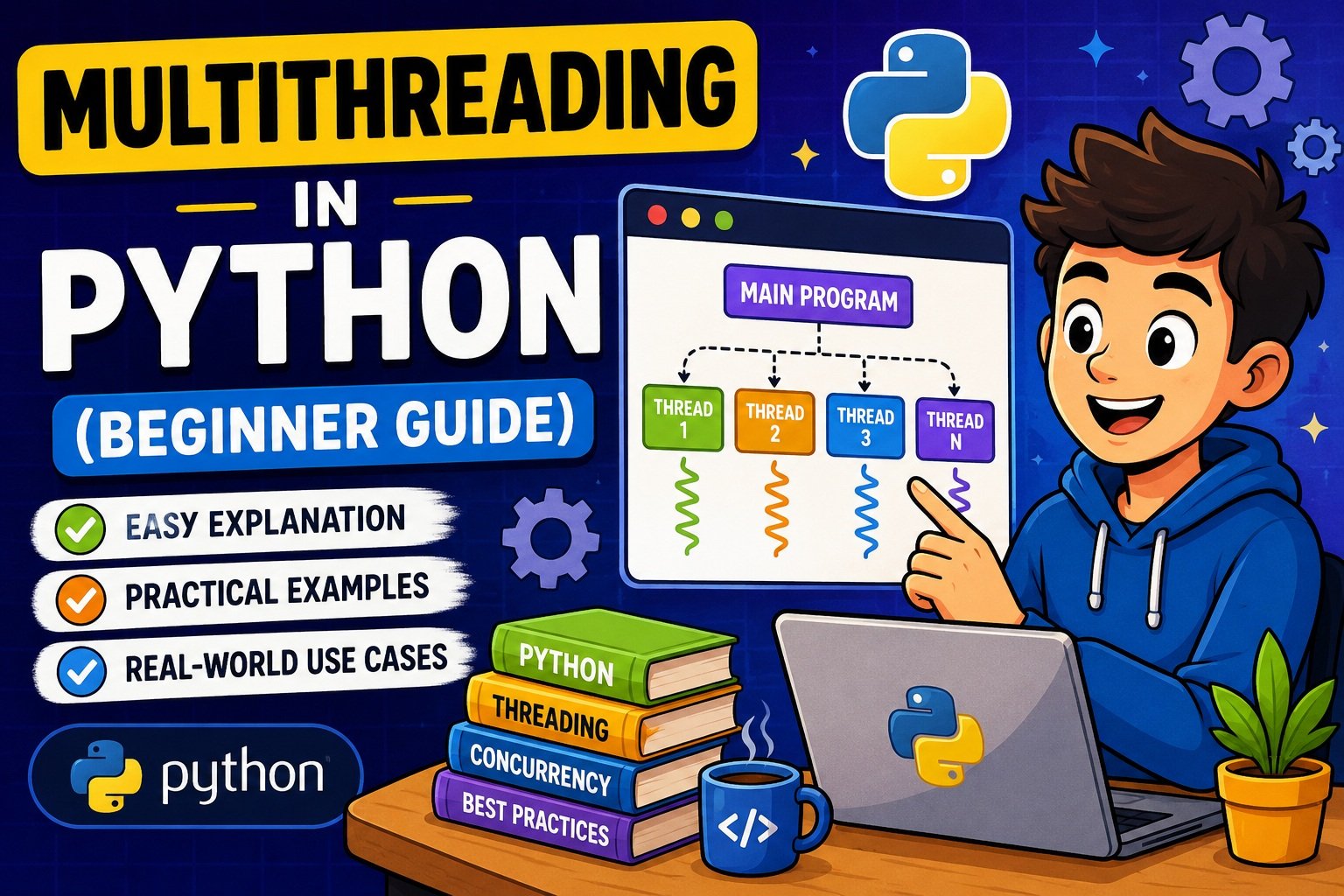
Multithreading in Python (Beginner Guide): Threads, the GIL, and Free-Threading in 2026
Have you ever written a Python script that downloads a bunch of files, calls an API multiple times, or processes a stack of text files — and noticed it just… sits there? One task finishes, then the next starts, then the next. Nothing happens at the same time.
That’s where multithreading comes in.
Multithreading is a way of running multiple parts of your program “at the same time” (or close to it) instead of one after another. In Python, this is done using the built-in threading module, and it’s one of the most useful tools for speeding up programs that spend a lot of time waiting — waiting for a website to respond, waiting for a file to be read, waiting for a database query to come back.
In real-world Python development, multithreading shows up everywhere: web scrapers that fetch dozens of pages at once, scripts that send emails to a list of users, background tasks in Flask or Django apps, and automation scripts that monitor files while doing other work.
This guide is written for beginners, but we’ll also touch on something important happening in the Python world right now: Python 3.13 and 3.14 introduced “free-threaded” builds that change how the GIL works. We’ll explain what that means in plain English, without the jargon overload.
By the end of this article, you’ll understand:
- What multithreading actually is (and isn’t)
- How Python threads work under the hood
- How to create, run, and manage threads
- What the GIL is and why it matters
- How multithreading compares to multiprocessing
- How to avoid the most common beginner mistakes
- Where multithreading is genuinely useful in 2026
Let’s get started.
What is Multithreading in Python?
Multithreading is a programming technique where a single program runs multiple threads — smaller units of execution — that can work concurrently within the same process.
Think of a process as an entire restaurant, and a thread as a worker inside that restaurant. Multithreading means having multiple workers (threads) operating inside the same restaurant (process), sharing the same kitchen, ingredients, and equipment (memory).
In Python, this is handled through the built-in threading module, which lets you:
- Create new threads
- Start and stop them
- Make threads wait for each other
- Share data between threads (carefully!)
Note: Multithreading does not automatically mean “faster CPU performance.” For certain types of tasks, it helps enormously. For others, it barely helps at all — or can even slow things down. We’ll explain exactly why a bit later when we talk about the GIL.
Why Multithreading Matters in Modern Python Development
Multithreading is especially useful for I/O-bound tasks — tasks where your program spends most of its time waiting for something external, such as:
- Network requests (APIs, web pages)
- Reading/writing files
- Database queries
- User input
While one thread is waiting for a response, another thread can keep working. This makes your program feel faster and more responsive, even if the total “work” being done hasn’t changed much.
If you’re just getting comfortable with how Python reads and processes files, it’s worth first reviewing how to read and write text files in Python — many multithreading examples (including ours) involve file operations.
How Python Threads Work
To understand multithreading, it helps to understand a few core ideas first.
Process vs Thread
| Concept | Description |
|---|---|
| Process | An independent running program with its own memory space |
| Thread | A smaller unit of execution inside a process, sharing memory with other threads in that process |
When you run a Python script, you start a process. That process can then create multiple threads, and all of those threads share the same memory — meaning they can read and write the same variables, objects, and data structures.
This shared memory is a double-edged sword:
- ✅ It makes communication between threads easy (no need to copy data around)
- ⚠️ It also means threads can accidentally interfere with each other if you’re not careful (more on this in the Thread Synchronization section)
Threads in CPython
Python’s most common implementation, CPython, maps each Python thread to a real operating system thread. So when you create a thread in Python, the operating system is actually managing it at a low level.
However, CPython has a special mechanism called the Global Interpreter Lock (GIL) that controls how these threads execute Python code. We’ll dig into this shortly — it’s one of the most important (and most misunderstood) concepts in Python concurrency.
Understanding the Python Threading Module
Python’s standard library includes a module called threading, and it’s the foundation for almost everything in this guide.
Here’s a quick overview of the most commonly used pieces:
| Component | Purpose |
|---|---|
Thread | Represents a single thread of execution |
start() | Starts the thread |
join() | Waits for the thread to finish |
is_alive() | Checks if a thread is still running |
Lock | Prevents multiple threads from accessing shared data at once |
RLock | A “re-entrant” lock that can be acquired multiple times by the same thread |
Semaphore | Limits how many threads can access a resource at once |
Event | Lets threads signal each other |
daemon | A special type of background thread |
Don’t worry if some of these don’t make sense yet — we’ll go through each one with examples.
Creating Your First Thread
Let’s start with the simplest possible example: running a function in a separate thread.
import threading
import time

def greet(name):
    print(f"Hello, {name}!")
    time.sleep(2)
    print(f"Goodbye, {name}!")

# Create a thread
my_thread = threading.Thread(target=greet, args=("Alex",))

# Start the thread
my_thread.start()

print("This runs immediately, without waiting for greet() to finish.")

# Wait for the thread to finish
my_thread.join()

print("Now the thread has finished.")
What’s Happening Here?
- We import
threadingandtime. - We define a normal function called
greet(). - We create a
Threadobject, telling it which function (target) to run and what arguments (args) to pass. - We call
.start()— this is what actually begins running the thread. - The main program doesn’t wait for
greet()to finish — it immediately moves to the next line. .join()tells the main program: “Wait here until this thread is done before continuing.”
Pro Tip: Always use
.join()if your program depends on the thread’s result, or if you don’t want your script to exit before the thread finishes its work.
If you’re not yet comfortable with how functions and arguments work in Python, it may help to first check out how to take user input in Python, which covers some foundational syntax used throughout this guide.
Running Multiple Threads
In practice, you’ll usually want to run several threads at once, not just one. Here’s a practical example: imagine you want to “download” three files at the same time (we’ll simulate the download with time.sleep()).
import threading
import time

def download_file(file_name, delay):
    print(f"Starting download: {file_name}")
    time.sleep(delay)
    print(f"Finished download: {file_name}")

files = [
    ("report.pdf", 2),
    ("image.png", 3),
    ("data.csv", 1)
]

threads = []

for file_name, delay in files:
    t = threading.Thread(target=download_file, args=(file_name, delay))
    threads.append(t)
    t.start()

# Wait for all threads to finish
for t in threads:
    t.join()

print("All downloads complete!")
What You’ll Notice
If you run this, you’ll see that “Finished download: data.csv” likely prints before the other two, even though it was listed last — because it has the shortest delay. This is the essence of concurrency: tasks don’t necessarily finish in the order they started.
Beginner Warning: The order of output from multiple threads is not guaranteed. Don’t write code that depends on threads finishing in a specific order unless you explicitly enforce it (using
join(), locks, or other synchronization tools).
This kind of pattern — running multiple independent tasks concurrently — is exactly how tools like automating WhatsApp messages using Python or bulk email scripts can send multiple messages without waiting for each one individually.
Understanding the Global Interpreter Lock (GIL)
This is the part of multithreading that confuses almost every Python beginner — so let’s take it slowly.
What is the GIL?
The Global Interpreter Lock (GIL) is a mechanism in CPython (the standard Python implementation) that ensures only one thread executes Python bytecode at a time, even if your computer has multiple CPU cores.
Yes, you read that right. Even if you create 10 threads, only one of them is actively running Python code at any given instant in the traditional CPython setup.
Why Does the GIL Exist?
The GIL exists primarily because of how CPython manages memory internally — specifically, reference counting. Every Python object keeps track of how many references point to it, and this counter needs to be updated safely. Without some form of locking, multiple threads updating this counter at the same time could cause memory corruption or crashes.
If you want to understand more about how Python manages objects and memory behind the scenes, our guide on how Python handles memory is a great next read.
What Does This Mean in Practice?
| Task Type | Does Multithreading Help? |
|---|---|
| I/O-bound (network requests, file I/O, waiting) | ✅ Yes — significantly |
| CPU-bound (heavy calculations, image processing, math loops) | ❌ Usually not — the GIL becomes a bottleneck |
Here’s why: when a thread performs an I/O operation (like waiting for a network response), Python releases the GIL, allowing another thread to run. But for pure CPU computation, threads constantly fight over the GIL, leading to little or no speedup — sometimes even a slowdown due to overhead.
Key Takeaway: If your task is mostly waiting (for files, networks, APIs), multithreading helps a lot. If your task is mostly crunching numbers, multithreading alone usually won’t make it faster — you’ll want multiprocessing instead (covered next).
The 2026 Update: Free-Threaded Python (No More GIL?)
Here’s something genuinely new and worth knowing about as a 2026 Python learner.
Starting with Python 3.13, and made officially supported in Python 3.14, CPython introduced an optional free-threaded build — sometimes written as python3.14t — where the GIL can be disabled.
In this free-threaded mode:
- Multiple threads can truly run Python bytecode in parallel across CPU cores
- CPU-bound multithreaded code can see real speedups — sometimes scaling close to linearly with the number of threads
- However, single-threaded code may run slightly slower (roughly 5–10%) due to extra safety checks
- Some third-party libraries with C extensions may not yet support free-threading and could silently re-enable the GIL
Should beginners use free-threaded Python right now? Not as your default. The standard (GIL-enabled) build is still the default for a reason — it’s stable, and most libraries are built and tested against it. Free-threaded Python is officially supported, but the ecosystem (third-party packages) is still catching up. As a beginner, it’s enough to understand that this exists and is the direction Python is heading. If you’re curious, you can experiment with
python3.14ton a test project — just don’t build production systems on it yet without thorough testing.
Multithreading vs Multiprocessing
This is one of the most common points of confusion — and one of the most common People Also Ask questions.
| Feature | Multithreading | Multiprocessing |
|---|---|---|
| Best for | I/O-bound tasks (network, file, DB) | CPU-bound tasks (math, image/video processing) |
| Memory | Threads share memory | Each process has its own memory |
| GIL impact | Limited by GIL (in standard builds) | Not affected — each process has its own interpreter |
| Overhead | Lower (lightweight) | Higher (each process is heavier) |
| Communication | Easy (shared variables) | Harder (needs pipes, queues, etc.) |
| Crash isolation | One thread crash can affect the whole process | One process crash doesn’t affect others |
| Module | threading | multiprocessing |
Simple Rule of Thumb
- Waiting a lot? → Use threading.
- Calculating a lot? → Use multiprocessing.
- Both, and you’re comfortable with more complexity? → Consider
asynciofor I/O, combined with multiprocessing for heavy computation.
If you’re building something like a small web application and wondering how concurrency fits in, our guide on building a simple website using Flask shows how a real Python web framework handles multiple requests — which connects directly to these concurrency concepts.
Thread Lifecycle
Every thread in Python goes through a series of stages, often called the thread lifecycle:
- New – The thread object has been created (
threading.Thread(...)) but.start()hasn’t been called yet. - Runnable –
.start()has been called, and the thread is ready to run (waiting for CPU/GIL). - Running – The thread is actively executing code.
- Blocked/Waiting – The thread is paused, often waiting for I/O, a lock, or another thread (via
.join()). - Terminated – The thread has finished executing (its target function has returned).
Here’s a small example that prints the thread’s status at different points:
import threading
import time

def task():
    print("Thread is running...")
    time.sleep(1)
    print("Thread is finishing...")

t = threading.Thread(target=task)

print("Before start - is_alive:", t.is_alive())  # False (New)

t.start()
print("After start - is_alive:", t.is_alive())   # True (Running)

t.join()
print("After join - is_alive:", t.is_alive())    # False (Terminated)
Note: Once a thread is terminated, it cannot be restarted. If you need to run the same task again, you must create a new
Threadobject.
Daemon Threads
A daemon thread is a special type of thread that runs in the background and is automatically killed when the main program exits — even if it hasn’t finished its task.
When Are Daemon Threads Useful?
- Background logging
- Periodic health checks
- Monitoring tasks that should stop when the main program stops
Example
import threading
import time

def background_task():
    while True:
        print("Running in background...")
        time.sleep(1)

# Create a daemon thread
t = threading.Thread(target=background_task, daemon=True)
t.start()

print("Main program doing some work...")
time.sleep(3)
print("Main program finished. Daemon thread will be killed now.")
When the main program ends after 3 seconds, the daemon thread (which would otherwise run forever) is automatically stopped — no manual cleanup needed.
Beginner Warning: Don’t use daemon threads for tasks that absolutely must complete (like saving data to a file or database). Since daemon threads can be killed abruptly, this can lead to incomplete writes or data loss. For critical tasks, use regular (non-daemon) threads and
.join()to ensure they finish properly.
Thread Synchronization
This is where multithreading gets a little tricky — but it’s essential to understand if you want to write safe, bug-free concurrent code.
The Problem: Race Conditions
A race condition happens when two or more threads access and modify shared data at the same time, leading to unpredictable results.
import threading

counter = 0

def increment():
    global counter
    for _ in range(100000):
        counter += 1

threads = []
for _ in range(2):
    t = threading.Thread(target=increment)
    threads.append(t)
    t.start()

for t in threads:
    t.join()

print("Final counter value:", counter)
You might expect the result to always be 200000, but due to a race condition, it might print something less than that. Why? Because counter += 1 isn’t a single atomic operation — multiple threads can read the same value, increment it, and write it back, overwriting each other’s progress.
This is exactly the kind of subtle bug that’s hard to spot but easy to cause — and a great example to walk through using how to debug Python code step by step if you ever run into unexpected values like this in your own code.
Solution 1: Lock
A Lock ensures that only one thread can execute a certain block of code at a time.
import threading

counter = 0
lock = threading.Lock()

def increment():
    global counter
    for _ in range(100000):
        with lock:
            counter += 1

threads = []
for _ in range(2):
    t = threading.Thread(target=increment)
    threads.append(t)
    t.start()

for t in threads:
    t.join()

print("Final counter value:", counter)
Now, counter will reliably equal 200000, because the with lock: block ensures only one thread modifies counter at a time.
Pro Tip: Always prefer
with lock:over manually callinglock.acquire()andlock.release(). Thewithstatement automatically releases the lock even if an error occurs — preventing deadlocks.
Solution 2: RLock (Reentrant Lock)
An RLock (Re-entrant Lock) is similar to a regular Lock, but it can be acquired multiple times by the same thread without blocking itself.
import threading

rlock = threading.RLock()

def outer():
    with rlock:
        print("Outer function acquired the lock")
        inner()

def inner():
    with rlock:
        print("Inner function also acquired the lock (same thread)")

t = threading.Thread(target=outer)
t.start()
t.join()
With a regular Lock, this would cause a deadlock — the thread would be stuck waiting for a lock it already holds. RLock solves this by keeping track of how many times the same thread has acquired it.
Solution 3: Semaphore
A Semaphore limits how many threads can access a resource at the same time — useful for things like limiting concurrent API calls or database connections.
import threading
import time

semaphore = threading.Semaphore(2)  # Only 2 threads allowed at once

def access_resource(thread_id):
    with semaphore:
        print(f"Thread {thread_id} is using the resource")
        time.sleep(2)
        print(f"Thread {thread_id} is done")

for i in range(5):
    threading.Thread(target=access_resource, args=(i,)).start()
Even though 5 threads start, only 2 at a time can be inside the with semaphore: block — the rest wait their turn.
Solution 4: Event
An Event is a simple way for one thread to signal other threads that something has happened.
import threading
import time

event = threading.Event()

def waiter():
    print("Waiting for the event to be set...")
    event.wait()  # Blocks until event.set() is called
    print("Event received! Continuing...")

def setter():
    time.sleep(3)
    print("Setting the event now.")
    event.set()

threading.Thread(target=waiter).start()
threading.Thread(target=setter).start()
This pattern is common when one thread needs to wait for another to finish setup, load data, or signal “ready.”
Common Multithreading Mistakes Beginners Make
- Expecting CPU-bound speedups. Multithreading doesn’t speed up heavy computation in standard Python builds due to the GIL. Use
multiprocessinginstead. - Forgetting
.join(). Without it, your main program might exit before threads finish, especially for non-daemon threads with pending work. - Sharing data without synchronization. Modifying shared variables from multiple threads without a
Lockleads to race conditions and unpredictable bugs. - Creating too many threads. Each thread has memory and scheduling overhead. Hundreds of threads for a small task can actually slow down your program.
- Using daemon threads for critical work. As mentioned earlier, daemon threads can be killed mid-task — never rely on them for saving data.
- Mixing print statements without synchronization. Output from multiple threads can interleave in confusing ways. This isn’t usually a bug, but it can make debugging harder.
- Holding locks for too long. Only lock the smallest section of code necessary — holding a lock during slow operations (like network calls) defeats the purpose of using multiple threads.
Pro Tip: If you’re new to Python in general and still getting comfortable with basics like indentation and syntax, multithreading bugs can be extra confusing. It’s worth reviewing how to fix IndentationError in Python so that syntax issues don’t get mixed up with concurrency issues while you’re debugging.
Real-World Use Cases
Let’s look at where multithreading genuinely shines in real Python projects.
1. File Processing
If you need to process multiple files (resize images, parse logs, convert formats), multithreading lets you handle several files concurrently, especially when reading/writing from disk.
2. Web Scraping
Fetching multiple web pages is a classic I/O-bound task. Instead of requesting one page, waiting, then requesting the next, you can fire off multiple requests concurrently using threads — dramatically cutting total wait time.
3. API Requests
Similar to web scraping — if your script calls multiple external APIs (weather data, currency rates, etc.), multithreading lets those requests happen in parallel rather than sequentially.
4. Background Tasks
Things like periodic checks, logging, or monitoring system resources can run in a background (often daemon) thread while your main program does other work.
5. Automation Scripts
Many automation tasks — like checking multiple folders, sending notifications, or running scheduled jobs — benefit from running independent tasks concurrently. If you’re building automation tools, our guide on automating daily tasks on your computer using Python pairs well with multithreading concepts covered here.
6. Sending Bulk Notifications
Sending multiple emails or messages (e.g., reminders to a list of users) is another great fit. See how to send emails automatically using Python for a base script you could enhance with threading to send multiple emails concurrently.
Performance Considerations
When deciding whether multithreading is the right tool, ask yourself:
- Is my task I/O-bound or CPU-bound?
- I/O-bound → threading is a great fit
- CPU-bound → consider
multiprocessingor free-threaded Python (3.13+/3.14)
- How many threads do I actually need?
- More threads ≠ more speed. There’s a point where adding threads adds overhead without benefit. Start small (e.g., 5–10) and measure.
- Am I using the right tool for the job?
- For a large number of I/O-bound tasks,
concurrent.futures.ThreadPoolExecutoris often easier to manage than creating raw threads manually:
- For a large number of I/O-bound tasks,
from concurrent.futures import ThreadPoolExecutor
import time

def fetch(item):
    time.sleep(1)
    return f"Fetched {item}"

items = ["A", "B", "C", "D", "E"]

with ThreadPoolExecutor(max_workers=3) as executor:
    results = executor.map(fetch, items)

for result in results:
    print(result)
ThreadPoolExecutor automatically manages a pool of worker threads, reusing them efficiently — generally cleaner and safer than manually creating and joining threads for larger workloads.
Note: Always measure before and after adding threads. Use Python’s
timemodule or a proper profiler to confirm multithreading is actually helping your specific use case.
Best Practices for Python Multithreading in 2026
- Use
ThreadPoolExecutorfor most I/O-bound workloads instead of manually managingThreadobjects — it’s simpler and less error-prone. - Always synchronize shared data using
Lock,RLock, or thread-safe data structures likequeue.Queue. - Avoid CPU-bound multithreading on standard Python builds — use
multiprocessing, or consider testing on Python 3.14’s free-threaded build (python3.14t) for genuinely parallel CPU work, after checking library compatibility. - Keep critical sections small. Only wrap the minimum code necessary inside a
with lock:block. - Use daemon threads only for non-critical background work — never for tasks involving unsaved data.
- Always call
.join()when your program depends on a thread completing, or when you want to ensure clean shutdown. - Test thread-safety deliberately — run your code multiple times, and under load, to catch race conditions that might not appear on the first run.
- Keep learning the fundamentals. A solid grasp of object-oriented programming in Python makes it much easier to design clean, subclassed
Threadobjects for larger projects.
Frequently Asked Questions
What is multithreading in Python with example?
Multithreading in Python means running multiple threads (smaller units of a program) concurrently within the same process. A simple example is using threading.Thread(target=function_name) to run a function in the background while the main program continues executing other code.
Is Python good for multithreading?
Python’s threading module is excellent for I/O-bound tasks like network requests, file operations, and API calls. For CPU-bound tasks, traditional Python multithreading is limited by the GIL, so multiprocessing (or Python 3.14’s free-threaded build) is usually a better choice.
What is the difference between multithreading and multiprocessing in Python?
Multithreading runs multiple threads within a single process that share memory, making it ideal for I/O-bound tasks. Multiprocessing runs separate processes with their own memory, making it better suited for CPU-bound tasks that need true parallel computation.
What is the GIL in Python and why does it exist?
The Global Interpreter Lock (GIL) is a mechanism in CPython that allows only one thread to execute Python bytecode at a time. It exists mainly to keep Python’s internal memory management (reference counting) safe from conflicts between threads.
Does Python 3.14 remove the GIL?
Python 3.14 officially supports a free-threaded build (PEP 703/PEP 779) where the GIL can be disabled, allowing true parallel thread execution. However, the standard build still uses the GIL by default, and full ecosystem compatibility with free-threading is still developing as of 2026.
How do you create a thread in Python?
You create a thread using threading.Thread(target=your_function, args=(...)), then call .start() to begin execution and .join() to wait for it to finish.
What are daemon threads used for in Python?
Daemon threads run in the background and are automatically terminated when the main program exits. They’re useful for non-critical tasks like logging or monitoring, but shouldn’t be used for tasks that must complete fully, like saving data.
How do you prevent race conditions in Python threads?
You prevent race conditions by using synchronization tools like Lock, RLock, or Semaphore to ensure that only one thread modifies shared data at a time, or by using thread-safe data structures like queue.Queue.
When should I use threading vs asyncio in Python?
Use threading when working with libraries that perform blocking I/O operations (and don’t support async natively). Use asyncio when you’re working with async-compatible libraries and want to manage thousands of lightweight concurrent tasks with lower overhead.
Is multithreading still relevant in Python in 2026?
Yes. Multithreading remains highly relevant for I/O-bound tasks like web scraping, API calls, and file operations. With Python 3.13/3.14’s free-threaded builds becoming officially supported, multithreading is also becoming increasingly relevant for CPU-bound tasks as the ecosystem matures.
Conclusion
Multithreading in Python doesn’t have to be intimidating. At its core, it’s about letting your program do multiple things “at once” — especially useful when your code spends a lot of time waiting rather than computing.
Here’s a quick recap:
- Threads share memory within a process, making communication easy but requiring careful synchronization.
- The GIL limits true parallel execution of Python bytecode in standard builds — great for I/O-bound tasks, less so for CPU-bound tasks.
- Python 3.13/3.14’s free-threaded builds are changing this picture, but the ecosystem is still catching up — beginners should understand this trend without rushing to adopt it in production.
- Tools like
Lock,RLock,Semaphore, andEventhelp you write safe, predictable concurrent code. - For most beginner and intermediate projects,
ThreadPoolExecutorcombined with proper synchronization is the sweet spot.
The best way to truly understand multithreading is to experiment. Try modifying the examples in this guide — change delays, add more threads, remove a lock and see what happens (in a safe test environment!).
If you want to keep building your Python foundations, check out our guides on Python decorators made simple and Python generators vs iterators — both pair well with concurrency concepts as you grow as a developer. And if you’re preparing for interviews, our Top 20 Python interview questions for beginners (2026) covers multithreading and the GIL as well.
References & Further Reading
- Python
threadingModule — Official Documentation - Python
concurrent.futures— Official Documentation - Python Support for Free Threading — Official Documentation
- PEP 703 — Making the Global Interpreter Lock Optional
- PEP 779 — Criteria for Supported Status for Free-Threaded Python
- Python
multiprocessingModule — Official Documentation