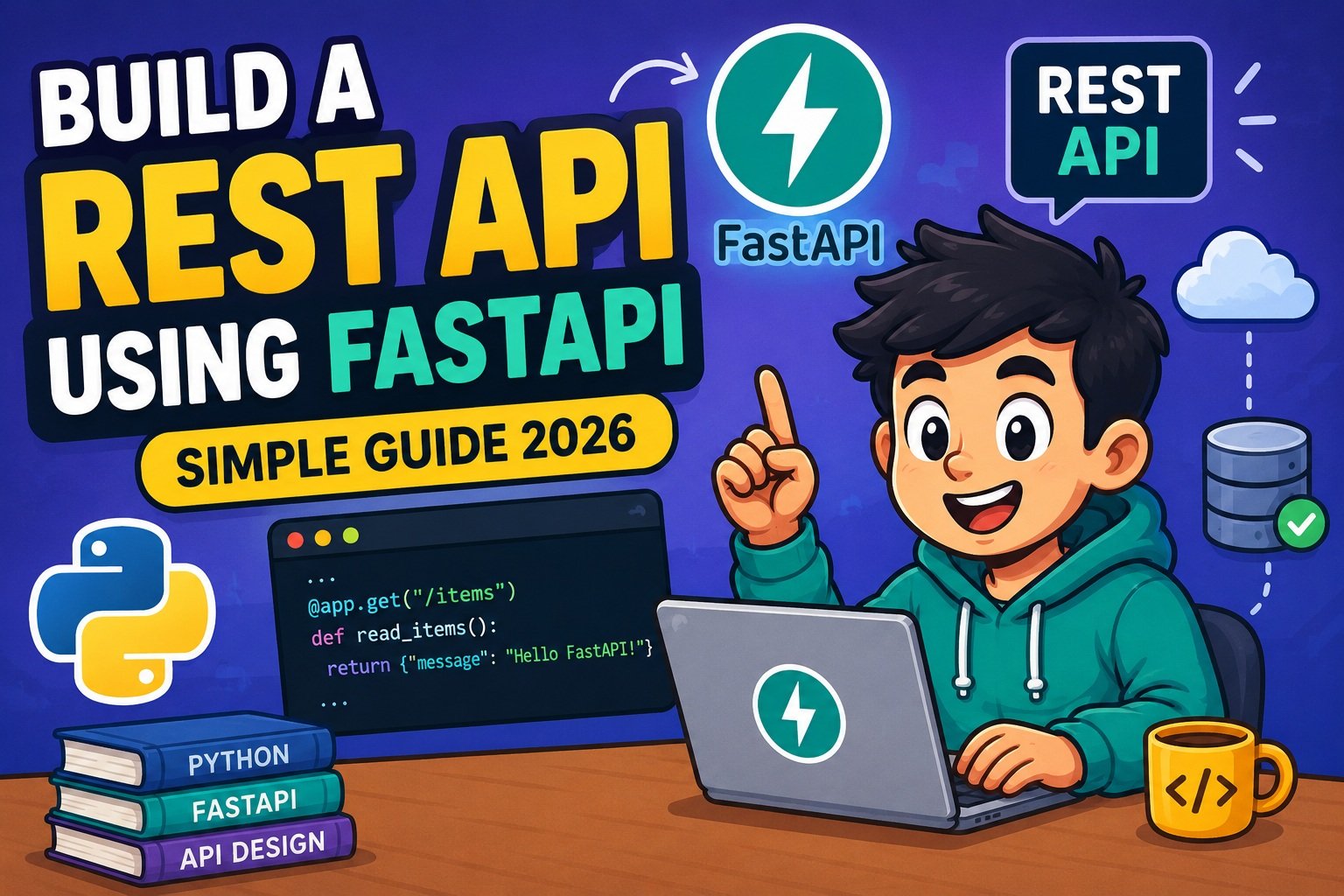
How to Build a REST API Using FastAPI: A Complete Beginner’s Guide (2026)
Imagine you’ve just finished a Python script that does something useful — maybe it processes data, manages a list of tasks, or queries a database. Now you want other apps, a mobile frontend, or your teammates to use it. The answer is a REST API, and the cleanest way to build one in Python right now is FastAPI.
FastAPI has quietly become the go-to framework for Python backend development. It surpassed Flask in GitHub stars in late 2025 and now powers production APIs at companies like Microsoft, Netflix, and Uber. The reason? It gives you automatic data validation, interactive documentation, and native async support — all without writing a mountain of boilerplate code.
In this guide, you’ll build a complete, working REST API from scratch using FastAPI. By the time you finish, you’ll have a Task Manager API with full CRUD operations, Pydantic v2 validation, proper error handling, auto-generated docs, and a clear path to deployment. Let’s get into it.
What Is FastAPI?
FastAPI is a modern, high-performance Python web framework designed specifically for building APIs. It’s built on two powerful libraries under the hood:
- Starlette — handles the async web layer (routing, middleware, WebSockets)
- Pydantic v2 — handles data validation and serialization using Python type hints
The result is a framework that feels natural to write in Python, but gives you the kind of speed and safety you’d expect from compiled languages. The latest stable release as of mid-2026 is FastAPI 0.136.1, which requires Python 3.10 or higher. Python 3.12 is the recommended version for the best performance.
Here’s what makes FastAPI stand out:
- Automatic validation — FastAPI reads your type hints and validates every incoming request automatically. No manual checking required.
- Auto-generated documentation — visit
/docsin your browser and get an interactive Swagger UI that lets you test every endpoint, right out of the box. - Async support — write
async defendpoints and handle thousands of concurrent requests without extra configuration. - Type safety — your IDE catches errors before you even run the code.
What Is a REST API?
Before writing a single line of code, it helps to understand what you’re building.
A REST API (Representational State Transfer Application Programming Interface) is a way for software to communicate over HTTP. Think of it as a set of rules for how a client (a browser, mobile app, or another server) can request and send data to your backend.
REST organizes everything around resources — things like users, tasks, or products — each accessible through a unique URL called an endpoint. HTTP methods define what action to take:
| HTTP Method | Action | Example |
|---|---|---|
| GET | Read data | GET /tasks — list all tasks |
| POST | Create new data | POST /tasks — create a task |
| PUT | Replace existing data | PUT /tasks/1 — update task #1 |
| PATCH | Partially update data | PATCH /tasks/1 — update one field |
| DELETE | Remove data | DELETE /tasks/1 — delete task #1 |
REST APIs are stateless — each request contains everything the server needs, and the server doesn’t remember previous requests. This makes them scalable and easy to cache.
FastAPI vs Flask vs Django — Which Should You Use in 2026?
This question comes up constantly, so let’s settle it cleanly.
| Feature | FastAPI | Flask | Django REST Framework |
|---|---|---|---|
| Auto data validation | ✅ Pydantic v2 | ❌ Manual | ✅ Serializers |
| Auto-generated docs | ✅ OpenAPI/Swagger | ❌ | ✅ (partial) |
| Native async support | ✅ | ⚠️ Plugin needed | ⚠️ Plugin needed |
| Performance | ⚡ Highest | Moderate | Moderate |
| Learning curve | Low | Very low | Medium-High |
| Best for | REST APIs, ML serving | Tiny apps, webhooks | Full-stack apps with admin |
The short version: if you’re building a REST API in 2026, use FastAPI. Flask remains useful for tiny single-file apps or legacy projects. Django shines when you need a full-stack app with admin panels, built-in auth, and an ORM out of the box.
If you’re already familiar with Flask, you can check out how to build a simple website using Flask to see how the two approaches differ. For a thorough comparison of Python web frameworks, Django vs Flask covers the trade-offs in detail.
Prerequisites — What You Need Before You Start
Python Knowledge
You don’t need to be an expert, but you should be comfortable with:
- Functions and return values
- Classes and basic object-oriented concepts
- Installing packages with
pip - Working with virtual environments
Type hints are especially important for FastAPI — the framework reads them to figure out how to validate your data. Here’s a quick refresher:
# Type hint syntax — FastAPI relies on this heavily
def greet(name: str, times: int = 1) -> str:
    return f"Hello {name}! " * times
If object-oriented Python feels a bit shaky, it’s worth taking 15 minutes to review OOP in Python explained before continuing — FastAPI’s Pydantic models are built on Python classes.
FastAPI also leans heavily on decorators (the @app.get() syntax you’ll see everywhere). If you’ve never encountered decorators before, Python decorators made simple is a great quick read.
Tools You’ll Need
- Python 3.12+ (recommended; minimum 3.10)
- pip or uv for package management
- A code editor — VS Code works great with the Pylance extension
- Thunder Client or Insomnia for manual API testing (optional — FastAPI’s built-in
/docshandles this too) - Docker — only needed for the deployment section
Installing FastAPI
Start by creating a fresh virtual environment. This keeps your project’s dependencies isolated from the rest of your system.
# Create and activate a virtual environment
python -m venv venv
source venv/bin/activate        # macOS / Linux
# venv\Scripts\activate         # Windows

# Install FastAPI with standard extras
# This includes Pydantic v2, Uvicorn, email-validator, and more
pip install "fastapi[standard]"
The [standard] extras bundle everything you need to get started — you don’t need to install Uvicorn separately.
What is Uvicorn? FastAPI is an ASGI framework (Asynchronous Server Gateway Interface). Uvicorn is the ASGI server that actually runs it — think of it as the engine under the hood. It handles incoming HTTP connections and passes them to your FastAPI app.
Create a requirements.txt so you can reproduce the environment later:
pip freeze > requirements.txt
Your First FastAPI App — Hello World
Create a new file called main.py and add this:
from fastapi import FastAPI

# Create the FastAPI application instance
app = FastAPI(title="My First API", version="1.0.0")

# Define a route: GET / returns a simple JSON response
@app.get("/")
def read_root():
    return {"message": "Hello, FastAPI!"}
That’s it. Ten lines, one endpoint. Now run it:
# Option 1 — FastAPI's built-in dev runner (recommended for development)
fastapi dev main.py

# Option 2 — Uvicorn directly
uvicorn main:app --reload
The --reload flag tells Uvicorn to watch your files and restart automatically whenever you save a change. Only use this during development — it has a performance overhead you don’t want in production.
Open your browser and visit http://127.0.0.1:8000. You’ll see:
{"message": "Hello, FastAPI!"}
Exploring the Auto-Generated Documentation
Here’s the feature that tends to make Flask developers a little jealous. Visit:
http://127.0.0.1:8000/docs— Swagger UI, fully interactivehttp://127.0.0.1:8000/redoc— ReDoc, cleaner read-only view
The Swagger UI shows every endpoint, the expected request format, and lets you try each one directly in the browser — no external tools needed. FastAPI generates this from your type hints and docstrings automatically.
💡 Pro Tip: Add a
descriptionto your FastAPI instance and a docstring to your functions — they show up directly in the Swagger UI, making your API self-documenting.
app = FastAPI(
    title="Task Manager API",
    description="A simple REST API for managing tasks.",
    version="1.0.0"
)

@app.get("/")
def read_root():
    """Returns a welcome message. No authentication required."""
    return {"message": "Hello, FastAPI!"}
Understanding the Core Building Blocks
Before jumping into the full project, let’s walk through the essential FastAPI concepts you’ll use constantly.
Path Parameters
Path parameters are variable parts of the URL — they’re perfect for identifying a specific resource.
@app.get("/items/{item_id}")
def get_item(item_id: int):
    return {"item_id": item_id}
Notice the type hint item_id: int. FastAPI automatically:
- Extracts the value from the URL
- Converts it to an integer
- Returns a clear
422 Unprocessable Entityerror if the conversion fails
Try visiting /items/abc — FastAPI will respond with a detailed error message explaining that item_id must be a valid integer. No extra validation code needed.
You can combine multiple path parameters:
@app.get("/users/{user_id}/tasks/{task_id}")
def get_user_task(user_id: int, task_id: int):
    return {"user_id": user_id, "task_id": task_id}
Query Parameters
Query parameters appear after the ? in a URL — great for filtering, pagination, and optional settings.
@app.get("/tasks/")
def list_tasks(skip: int = 0, limit: int = 10, completed: bool = False):
    return {
        "skip": skip,
        "limit": limit,
        "completed": completed
    }
Call it like: /tasks/?skip=20&limit=5&completed=true
Parameters with default values are optional. Parameters without defaults are required — FastAPI returns a 422 error if they’re missing.
Request Body with Pydantic Models
For POST and PUT requests, you typically need to accept JSON data from the client. FastAPI uses Pydantic models for this — they define the structure and validate the data automatically.
from pydantic import BaseModel
from typing import Optional

class Item(BaseModel):
    name: str
    price: float
    description: Optional[str] = None  # Optional field with default None
    is_available: bool = True           # Optional field with default True
Use it in an endpoint:
@app.post("/items/")
def create_item(item: Item):
    return {"received": item.model_dump()}
FastAPI reads the type hint item: Item, knows to parse the request body as JSON, validates it against the Item model, and gives you a clean Python object to work with. If the client sends invalid data (wrong types, missing required fields), FastAPI automatically returns a 422 error with a detailed breakdown of what’s wrong.
Note on Pydantic v2: The method for converting a model to a dictionary changed in Pydantic v2. Use
.model_dump()instead of the old.dict(). Using.dict()still works but triggers a deprecation warning.
Pydantic models are essentially Python classes, so if you want to understand the underlying concepts, OOP in Python explained will help it all click.
Response Models — Controlling What You Send Back
One of the most important security practices in API development is controlling exactly what data you return. FastAPI’s response_model parameter handles this.
class ItemCreate(BaseModel):
    name: str
    price: float
    owner_secret_key: str   # Internal field — should never leave the server

class ItemPublic(BaseModel):
    name: str
    price: float
    id: int                 # Added by the server

@app.post("/items/", response_model=ItemPublic)
def create_item(item: ItemCreate):
    # Even if our internal object has owner_secret_key,
    # FastAPI will only return the fields defined in ItemPublic
    return {"name": item.name, "price": item.price, "id": 1}
Think of response_model as a filter on the way out — it strips any fields not defined in the response model, preventing accidental data leaks.
Building a Real Project — A Task Manager REST API
Now that you understand the building blocks, let’s put them together. We’ll build a complete Task Manager API with all five CRUD operations.
Project Structure
task_api/
├── main.py
└── requirements.txt
Step 1 — Define the Pydantic Models
# main.py
from fastapi import FastAPI, HTTPException
from pydantic import BaseModel, Field
from typing import Optional, List

app = FastAPI(
    title="Task Manager API",
    description="A beginner-friendly REST API built with FastAPI.",
    version="1.0.0"
)

# Model for creating a task (what the client sends)
class TaskCreate(BaseModel):
    title: str = Field(..., min_length=1, max_length=100, description="Task title")
    description: Optional[str] = Field(None, max_length=500, description="Optional details")
    completed: bool = Field(default=False, description="Completion status")

# Model for the API response (what we send back — includes the server-assigned ID)
class TaskResponse(BaseModel):
    id: int
    title: str
    description: Optional[str]
    completed: bool
Field() lets you add validation constraints and documentation to individual fields:
...means the field is required (no default)min_length,max_length— string length constraintsdescription— shows up in the Swagger UI
Step 2 — Set Up In-Memory Storage
For this tutorial, we’ll store tasks in a Python list. In a real application, you’d replace this with a database.
# Simple in-memory "database" — resets when the server restarts
tasks_db: List[dict] = []
task_counter: int = 0
Step 3 — GET Endpoints (Read Operations)
@app.get("/tasks", response_model=List[TaskResponse], tags=["Tasks"])
def get_all_tasks():
    """Return all tasks. Returns an empty list if none exist."""
    return tasks_db


@app.get("/tasks/{task_id}", response_model=TaskResponse, tags=["Tasks"])
def get_task(task_id: int):
    """Return a single task by its ID. Raises 404 if not found."""
    # Search for the task with the matching ID
    task = next((t for t in tasks_db if t["id"] == task_id), None)

    if task is None:
        raise HTTPException(
            status_code=404,
            detail=f"Task with ID {task_id} not found."
        )

    return task
The tags=["Tasks"] parameter groups these endpoints together in the Swagger UI — a nice organizational touch when your API grows.
Step 4 — POST Endpoint (Create Operation)
@app.post("/tasks", response_model=TaskResponse, status_code=201, tags=["Tasks"])
def create_task(task: TaskCreate):
    """Create a new task. Returns the created task with its assigned ID."""
    global task_counter
    task_counter += 1

    new_task = {
        "id": task_counter,
        **task.model_dump()    # Unpack all fields from the Pydantic model
    }
    tasks_db.append(new_task)

    return new_task
status_code=201 tells FastAPI to return HTTP 201 Created instead of the default 200 OK — this is the correct status code for successful resource creation.
Step 5 — PUT Endpoint (Update Operation)
@app.put("/tasks/{task_id}", response_model=TaskResponse, tags=["Tasks"])
def update_task(task_id: int, updated_task: TaskCreate):
    """Replace an existing task entirely. Raises 404 if not found."""
    for index, task in enumerate(tasks_db):
        if task["id"] == task_id:
            # Replace the task at this index, keeping the same ID
            tasks_db[index] = {
                "id": task_id,
                **updated_task.model_dump()
            }
            return tasks_db[index]

    raise HTTPException(
        status_code=404,
        detail=f"Task with ID {task_id} not found."
    )
Step 6 — DELETE Endpoint
@app.delete("/tasks/{task_id}", status_code=204, tags=["Tasks"])
def delete_task(task_id: int):
    """Delete a task by ID. Returns 204 No Content on success."""
    global tasks_db

    # Check if the task exists first
    task = next((t for t in tasks_db if t["id"] == task_id), None)

    if task is None:
        raise HTTPException(
            status_code=404,
            detail=f"Task with ID {task_id} not found."
        )

    # Filter the task out of the list
    tasks_db = [t for t in tasks_db if t["id"] != task_id]
    # 204 responses have no body — return None
Testing in Swagger UI
Run the server with fastapi dev main.py and open http://127.0.0.1:8000/docs. You’ll see all five endpoints grouped under “Tasks.” Click any endpoint, hit “Try it out,” fill in the values, and execute — you’ll see the real HTTP request and response.
Try this sequence:
POST /taskswith{"title": "Buy groceries", "completed": false}GET /tasks— see your task in the listGET /tasks/1— retrieve just that taskPUT /tasks/1with{"title": "Buy groceries and cook dinner", "completed": false}DELETE /tasks/1— remove itGET /tasks/1— get a 404 confirming it’s gone
Data Validation with Pydantic v2 — Going Deeper
The basic Field() constraints we used above are just the beginning. Pydantic v2 (the version bundled with FastAPI today) gives you fine-grained control over validation.
Field-Level Validators
Use @field_validator when you need custom logic beyond simple constraints:
from pydantic import BaseModel, Field, field_validator

class TaskCreate(BaseModel):
    title: str = Field(..., min_length=1, max_length=100)
    priority: int = Field(default=1, ge=1, le=5)   # ge=greater or equal, le=less or equal

    @field_validator("title")
    @classmethod
    def title_must_not_be_only_whitespace(cls, v: str) -> str:
        if v.strip() == "":
            raise ValueError("Title cannot be blank or whitespace only")
        # Strip leading/trailing spaces before storing
        return v.strip()
The @classmethod decorator is required for Pydantic v2 field validators.
Cross-Field Validation with @model_validator
Sometimes you need to validate one field in relation to another:
from pydantic import BaseModel, model_validator
from datetime import date

class TaskWithDeadline(BaseModel):
    title: str
    start_date: date
    due_date: date

    @model_validator(mode="after")
    def due_date_must_be_after_start(self) -> "TaskWithDeadline":
        if self.due_date <= self.start_date:
            raise ValueError("due_date must be after start_date")
        return self
Forbidding Unknown Fields
By default, Pydantic ignores extra fields sent in the request body. You can make your model reject them entirely — useful for strict APIs:
from pydantic import ConfigDict

class StrictTask(BaseModel):
    model_config = ConfigDict(extra="forbid")
    title: str
    completed: bool = False
Now if a client sends {"title": "Test", "completed": false, "hack_field": "oops"}, they get a 422 error immediately.
Error Handling in FastAPI
Good error handling is what separates a usable API from a frustrating one. FastAPI gives you several tools.
HTTPException — The Standard Approach
You’ve already seen this in the project above. HTTPException is the clean way to return error responses:
from fastapi import HTTPException

raise HTTPException(
    status_code=404,
    detail="Task not found"
)

# You can also pass structured detail objects
raise HTTPException(
    status_code=400,
    detail={"code": "INVALID_PRIORITY", "message": "Priority must be between 1 and 5"}
)
HTTP Status Codes You Need to Know
| Code | Meaning | When to Use |
|---|---|---|
| 200 | OK | Successful GET or PUT |
| 201 | Created | Successful POST |
| 204 | No Content | Successful DELETE |
| 400 | Bad Request | Client sent logically invalid data |
| 401 | Unauthorized | Missing or invalid credentials |
| 403 | Forbidden | Authenticated but not allowed |
| 404 | Not Found | Resource doesn’t exist |
| 422 | Unprocessable Entity | Validation failed (FastAPI default) |
| 500 | Internal Server Error | Something broke on the server |
Custom Exception Handlers
FastAPI’s default 422 error response is detailed but raw. For a production API, you’ll often want to reformat it:
from fastapi import Request
from fastapi.responses import JSONResponse
from fastapi.exceptions import RequestValidationError

@app.exception_handler(RequestValidationError)
async def validation_exception_handler(request: Request, exc: RequestValidationError):
    """
    Transform FastAPI's default 422 response into a cleaner format
    that's easier for frontend developers to parse.
    """
    return JSONResponse(
        status_code=422,
        content={
            "code": "VALIDATION_ERROR",
            "message": "One or more fields failed validation.",
            "errors": exc.errors()   # Contains field path, error type, and message
        }
    )
Register exception handlers right after creating the app instance, before defining routes.
🔍 Debugging Tip: When you get a 422 error, always read the response body — FastAPI tells you exactly which field failed and why. If you’re seeing unexpected errors during development, how to debug Python code step by step has a solid approach for tracking down bugs systematically.
Async FastAPI — Understanding When to Use It
FastAPI supports both regular and async endpoints. You don’t have to choose one style for everything — you can mix and match.
# Regular endpoint — fine for CPU work or simple logic
@app.get("/sync-example")
def sync_endpoint():
    result = some_synchronous_computation()
    return {"result": result}

# Async endpoint — use when calling async libraries (databases, HTTP clients, etc.)
@app.get("/async-example")
async def async_endpoint():
    result = await some_async_database_call()
    return {"result": result}
The rule of thumb:
- Use
async defwhen your endpoint does I/O (database queries, HTTP calls, file reads) using async libraries likeasyncpg,httpx, oraiofiles - Use regular
deffor CPU-bound operations or when using synchronous libraries
The performance benefit of async comes from being able to handle many requests concurrently — while one request is waiting for a database response, the server can handle other requests instead of sitting idle.
For a deeper understanding of Python’s concurrency model, multithreading in Python covers the broader landscape including threads, multiprocessing, and async I/O.
Security Basics — Protecting Your API
No API tutorial would be complete without covering authentication. Let’s look at two levels: a simple API key approach for quick protection, and JWT for production-grade stateless auth.
API Keys — Quick and Simple
from fastapi import Header, HTTPException, Depends

# In production, load this from an environment variable
VALID_API_KEY = "your-secret-api-key"

async def verify_api_key(x_api_key: str = Header(...)):
    """Dependency that validates the X-API-Key header."""
    if x_api_key != VALID_API_KEY:
        raise HTTPException(
            status_code=401,
            detail="Invalid or missing API key"
        )

# Protect an endpoint by adding Depends(verify_api_key)
@app.get("/protected", dependencies=[Depends(verify_api_key)])
def protected_endpoint():
    return {"data": "This is protected data"}
API keys work well for internal tools, server-to-server communication, and simple public APIs with rate limiting.
JWT Authentication — The Production Standard
For user-facing APIs, JSON Web Tokens (JWT) are the standard. The flow works like this:
- User sends their credentials (username + password) to a login endpoint
- Server verifies the credentials, generates a signed JWT token
- Client stores the token and sends it with every subsequent request
- Server verifies the token’s signature on protected endpoints — no database lookup needed
First, install the required libraries:
pip install python-jose[cryptography] passlib[bcrypt]
Here’s a working implementation:
from fastapi import FastAPI, Depends, HTTPException, status
from fastapi.security import OAuth2PasswordBearer, OAuth2PasswordRequestForm
from jose import JWTError, jwt
from passlib.context import CryptContext
from pydantic import BaseModel
from datetime import datetime, timedelta, timezone
from typing import Optional

# --- Configuration (use environment variables in production) ---
SECRET_KEY = "your-256-bit-secret-key"   # Change this! Use: openssl rand -hex 32
ALGORITHM = "HS256"
ACCESS_TOKEN_EXPIRE_MINUTES = 30

# --- Password hashing setup ---
pwd_context = CryptContext(schemes=["bcrypt"], deprecated="auto")
oauth2_scheme = OAuth2PasswordBearer(tokenUrl="/auth/login")

# --- Models ---
class Token(BaseModel):
    access_token: str
    token_type: str

class UserInDB(BaseModel):
    username: str
    hashed_password: str

# --- Fake user database (replace with real DB) ---
fake_users = {
    "alice": UserInDB(
        username="alice",
        hashed_password=pwd_context.hash("secret123")
    )
}

# --- Helper functions ---
def verify_password(plain_password: str, hashed_password: str) -> bool:
    return pwd_context.verify(plain_password, hashed_password)

def create_access_token(data: dict, expires_delta: Optional[timedelta] = None) -> str:
    to_encode = data.copy()
    expire = datetime.now(timezone.utc) + (expires_delta or timedelta(minutes=15))
    to_encode.update({"exp": expire})
    return jwt.encode(to_encode, SECRET_KEY, algorithm=ALGORITHM)

async def get_current_user(token: str = Depends(oauth2_scheme)) -> str:
    credentials_exception = HTTPException(
        status_code=status.HTTP_401_UNAUTHORIZED,
        detail="Could not validate credentials",
        headers={"WWW-Authenticate": "Bearer"},
    )
    try:
        payload = jwt.decode(token, SECRET_KEY, algorithms=[ALGORITHM])
        username: str = payload.get("sub")
        if username is None:
            raise credentials_exception
    except JWTError:
        raise credentials_exception
    return username

# --- Auth endpoints ---
@app.post("/auth/login", response_model=Token)
async def login(form_data: OAuth2PasswordRequestForm = Depends()):
    user = fake_users.get(form_data.username)
    if not user or not verify_password(form_data.password, user.hashed_password):
        raise HTTPException(
            status_code=status.HTTP_401_UNAUTHORIZED,
            detail="Incorrect username or password",
        )
    access_token = create_access_token(
        data={"sub": user.username},
        expires_delta=timedelta(minutes=ACCESS_TOKEN_EXPIRE_MINUTES)
    )
    return {"access_token": access_token, "token_type": "bearer"}

@app.get("/auth/me")
async def get_profile(current_user: str = Depends(get_current_user)):
    """Protected endpoint — requires a valid JWT token."""
    return {"username": current_user, "message": "You are authenticated!"}
The Depends(get_current_user) line is FastAPI’s dependency injection system at work. Add it to any endpoint parameter and FastAPI automatically runs that function first, passing the result to your endpoint. It’s an elegant way to share auth logic across dozens of endpoints without repeating yourself.
🔒 Security Checklist:
- Never hardcode
SECRET_KEYin your source code — use environment variables- Always hash passwords with bcrypt (never store plain text)
- Set short expiration times for access tokens (15–30 minutes)
- Use HTTPS in production — JWTs sent over HTTP can be intercepted
- Consider adding refresh tokens for better user experience
Organizing a Larger FastAPI Project with APIRouter
Once your API grows beyond a handful of endpoints, putting everything in one main.py becomes messy. FastAPI’s APIRouter lets you split your code into modules.
# routers/tasks.py
from fastapi import APIRouter, HTTPException
from pydantic import BaseModel, Field
from typing import List, Optional

router = APIRouter(
    prefix="/tasks",    # All routes here get /tasks prepended
    tags=["Tasks"]      # Groups endpoints in Swagger UI
)

tasks_db = []
task_counter = 0

class TaskCreate(BaseModel):
    title: str = Field(..., min_length=1)
    completed: bool = False

@router.get("/", response_model=List[dict])
def list_tasks():
    return tasks_db

@router.post("/", status_code=201)
def create_task(task: TaskCreate):
    global task_counter
    task_counter += 1
    new_task = {"id": task_counter, **task.model_dump()}
    tasks_db.append(new_task)
    return new_task
# main.py
from fastapi import FastAPI
from routers import tasks

app = FastAPI(title="Task Manager API")

# Register the router — all /tasks endpoints are now available
app.include_router(tasks.router)
For a production project, your structure might look like this:
app/
├── main.py
├── routers/
│   ├── __init__.py
│   ├── tasks.py
│   └── users.py
├── models/
│   ├── __init__.py
│   └── task.py
├── dependencies.py
└── config.py
This separation makes the codebase easier to navigate, test, and hand off to other developers.
Connecting FastAPI to a Database
The Task Manager we built stores data in memory — it resets every time the server restarts. For a real application, you need a persistent database.
The most common 2026 stack for FastAPI with a relational database is PostgreSQL + SQLAlchemy 2.0 (async). Here’s a minimal setup to understand the pattern:
pip install sqlalchemy[asyncio] asyncpg alembic
# database.py
from sqlalchemy.ext.asyncio import create_async_engine, AsyncSession, async_sessionmaker
from sqlalchemy.orm import DeclarativeBase

DATABASE_URL = "postgresql+asyncpg://user:password@localhost/taskdb"

engine = create_async_engine(DATABASE_URL, echo=True)
AsyncSessionLocal = async_sessionmaker(engine, expire_on_commit=False)

class Base(DeclarativeBase):
    pass

# Dependency — provides a DB session to endpoints
async def get_db():
    async with AsyncSessionLocal() as session:
        yield session
# Using the DB session in an endpoint
from sqlalchemy.ext.asyncio import AsyncSession
from fastapi import Depends

@app.get("/tasks/{task_id}")
async def get_task(task_id: int, db: AsyncSession = Depends(get_db)):
    task = await db.get(TaskModel, task_id)
    if not task:
        raise HTTPException(status_code=404, detail="Task not found")
    return task
Alembic handles database migrations — tracking schema changes over time so you can update your database safely without losing data. Run alembic init migrations to set it up, then alembic upgrade head to apply migrations.
Testing Your FastAPI Application
FastAPI comes with a TestClient built on HTTPX that lets you write integration tests without running a real server.
pip install pytest httpx
# test_main.py
from fastapi.testclient import TestClient
from main import app

client = TestClient(app)

def test_root_returns_welcome_message():
    response = client.get("/")
    assert response.status_code == 200
    assert response.json() == {"message": "Hello, FastAPI!"}

def test_create_task_returns_201():
    response = client.post(
        "/tasks",
        json={"title": "Test task", "completed": False}
    )
    assert response.status_code == 201
    data = response.json()
    assert data["title"] == "Test task"
    assert "id" in data

def test_create_task_with_empty_title_fails():
    response = client.post("/tasks", json={"title": ""})
    assert response.status_code == 422   # Validation error

def test_get_nonexistent_task_returns_404():
    response = client.get("/tasks/99999")
    assert response.status_code == 404
Run your tests:
pytest -v
For testing protected endpoints, pass the token in the headers:
def test_protected_endpoint():
    # First, get a token
    login_response = client.post(
        "/auth/login",
        data={"username": "alice", "password": "secret123"}
    )
    token = login_response.json()["access_token"]

    # Use the token in the protected request
    response = client.get(
        "/auth/me",
        headers={"Authorization": f"Bearer {token}"}
    )
    assert response.status_code == 200
Aim for tests that cover the happy path (things working correctly), validation errors (422), and not-found cases (404). These three categories catch the vast majority of bugs.
Deploying FastAPI
When you’re ready to share your API with the world, here’s how to take it to production.
Preparing for Production
Switch from the development server to a production-grade setup:
pip install gunicorn
# Run with multiple worker processes for better throughput
gunicorn main:app -w 4 -k uvicorn.workers.UvicornWorker --bind 0.0.0.0:8000
Before deploying:
- Move all secrets to environment variables (use
python-dotenvlocally, cloud secrets manager in production) - Disable the
/docsendpoint in production if your API is not public - Set up proper logging — don’t use
print()statements in production
Dockerizing Your API
Docker is the standard way to package and deploy FastAPI apps in 2026. Create a Dockerfile in your project root:
# Use the official slim Python 3.12 image
FROM python:3.12-slim

# Set working directory
WORKDIR /app

# Copy and install dependencies first (better layer caching)
COPY requirements.txt .
RUN pip install --no-cache-dir -r requirements.txt

# Copy application code
COPY . .

# Expose the port FastAPI runs on
EXPOSE 8000

# Production command — Uvicorn with no --reload
CMD ["uvicorn", "main:app", "--host", "0.0.0.0", "--port", "8000"]
Build and run:
docker build -t task-api .
docker run -p 8000:8000 task-api
Hosting Options
| Platform | Difficulty | Cost | Best For |
|---|---|---|---|
| Render | ⭐ Easiest | Free tier available | Beginners, side projects |
| Railway | ⭐ Easy | Usage-based | Fast deployment, dev teams |
| Fly.io | ⭐⭐ Moderate | Generous free tier | Global low-latency apps |
| Google Cloud Run | ⭐⭐ Moderate | Pay per request | Scalable, cost-efficient |
| AWS ECS Fargate | ⭐⭐⭐ Advanced | Enterprise pricing | Production at scale |
For a first deployment, Render or Railway will get you up and running in under 10 minutes with a Docker container.
Common Mistakes and How to Fix Them
Every FastAPI developer runs into the same set of stumbling blocks early on. Here’s a reference to save you time:
| Mistake | Symptom | Fix |
|---|---|---|
Using .dict() instead of .model_dump() | Deprecation warning | Replace all .dict() calls with .model_dump() (Pydantic v2) |
Forgetting await in async endpoints | Silent failures, unexpected behavior | Add await; ensure the called function is actually async |
No response_model on sensitive endpoints | Data leaks (passwords, internal IDs) | Always define response_model for endpoints that return user data |
| Hardcoding secrets | Critical security vulnerability | Use .env files locally, cloud secrets in production |
--reload in production | Performance issues, instability | Use gunicorn + UvicornWorker in production |
| Not checking if a resource exists before acting | 500 Internal Server Error | Always look up the resource first and raise HTTPException(404) |
Using str type for numeric path params | 422 errors on valid-looking URLs | Use int in the path parameter type hint |
| Mutable default arguments in models | Subtle shared-state bugs | Use Field(default_factory=list) instead of Field(default=[]) |
Reading a 422 Error
When you get a 422, the response body tells you exactly what’s wrong. Read it carefully — it includes the field name, the error type, and a human-readable message. This alone will solve 80% of your validation debugging.
If you’re hitting confusing errors during development, debugging Python code step by step walks through a systematic process for isolating and fixing bugs.
FastAPI Best Practices (2026)
Here’s a summary of the practices that separate a good API from a great one:
- Always separate Create and Response models — don’t return the same model you use for input
- Use
status_codeexplicitly —201for POST,204for DELETE - Add
tagsto all routers and endpoints — your Swagger UI will thank you - Validate at the model level, not in the endpoint logic — let Pydantic do the heavy lifting
- Use dependency injection for anything shared — auth, DB sessions, config
- Write tests for at least the happy path and the 404/422 cases — it takes 20 minutes and saves hours
- Never log sensitive data — tokens, passwords, or personal information
- Use
ConfigDict(extra="forbid")on request models — reject unknown fields explicitly - Set up
python-dotenvon day one — don’t wait until you’ve hardcoded secrets everywhere
FAQ
Q: Do I need to know Flask or Django before learning FastAPI?
No. FastAPI works great as your first Python web framework. The main prerequisite is comfortable Python — functions, classes, and type hints. If you’ve built small Python scripts before, you’re ready to start.
Q: Is FastAPI production-ready?
Yes, absolutely. It powers production APIs at Microsoft, Netflix, and Uber. When combined with Docker, Gunicorn/Uvicorn, and a managed cloud service, it handles serious production traffic without issue.
Q: What is the difference between async def and def in FastAPI?
Both work in FastAPI. Use async def when your endpoint calls async libraries (async database drivers, async HTTP clients). Use regular def for CPU-bound work or when using synchronous libraries. FastAPI handles both correctly.
Q: What is Pydantic and why does FastAPI use it?
Pydantic is a Python data validation library. FastAPI uses it to automatically parse and validate incoming JSON data based on your Python type hints. With Pydantic v2 (current), validation is extremely fast — it runs on a Rust core, making it 5 to 50 times faster than the previous version.
Q: How is FastAPI different from Flask?
Flask is a minimal framework — it gives you routing and basic request/response handling, and you add everything else (validation, documentation, async) yourself. FastAPI includes automatic validation, auto-generated OpenAPI docs, native async support, and dependency injection out of the box. For building APIs specifically, FastAPI is significantly more productive.
Q: What database should I use with FastAPI?
PostgreSQL with SQLAlchemy 2.0 (async mode) is the most common production choice. SQLite works perfectly for development and small applications. MongoDB (via the Motor async driver) is popular for document-based data. FastAPI works with any database that has a Python driver.
Q: How do I handle authentication in FastAPI?
The recommended approach for most APIs is JWT (JSON Web Token) authentication. FastAPI has built-in support for OAuth2 password flow, which pairs naturally with JWT. For simpler cases (internal APIs, server-to-server), API keys via request headers are also a clean solution.
Q: What Python version should I use with FastAPI in 2026?
Python 3.12 is recommended. FastAPI 0.136.1 (the latest as of mid-2026) requires Python 3.10 as the minimum. Python 3.12 provides the best performance and compatibility with current libraries.
Q: How do I test FastAPI endpoints?
Use FastAPI’s built-in TestClient with pytest. TestClient wraps your app and lets you make HTTP requests directly without running a server, making tests fast and deterministic. Install pytest and httpx, then write test functions that call client.get(), client.post(), etc.
Q: Can I deploy FastAPI without Docker?
Yes. You can deploy directly on a VPS or cloud VM with Gunicorn + Uvicorn workers, use a platform like Render or Heroku with a Procfile, or use serverless platforms with an ASGI adapter. Docker is the most portable and consistent approach, but it’s not required.
Q: What happens when FastAPI validation fails?
FastAPI automatically returns a 422 Unprocessable Entity response with a detailed JSON body explaining exactly which fields failed and why. The response includes the field location (body, path, query), the error type, and a human-readable message. You can customize this with a custom exception handler.
Conclusion
You’ve just covered everything you need to build a REST API using FastAPI — from installation and your first endpoint, through a complete CRUD project, Pydantic v2 validation, error handling, JWT security, testing, and deployment.
FastAPI is one of those tools that gets out of your way and lets you focus on what your API actually does. The automatic documentation alone saves hours of work that you’d spend writing Swagger specs by hand in Flask. The type hint-driven validation catches bugs before they reach production. And the async support means your API won’t choke under load.
Here’s what to tackle next:
- Add a real database — hook up PostgreSQL via SQLAlchemy 2.0 and Alembic for migrations
- Implement refresh tokens — extend the JWT auth example with a token refresh flow
- Add background tasks — FastAPI’s
BackgroundTasksis perfect for sending emails or processing files without blocking the response. For the email-sending side, how to send emails automatically using Python covers the Python email logic you can plug right in - Write a proper test suite — aim for 80%+ coverage on your core routes
- Deploy to the cloud — try Render for simplicity or Google Cloud Run for scale
- Build something larger — a chatbot backend, a data analytics API, or a task automation service. For chatbot logic specifically, how to build a simple chatbot using Python shows patterns that work great as a FastAPI endpoint
If you’re preparing for job interviews, top 20 Python interview questions for beginners (2026) covers the broader Python fundamentals you’ll be expected to know alongside framework-specific questions.
The best way to solidify everything is to pick a real project — something you’d actually use — and build it. The docs at fastapi.tiangolo.com are excellent, and the community is active and helpful. You have everything you need to get started.
External Resources Used
- FastAPI Official Documentation — the authoritative source for all FastAPI features, tutorials, and API reference
- Pydantic v2 Documentation — complete reference for Pydantic models, validators, and configuration
- Uvicorn Documentation — ASGI server configuration and deployment options
- OpenAPI Specification — the standard FastAPI implements for auto-generated documentation
- SQLAlchemy 2.0 Documentation — async ORM setup and usage
Internal Links Used
| Anchor Text | URL |
|---|---|
| how to build a simple website using Flask | https://pycoderoom.site/build-a-simple-website-using-flask-the-complete-beginners-guide-2026/ |
| Django vs Flask | https://pycoderoom.site/django-vs-flask-which-python-framework/ |
| OOP in Python explained | https://pycoderoom.site/object-oriented-programming-oop-in-python-explained/ |
| Python decorators made simple | https://pycoderoom.site/python-decorators-made-simple/ |
| multithreading in Python | https://pycoderoom.site/multithreading-in-python-beginner-guide/ |
| debugging Python code step by step | https://pycoderoom.site/how-to-debug-python-code-step-by-step/ |
| how to send emails automatically using Python | https://pycoderoom.site/how-to-send-emails-automatically-using-python/ |
| how to build a simple chatbot using Python | https://pycoderoom.site/how-to-build-a-simple-chatbot-using-python/ |
| top 20 Python interview questions for beginners (2026) | https://pycoderoom.site/top-20-python-interview-questions-for-beginners-2026/ |