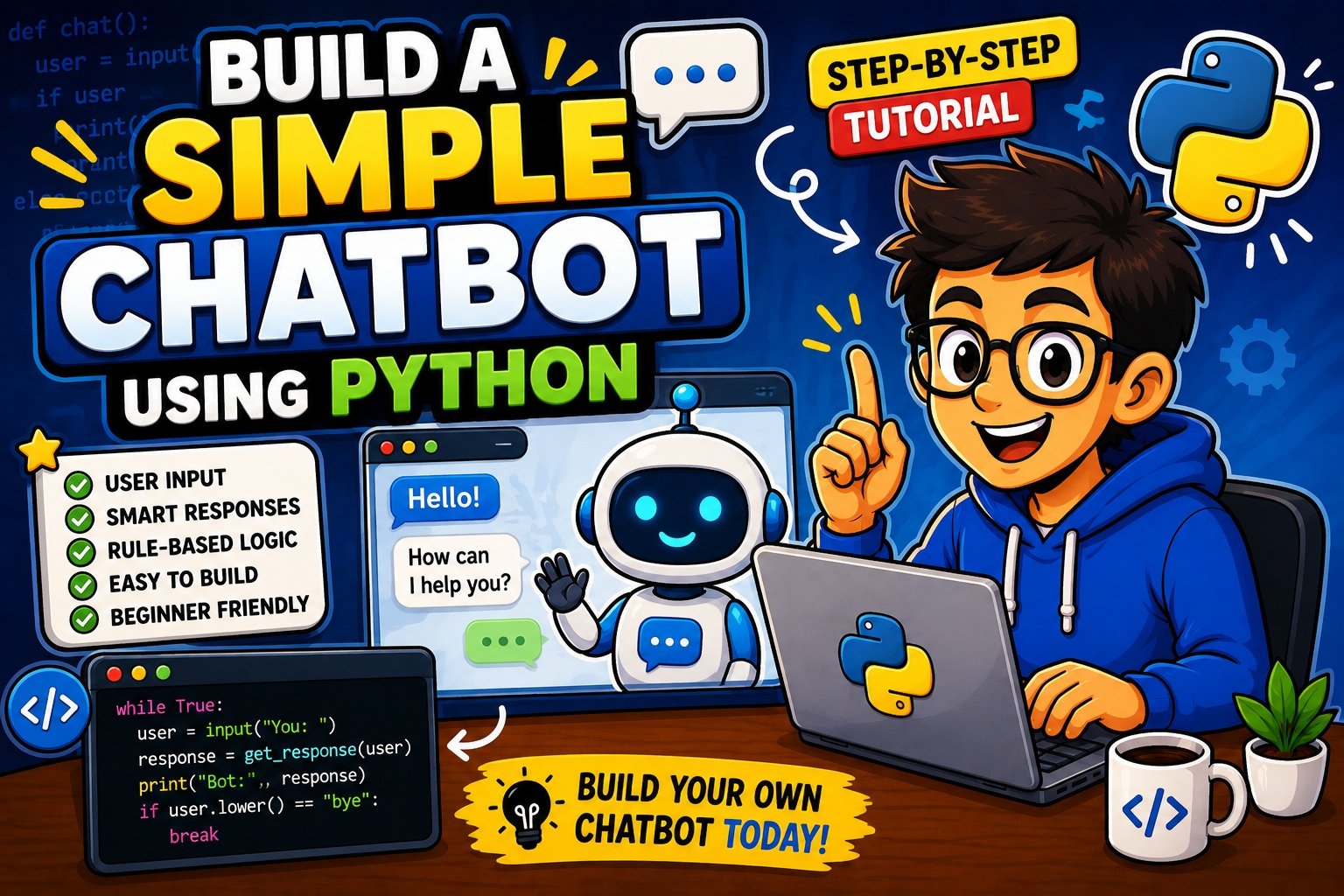
How to Build a Simple Chatbot Using Python — Complete Beginner’s Guide (2026)
Have you ever wondered how those little chat windows on websites instantly answer your questions — even at 3 AM? Or how your favourite app greets you by name and helps you place an order without a single human involved?
Those are chatbots. And the good news? You can build one yourself, today, using Python.
In this guide, you will learn exactly how to build a simple chatbot using Python — step by step, from scratch. No prior AI experience is required. If you know the basics of Python, you are already ready to start.
By the end of this post, you will have a fully working command-line chatbot, a clear understanding of how chatbots think, and a roadmap for making yours smarter over time.
Why Chatbots Are Everywhere Right Now
Chatbots are no longer just a tech novelty — they have become a core part of how businesses communicate. From e-commerce stores to healthcare portals, banking apps to education platforms, chatbots handle millions of conversations every single day.
The numbers tell the story clearly: the global chatbot market is expected to reach USD 10.5 billion by the end of 2026, growing at a compound annual growth rate of 23.5%. Facebook alone has over 300,000 active chatbots deployed across its Messenger platform. According to IBM, businesses spend over $1.3 trillion annually handling customer queries — and well-designed chatbots can reduce that cost by up to 30%.
For developers, this is not just an interesting statistic. It means that knowing how to build a simple chatbot using Python is a genuinely valuable, career-relevant skill right now.
Whether you are a student building your first project, a developer exploring AI, or someone who simply wants to automate repetitive conversations, this guide is for you.
New to Python input handling? Before diving in, make sure you understand the foundation: check out how to take user input in Python — it covers the
input()function in depth, which is the very backbone of any chatbot.
What Is a Python Chatbot?
A chatbot is a software program designed to simulate human conversation. It reads text from a user, processes it, and returns a relevant response — all automatically.
In Python, a chatbot at its simplest is a loop that:
- Accepts text input from the user
- Processes that input (checks it against rules, patterns, or an AI model)
- Returns a relevant response
- Repeats until the user ends the conversation
Think of it like a very sophisticated if/else machine that speaks human.
User types something
      ↓
Bot reads the input
      ↓
Bot checks its "knowledge" (dictionary / model)
      ↓
Bot returns a reply
      ↓
Loop continues...
Why Python Is the Best Language for Chatbots in 2026
Python dominates chatbot development — and for good reason:
- Readable syntax — You focus on the logic of conversation, not fighting the language
- Rich NLP ecosystem — Libraries like NLTK, spaCy, ChatterBot, and Hugging Face Transformers are all Python-first
- Web integration — Easily connect your bot to Flask, Django, or Streamlit
- Massive community — Millions of tutorials, Stack Overflow answers, and open-source examples
- AI-ready — According to Stack Overflow’s 2024 survey, over 45% of AI developers prefer Python for building smart conversational systems
Simply put, Python gives beginners the fastest path from “idea” to “working chatbot.”
Types of Chatbots Explained
Before you write a single line of code, it helps to understand the chatbot landscape. There are three main types, each suited to different use cases.
Rule-Based Chatbots
Rule-based chatbots are the simplest type. They work by matching user input against a set of predefined keywords or patterns and returning a matching response.
- Built with
if/elif/elselogic or Python dictionaries - Fast, predictable, and easy to understand
- No machine learning or AI involved
- Perfect for FAQs, greetings, simple menus
When to use: You know exactly what questions users will ask, and you can write responses for each one.
AI-Powered / NLP Chatbots
These bots use Natural Language Processing (NLP) and machine learning to understand the intent behind a message — not just the exact words.
- Can handle spelling mistakes, synonyms, and different phrasings
- Built with libraries like NLTK, spaCy, or Hugging Face Transformers
- Require training data (examples of real conversations)
When to use: You want a bot that feels more natural and can handle variation in how people phrase questions.
Retrieval-Based vs Generative Chatbots
| Type | How It Works | Example Use |
|---|---|---|
| Retrieval-based | Picks the best match from a stored dataset | FAQ bot, support bot |
| Generative | Creates entirely new responses using language models | ChatGPT-style assistants |
| Rule-based | Matches keywords and returns fixed replies | Menu bots, greeting bots |
For this guide, we start with rule-based (the most beginner-friendly), then layer in NLP concepts so you understand the full picture.
Want to build your Python logic skills before adding AI? Our 50 Python coding questions for practice covers the exact patterns you will use when writing chatbot response logic.
Skills You Need Before Building a Chatbot
You do not need to be an expert, but the following basics will make this tutorial much smoother:
| Skill | Why You Need It |
|---|---|
| Variables and strings | Storing and manipulating user input |
input() and print() | Reading and displaying messages |
if/elif/else conditions | Deciding which response to give |
while loops | Keeping the conversation running |
| Python dictionaries | Storing response mappings efficiently |
Functions (def) | Organising your chatbot logic cleanly |
If any of those feel shaky, do not worry — we explain each one as we use it throughout this guide.
Tip: Our tutorial on building a Guess the Number game in Python walks through
whileloops, conditions, and user input using the same patterns you will use here. It is a great warm-up project.
Setting Up Your Python Environment
Getting your environment right from the start saves you headaches later. Here is the clean, professional way to do it.
Step 1 — Check Your Python Version
Open your terminal and run:
python --version
You should see Python 3.10 or higher. If not, download the latest version from the official Python website.
Step 2 — Create a Virtual Environment
A virtual environment keeps your project dependencies separate from other Python projects on your machine. Always use one.
# Create the virtual environment
python -m venv chatbot_env

# Activate it — macOS / Linux
source chatbot_env/bin/activate

# Activate it — Windows
chatbot_env\Scripts\activate
You will see (chatbot_env) appear in your terminal prompt — that means it is active.
Step 3 — Create Your Project Folder
mkdir python_chatbot
cd python_chatbot
Step 4 — Install Required Libraries
For our beginner chatbot, we only need the standard library. Later sections will introduce optional installs.
# For the NLP section later:
pip install nltk
pip install chatterbot
Step 5 — Choose Your IDE
- VS Code — Most popular, excellent Python extensions (recommended)
- PyCharm — Feature-rich, great for larger projects
- Thonny — Ideal for absolute beginners, simple interface
Step 6 — Create Your First File
# Create the main chatbot file
touch chatbot.py
Open chatbot.py in your editor — you are ready to code.
Running into an
IndentationErroralready? It is one of the most common Python beginner issues. Our step-by-step guide to fixing IndentationError in Python will get you unstuck in minutes.
Creating a Simple Rule-Based Chatbot in Python
Let us build your first working chatbot right now.
The core idea is simple: we store possible user inputs as keys in a Python dictionary, and the bot’s responses as values. When the user types something, we look it up — and return the matching reply.
Version 1 — Your First Chatbot (15 Lines)
# chatbot.py — Version 1: Basic Rule-Based Chatbot

def chatbot_response(user_input):
    """Match user input to a predefined response."""
    responses = {
        "hello": "Hi there! How can I help you today?",
        "how are you": "I'm a bot, but I'm doing great! Thanks for asking.",
        "what is your name": "I'm PyBot — your Python-powered assistant!",
        "what can you do": "I can answer questions, tell jokes, and have a basic chat.",
        "bye": "Goodbye! It was great chatting with you."
    }
    # Convert to lowercase to handle case sensitivity
    user_input = user_input.lower().strip()
    return responses.get(user_input, "Sorry, I didn't quite understand that. Could you rephrase?")


# Main chat loop
print("PyBot is running! Type 'bye' to exit.\n")
while True:
    user_input = input("You: ")
    if user_input.lower().strip() == "bye":
        print("PyBot: Goodbye! Have a great day!")
        break
    response = chatbot_response(user_input)
    print(f"PyBot: {response}\n")
What Is Happening Here — Line by Line
| Code Section | What It Does |
|---|---|
def chatbot_response(user_input) | A function that takes the user’s message and returns a reply |
responses = { ... } | A dictionary of known inputs and their matching replies |
.lower().strip() | Converts input to lowercase and removes spaces — handles "Hello", "HELLO", " hello " |
responses.get(user_input, "Sorry...") | Looks up the input; returns a default “fallback” if no match is found |
while True: | Keeps the chatbot running in a loop until the user types “bye” |
break | Exits the loop when the user types the exit command |
Sample Conversation
PyBot is running! Type 'bye' to exit.

You: hello
PyBot: Hi there! How can I help you today?

You: What is your name
PyBot: I'm PyBot — your Python-powered assistant!

You: Tell me a secret
PyBot: Sorry, I didn't quite understand that. Could you rephrase?

You: bye
PyBot: Goodbye! Have a great day!
This works. It is simple. And it already demonstrates the core architecture of every chatbot ever built — read, process, respond, repeat.
Understanding User Input and Responses
The way your chatbot handles text input is critical. Poor input handling leads to a bot that misses obvious matches and frustrates users. Here is how to do it right.
Problem 1 — Case Sensitivity
Without .lower(), your bot treats "Hello", "HELLO", and "hello" as three different inputs.
# Without .lower() — BAD
user_input = "Hello"
responses.get(user_input)  # Returns None — no match!

# With .lower() — GOOD
user_input = "Hello".lower()  # → "hello"
responses.get(user_input)  # Returns "Hi there!"
Always apply .lower() to user input before matching.
Problem 2 — Extra Whitespace
Users often type extra spaces accidentally. .strip() removes leading and trailing whitespace.
user_input = " hello ".strip() # → "hello"
Problem 3 — Partial Matches
What if the user types "hey hello there" instead of just "hello"? A dictionary exact-match will fail. Use the in keyword for flexible matching:
def chatbot_response(user_input):
    user_input = user_input.lower().strip()

    if "hello" in user_input or "hi" in user_input or "hey" in user_input:
        return "Hi there! How can I help?"
    elif "your name" in user_input:
        return "I'm PyBot!"
    elif "help" in user_input:
        return "Sure! Ask me anything about Python."
    elif "bye" in user_input or "goodbye" in user_input:
        return "See you later!"
    else:
        return "Hmm, I'm not sure about that. Try asking something else!"
Now "hey hello there", "hi!", and "hello world" all trigger the greeting response.
Storing Conversation History
Want your bot to remember the conversation? Store it in a list:
conversation_log = []

while True:
    user_input = input("You: ")
    response = chatbot_response(user_input)

    # Log both sides of the conversation
    conversation_log.append(f"You: {user_input}")
    conversation_log.append(f"PyBot: {response}")

    print(f"PyBot: {response}\n")

    if user_input.lower() == "bye":
        break

# Print the full conversation at the end
print("\n--- Conversation Log ---")
for line in conversation_log:
    print(line)
Want to save those conversation logs permanently? Our guide on how to read and write text files in Python shows you exactly how to write your chat history to a
.txtfile so it persists between sessions.
Improving the Chatbot with Conditions and Loops
Now let us build a significantly more capable version of PyBot. Version 2 uses structured if/elif blocks for multi-topic handling and adds a personalisation layer.
Version 2 — Smarter PyBot with Keyword Detection
# chatbot.py — Version 2: Multi-Topic Chatbot with Personalisation

def get_response(user_input):
    """Return a response based on keyword detection."""
    text = user_input.lower().strip()

    # --- Greetings ---
    if any(word in text for word in ["hello", "hi", "hey", "good morning", "good evening"]):
        return "Hello! Great to see you. What can I help with today?"

    # --- Identity questions ---
    elif "your name" in text or "who are you" in text:
        return "I'm PyBot, a simple Python chatbot. I'm here to help!"

    # --- Python help ---
    elif "python" in text and "learn" in text:
        return "Python is a great choice! Start with basics: variables, loops, and functions."
    elif "python" in text:
        return "Python is one of the most popular programming languages. What about it?"

    # --- Jokes ---
    elif "joke" in text or "funny" in text:
        return "Why do Python programmers prefer dark mode? Because light attracts bugs! 😄"

    # --- Time / date ---
    elif "time" in text or "date" in text:
        from datetime import datetime
        now = datetime.now()
        return f"The current date and time is: {now.strftime('%A, %B %d, %Y — %I:%M %p')}"

    # --- Help ---
    elif "help" in text or "what can you do" in text:
        return ("I can chat, tell jokes, share the time, and answer basic Python questions. "
                "Just type naturally!")

    # --- Farewells ---
    elif any(word in text for word in ["bye", "goodbye", "exit", "quit", "see you"]):
        return "QUIT"

    # --- Fallback ---
    else:
        return ("I'm not sure how to answer that yet. Try asking about Python, "
                "tell me to say a joke, or type 'help' to see what I can do!")


def run_chatbot():
    """Main function to run the chatbot."""
    print("=" * 50)
    print("       Welcome to PyBot — Powered by Python      ")
    print("=" * 50)

    name = input("\nBefore we begin — what's your name? ").strip().capitalize()
    print(f"\nGreat to meet you, {name}! Type 'bye' anytime to exit.\n")

    while True:
        user_input = input(f"{name}: ")

        if not user_input.strip():
            print("PyBot: I didn't catch that — please type something!\n")
            continue

        response = get_response(user_input)

        if response == "QUIT":
            print(f"PyBot: Goodbye, {name}! Thanks for chatting. Come back anytime! 👋\n")
            break

        print(f"PyBot: {response}\n")


# Run the bot
if __name__ == "__main__":
    run_chatbot()
What Is New in Version 2?
any()with a list — checks multiple keywords in one clean line- Personalisation — bot greets the user by name throughout
- Live date/time — uses Python’s
datetimemodule for a dynamic response - Empty input guard —
if not user_input.strip()catches blank submissions "QUIT"signal — a clean way to pass the exit condition out of the response functionif __name__ == "__main__"— best practice for running Python scripts
Understanding functions like
run_chatbot()leads naturally into Object-Oriented Programming. If you want to structure larger chatbot projects cleanly, our OOP in Python explained guide shows you how to turn your chatbot into a proper class-based system.
Adding More Responses and Features
Expanding Your Response Bank with JSON
Hardcoding responses in your Python file gets messy fast. The professional approach is to store them in a JSON file and load them at runtime.
Create responses.json:
{
  "greetings": {
    "keywords": ["hello", "hi", "hey"],
    "response": "Hello! Great to see you. How can I help?"
  },
  "farewell": {
    "keywords": ["bye", "goodbye", "exit"],
    "response": "Goodbye! It was great chatting."
  },
  "python": {
    "keywords": ["python", "coding", "programming"],
    "response": "Python is fantastic for beginners and experts alike!"
  }
}
Load and use it in Python:
import json

def load_responses(filepath="responses.json"):
    """Load chatbot responses from a JSON file."""
    with open(filepath, "r") as f:
        return json.load(f)

def get_response_from_json(user_input, responses_data):
    """Match user input against JSON-loaded response data."""
    text = user_input.lower().strip()
    for category, data in responses_data.items():
        if any(keyword in text for keyword in data["keywords"]):
            return data["response"]
    return "I'm not sure about that one. Could you rephrase?"

# Usage
responses_data = load_responses()
reply = get_response_from_json("I love coding in Python!", responses_data)
print(reply)  # → "Python is fantastic for beginners and experts alike!"
This approach means you can update your bot’s knowledge without touching the Python code at all — just edit the JSON file.
Adding Timestamps to Responses
from datetime import datetime

def get_timestamped_response(user_input):
    """Return a response with a timestamp."""
    response = get_response(user_input)
    timestamp = datetime.now().strftime("%H:%M")
    return f"[{timestamp}] PyBot: {response}"
Sending a Chat Summary via Email
Want your chatbot to email users a session summary when they say goodbye? That is completely achievable with Python.
Our detailed tutorial on how to send emails automatically using Python walks you through the
smtpliblibrary step by step — perfect for adding this feature to your chatbot project.
Beginner-Friendly NLP Concepts
So far, our chatbot works with exact or partial keyword matching. That is already useful — but real conversations are messier. People say the same thing in dozens of different ways.
This is where Natural Language Processing (NLP) comes in.
What Is NLP?
Natural Language Processing is a branch of AI that gives computers the ability to read, understand, and generate human language. For chatbots, NLP means your bot can:
- Understand
"What's the weather like?"and"Is it raining outside?"as the same intent - Handle typos like
"helo"→"hello" - Extract key information from sentences (e.g., a city name, a product category)
Key NLP Concepts for Beginners
1. Tokenization
Tokenization splits a sentence into individual tokens (usually words or punctuation marks).
import nltk
nltk.download('punkt_tab')

from nltk.tokenize import word_tokenize

sentence = "How can I learn Python programming quickly?"
tokens = word_tokenize(sentence)
print(tokens)
# Output: ['How', 'can', 'I', 'learn', 'Python', 'programming', 'quickly', '?']
2. Stopword Removal
Stopwords are common words like “the”, “is”, “a”, “and” that carry little meaning. Removing them helps focus on the important words.
from nltk.corpus import stopwords
nltk.download('stopwords')

stop_words = set(stopwords.words('english'))
filtered = [word for word in tokens if word.lower() not in stop_words]
print(filtered)
# Output: ['learn', 'Python', 'programming', 'quickly', '?']
3. Lemmatization
Lemmatization reduces words to their base form — "running" → "run", "better" → "good". This helps the bot match "I am learning" and "I learned" to the same intent.
from nltk.stem import WordNetLemmatizer
nltk.download('wordnet')

lemmatizer = WordNetLemmatizer()
words = ["running", "easily", "faster", "studies"]
lemmatized = [lemmatizer.lemmatize(word) for word in words]
print(lemmatized)
# Output: ['running', 'easily', 'faster', 'study']
4. Intent Recognition (Simplified)
In NLP chatbots, every user message is mapped to an intent — the underlying goal or purpose. For example:
| User Says | Intent |
|---|---|
| “Hello”, “Hey”, “Good morning” | greet |
| “Bye”, “See you”, “Goodbye” | farewell |
| “Help me”, “What can you do?” | help |
| “Tell me a joke”, “Say something funny” | joke |
At the beginner level, you can handle intents with keyword matching. More advanced approaches use machine learning classifiers to automatically categorise new inputs.
Mini NLP-Enhanced Chatbot
Here is a simple chatbot that uses NLTK tokenization to improve matching:
import nltk
from nltk.tokenize import word_tokenize
from nltk.corpus import stopwords

nltk.download('punkt_tab', quiet=True)
nltk.download('stopwords', quiet=True)

stop_words = set(stopwords.words('english'))

def extract_keywords(text):
    """Tokenize and remove stopwords to extract key terms."""
    tokens = word_tokenize(text.lower())
    keywords = [word for word in tokens if word.isalpha() and word not in stop_words]
    return keywords

def nlp_chatbot_response(user_input):
    """Use keyword extraction for smarter matching."""
    keywords = extract_keywords(user_input)

    intent_map = {
        ("hello", "hi", "hey", "greet"): "Hello! How can I help you today?",
        ("python", "code", "program", "learn", "script"): "Python is a wonderful language to learn!",
        ("help", "assist", "support", "guide"): "Of course! What do you need help with?",
        ("joke", "funny", "laugh", "humor"): "Why did the programmer quit? Because they didn't get arrays! 😄",
        ("bye", "goodbye", "exit", "leave"): "See you later! Keep coding!",
    }

    for intent_keywords, response in intent_map.items():
        if any(kw in intent_keywords for kw in keywords):
            return response

    return "Interesting! I'm still learning. Could you ask that differently?"

# Test it
test_inputs = [
    "I really want to learn Python scripting",
    "Can you assist me with something?",
    "Tell me something funny!",
    "Goodbye for now"
]

for text in test_inputs:
    print(f"You: {text}")
    print(f"PyBot: {nlp_chatbot_response(text)}\n")
Output
You: I really want to learn Python scripting
PyBot: Python is a wonderful language to learn!

You: Can you assist me with something?
PyBot: Of course! What do you need help with?

You: Tell me something funny!
PyBot: Why did the programmer quit? Because they didn't get arrays! 😄

You: Goodbye for now
PyBot: See you later! Keep coding!
The keyword extraction now lets "I really want to learn Python scripting" correctly trigger the Python response — even though the full phrase was never explicitly stored.
Ready to give your chatbot a web interface? Our complete beginner’s guide to Flask shows you how to turn your command-line chatbot into a web app in just a few extra steps.
Common Mistakes Beginners Make (And How to Avoid Them)
Every beginner building their first chatbot makes the same mistakes. Here is the full list — so you can skip past them entirely.
❌ Mistake 1 — Forgetting .lower() on User Input
# WRONG — "Hello" won't match "hello"
if user_input == "hello":
    return "Hi!"

# CORRECT — handles any capitalisation
if user_input.lower() == "hello":
    return "Hi!"
❌ Mistake 2 — No Fallback Response
If every input that doesn’t match returns None, Python will print None to the screen — which looks broken to users. Always define a default:
# WRONG
return responses.get(user_input)  # Returns None if no match

# CORRECT
return responses.get(user_input, "I'm not sure about that. Try asking something else!")
❌ Mistake 3 — Infinite Loop With No Exit Condition
# WRONG — no way to exit!
while True:
    user_input = input("You: ")
    print(chatbot_response(user_input))

# CORRECT — always include a break condition
while True:
    user_input = input("You: ")
    if user_input.lower() in ["bye", "exit", "quit"]:
        print("Goodbye!")
        break
    print(chatbot_response(user_input))
❌ Mistake 4 — Skipping Virtual Environments
Installing libraries globally causes version conflicts between projects. Always create and activate a virtual environment before installing anything:
python -m venv chatbot_env
source chatbot_env/bin/activate
pip install nltk
❌ Mistake 5 — Hardcoding Too Many Responses in One File
When you have 50+ responses in a single Python file, it becomes impossible to manage. Move your responses to a JSON or text file early.
❌ Mistake 6 — Not Handling Empty Input
Users sometimes press Enter without typing anything. This can cause your bot to crash or behave oddly:
user_input = input("You: ")
if not user_input.strip():
    print("PyBot: Please type something!\n")
    continue  # Skip this iteration of the loop
❌ Mistake 7 — Over-Engineering Before Mastering the Basics
Many beginners try to jump straight to AI and machine learning before they can write a working while loop. Build the simple version first. Make it work. Then make it smarter.
❌ Mistake 8 — No Error Handling
What happens if the JSON file is missing? Or if NLTK data is not downloaded? Wrap risky operations in try/except:
try:
    with open("responses.json", "r") as f:
        data = json.load(f)
except FileNotFoundError:
    print("Error: responses.json not found. Please create it first.")
    data = {}
For a systematic approach to finding and fixing bugs in your chatbot code, read our step-by-step Python debugging guide — it covers print-based debugging, Python’s
pdbdebugger, and VS Code’s built-in tools.
Best Python Libraries for Chatbots (2026 Edition)
As you grow beyond basic rule-based bots, Python’s library ecosystem opens up powerful options. Here is the complete beginner-to-advanced map.
1. ChatterBot — Best for Beginners
ChatterBot is an open-source Python library specifically designed for building conversational chatbots with minimal code.
pip install chatterbot
from chatterbot import ChatBot
from chatterbot.trainers import ListTrainer

# Create a bot instance
bot = ChatBot("PyBot")

# Train it with Q&A pairs
trainer = ListTrainer(bot)
trainer.train([
    "Hi there!",
    "Hello! How can I help?",
    "What is Python?",
    "Python is a high-level programming language great for beginners and AI development.",
    "Tell me a joke.",
    "Why do Java developers wear glasses? Because they don't C#! 😄"
])

# Chat loop
while True:
    user_input = input("You: ")
    if user_input.lower() == "bye":
        break
    response = bot.get_response(user_input)
    print(f"PyBot: {response}")
Best for: Quick prototypes, learning how training works, simple FAQ bots.
Note: ChatterBot has not received major updates recently, but community-maintained forks are active. For production bots, consider NLTK or Rasa instead.
2. NLTK — Best for Learning NLP Fundamentals
The Natural Language Toolkit (NLTK) is the standard educational library for NLP in Python. It is ideal for learning tokenization, stemming, lemmatization, and more.
- Official documentation: nltk.org
- Perfect for academic projects and learning the internals of text processing
3. spaCy — Best for Fast, Production-Level NLP
spaCy is an industrial-strength NLP library built for performance. It supports over 75 languages and includes pre-trained models for named entity recognition, dependency parsing, and text classification.
pip install spacy
python -m spacy download en_core_web_sm
import spacy

nlp = spacy.load("en_core_web_sm")
doc = nlp("I want to book a flight to London next Tuesday.")

for ent in doc.ents:
    print(ent.text, ent.label_)
# Output:
# London GPE
# next Tuesday DATE
This kind of entity extraction is how real-world chatbots understand details like cities, dates, and names from free-form text.
4. Hugging Face Transformers — Best for AI-Powered Bots
Hugging Face Transformers gives you access to thousands of pre-trained language models — including GPT-2, BERT, and many others.
pip install transformers
from transformers import pipeline

# Load a conversational AI pipeline
chatbot = pipeline("text-generation", model="gpt2")
response = chatbot("What is machine learning?", max_length=80, num_return_sequences=1)
print(response[0]['generated_text'])
Best for: Developers ready to work with Large Language Models (LLMs).
5. Rasa — Best for Full Dialogue Management
Rasa is a complete open-source framework for building production-ready conversational AI agents. It handles intent recognition, entity extraction, dialogue management, and response generation in one integrated system.
- Official documentation: rasa.com/docs
- Steeper learning curve, but industry-standard for enterprise chatbots
6. LangChain — Best for LLM-Powered Application Bots
LangChain is the leading framework for building chatbots that connect to language models, external data sources, APIs, and memory systems.
pip install langchain
LangChain lets you build bots that can search the web, remember previous conversations, read PDFs, and chain together multiple AI steps — all with Python.
Best for: Developers building RAG (Retrieval-Augmented Generation) chatbots or AI agents.
Quick Comparison Summary
| Library | Difficulty | Best Use Case |
|---|---|---|
| ChatterBot | ⭐ Beginner | Quick prototypes and learning |
| NLTK | ⭐⭐ Intermediate | Learning NLP fundamentals |
| spaCy | ⭐⭐ Intermediate | Fast production-level text processing |
| Transformers | ⭐⭐⭐ Advanced | LLM-powered AI responses |
| Rasa | ⭐⭐⭐ Advanced | Full-stack enterprise dialogue systems |
| LangChain | ⭐⭐⭐ Advanced | LLM chaining, memory, RAG agents |
Real-World Chatbot Examples
Understanding how chatbots are actually used helps you design your own project with purpose. Here are five real use cases — and how they map to the code you have already learned.
1. Customer Support Bot
- What it does: Handles FAQs, order status, password resets, and basic troubleshooting
- How it works: Keyword detection for common issues + a fallback to a human agent
- Python connection: Your rule-based version with JSON-loaded responses is the exact foundation of these bots
2. E-Commerce Assistant
- What it does: Helps users find products, check availability, track orders
- How it works: Integrates with a product database via API
- Python connection: Add
requestslibrary calls to your chatbot to fetch live data
3. Educational Quiz Bot
- What it does: Asks questions, checks answers, gives scores and hints
- How it works: Loops through question/answer pairs, validates input
- Python connection: Directly extends the loop-and-condition logic from Version 2
4. Healthcare Triage Bot
- What it does: Asks about symptoms, provides basic guidance, schedules appointments
- How it works: Structured decision tree (rule-based), with escalation for serious cases
- Python connection: Nested
if/elifconditions with intent-based keyword matching
5. HR Onboarding Bot
- What it does: Walks new employees through policies, collects form data, answers common questions
- How it works: Sequential dialogue flow with data collection and file storage
- Python connection: Extends the conversation logging example + file writing
Chatbots are one of the most frequently asked Python project topics in technical interviews. Prepare for those conversations with our top 20 Python interview questions for beginners (2026).
Tips for Improving Your Chatbot Responses
Once your bot is working, these techniques will make it noticeably better without requiring AI:
1. Add Personality
Dry responses feel robotic. Give your bot a name, a consistent tone, and even a sense of humour. Users engage more with bots that feel like a character.
2. Use Random Variations
Instead of one response per intent, provide several and select one randomly:
import random

greetings = [
    "Hey there! 👋 How can I help?",
    "Hello! Great to see you.",
    "Hi! What can I do for you today?",
    "Welcome back! What's on your mind?"
]

def greet():
    return random.choice(greetings)
This prevents the bot from feeling repetitive.
3. Acknowledge What You Don’t Know
A graceful fallback is much better than silence or None. Tell the user what the bot can do:
fallback = ("I'm not sure about that yet! You can ask me about Python, "
            "request a joke, or type 'help' to see all my features.")
4. Use Context Clues
Track the last topic discussed and use it to inform the next response:
last_topic = None

if "python" in user_input:
    last_topic = "python"
    return "Python is great! Are you learning it for data science or web development?"

if last_topic == "python" and "data" in user_input:
    return "For data science, check out Pandas and NumPy — great libraries to learn next!"
Speaking of data science libraries: our Pandas tutorial for beginners is the perfect companion if your chatbot starts recommending data science resources.
5. Implement Conversation States
Give your bot the concept of a “state” — is it in greeting mode, help mode, or data-collection mode? This enables multi-turn conversations.
state = "idle"

if state == "idle" and "name" in user_input:
    state = "asking_name"
    return "Sure! What's your name?"

elif state == "asking_name":
    user_name = user_input.strip()
    state = "idle"
    return f"Nice to meet you, {user_name}! How can I help?"
6. Validate and Sanitise Input
Never trust raw user input. Remove special characters, limit length, and handle edge cases:
def sanitise_input(text, max_length=200):
    """Clean and limit user input."""
    text = text.strip()[:max_length]
    text = ''.join(char for char in text if char.isalnum() or char in " ?!.,'-")
    return text
Future Learning Path
You have built a working chatbot. Now where do you go from here?
Here is a clear, stage-by-stage roadmap from your current level to building fully AI-powered conversational agents:
┌─────────────────────────────────────────────────────────┐
│  STAGE 1 (Today) — Rule-Based Chatbot                   │
│  Tools: if/elif, dictionaries, while loops              │
│  Project: PyBot command-line chatbot                    │
├─────────────────────────────────────────────────────────┤
│  STAGE 2 — NLP-Enhanced Chatbot                         │
│  Tools: NLTK, tokenization, lemmatization               │
│  Project: Intent-recognition bot with 10+ topics        │
├─────────────────────────────────────────────────────────┤
│  STAGE 3 — Trained Chatbot                              │
│  Tools: ChatterBot or spaCy                             │
│  Project: FAQ bot trained on custom Q&A data            │
├─────────────────────────────────────────────────────────┤
│  STAGE 4 — Transformer-Based Chatbot                    │
│  Tools: Hugging Face Transformers (GPT-2, BERT)         │
│  Project: Context-aware conversational bot              │
├─────────────────────────────────────────────────────────┤
│  STAGE 5 — LLM-Powered Agent                            │
│  Tools: LangChain, RAG, vector databases                │
│  Project: Document Q&A bot with memory                  │
├─────────────────────────────────────────────────────────┤
│  STAGE 6 — Deployed Web Chatbot                         │
│  Tools: Flask / FastAPI, cloud hosting                  │
│  Project: Web chatbot accessible via browser or API     │
└─────────────────────────────────────────────────────────┘
Recommended Free Learning Resources
- Hugging Face NLP Course — the best free resource for transformers and modern NLP
- LangChain Official Documentation — excellent tutorials on building LLM-powered chatbots
- NLTK Book — free, comprehensive guide to NLP fundamentals with Python
- fast.ai Practical Deep Learning — approachable deep learning course with Python
Thinking about deploying your chatbot as a web app? Our guide on Flask vs Django — which Python framework to choose breaks down exactly when to use each one for chatbot deployment.
Want to add user authentication to your chatbot web app? Our login system in Flask tutorial shows you how to add secure user accounts in just a few steps.
FAQs
Can a complete beginner build a chatbot in Python?
Absolutely. A rule-based chatbot only requires basic Python knowledge: variables, the input() function, dictionaries, if/elif conditions, and while loops. This guide walks you through all of it from scratch.
Which Python library is best for a beginner chatbot?
ChatterBot is the most beginner-friendly library for getting a self-learning chatbot running quickly. For learning NLP fundamentals, NLTK is the standard starting point. For production bots in 2026, spaCy or Rasa are the professional choices.
How long does it take to build a chatbot in Python?
A simple rule-based chatbot can be running in under an hour. An NLP-enhanced bot may take a few days to refine. A production-grade AI chatbot with training data, a web interface, and deployment can take several weeks depending on complexity.
What is the difference between a rule-based and AI chatbot?
A rule-based bot uses fixed keyword-response mappings. It is predictable and fast, but cannot handle variations it was not explicitly programmed for. An AI chatbot uses machine learning to understand intent and context, can handle new phrasings it has never seen before, and improves with more data.
Can I add a GUI to my Python chatbot?
Yes. Python’s built-in tkinter library lets you add a simple desktop GUI. For a browser-based interface, Flask or Streamlit are excellent beginner-friendly options. Streamlit especially allows you to deploy a web-based chatbot in under 20 lines of code.
How do I make my chatbot smarter over time?
Train it on real user conversation data. With ChatterBot, use ListTrainer with your own Q&A pairs. For more advanced bots, fine-tune a Hugging Face transformer model on domain-specific conversations. The more high-quality, varied training data you provide, the better your bot will perform.
Is Python the best language for building chatbots?
Yes — Python is the industry-standard language for chatbot and AI development. Its clean syntax, massive NLP library ecosystem (NLTK, spaCy, Transformers, LangChain), and active community make it the strongest choice for both beginners and professionals in 2026.
Do I need to know machine learning to build a Python chatbot?
Not at all for a basic chatbot. Rule-based and NLP bots can be built with zero ML knowledge. Machine learning only becomes relevant when you move to Stage 4 of the learning path — transformer-based models. Start simple, learn progressively.
Conclusion
Building a chatbot is one of the most rewarding Python projects you can start with — and now you know exactly how to do it.
In this guide, you went from zero to a fully working, multi-feature Python chatbot. Here is what you covered:
- ✅ What a chatbot is and why Python is the best language for building one
- ✅ The three main types of chatbots and when to use each
- ✅ Setting up a clean Python environment with virtual environments
- ✅ Building a rule-based chatbot from scratch with dictionaries and loops
- ✅ Handling user input properly with
.lower(),.strip(), and partial matching - ✅ Adding NLP with NLTK — tokenization, stopwords, and lemmatization
- ✅ Common beginner mistakes — and how to avoid every single one
- ✅ The best Python libraries for chatbots in 2026 from ChatterBot to LangChain
- ✅ Real-world chatbot use cases and how they connect to what you built
- ✅ A clear six-stage roadmap to AI-powered chatbot development